Review applications and shortlist
For: HR
Whole guide as PDF (5 MB)-
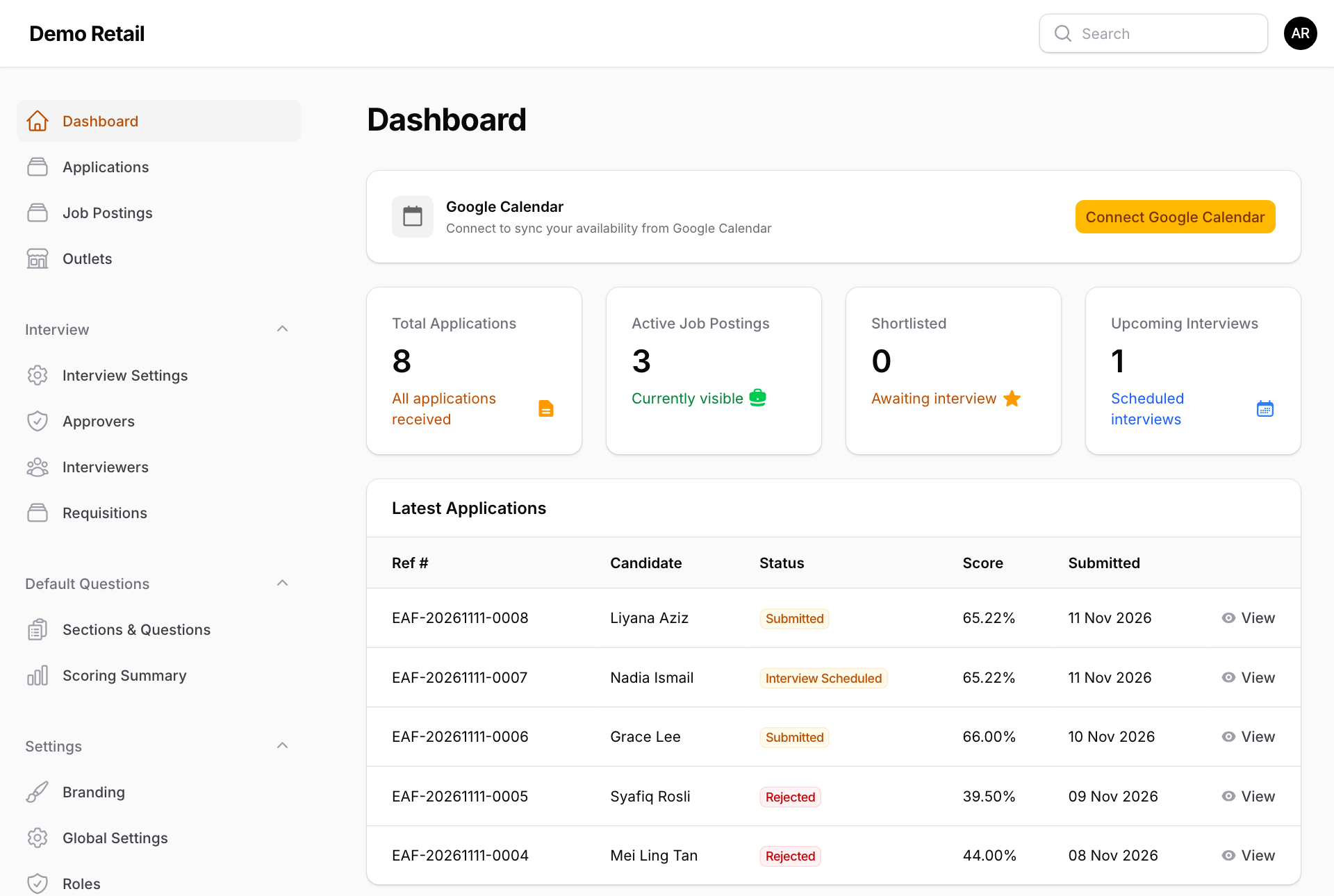
After you sign in, Dashboard shows Total Applications, Active Job Postings, Shortlisted, Upcoming Interviews and the Latest Applications. Press View on a row to open it.
-
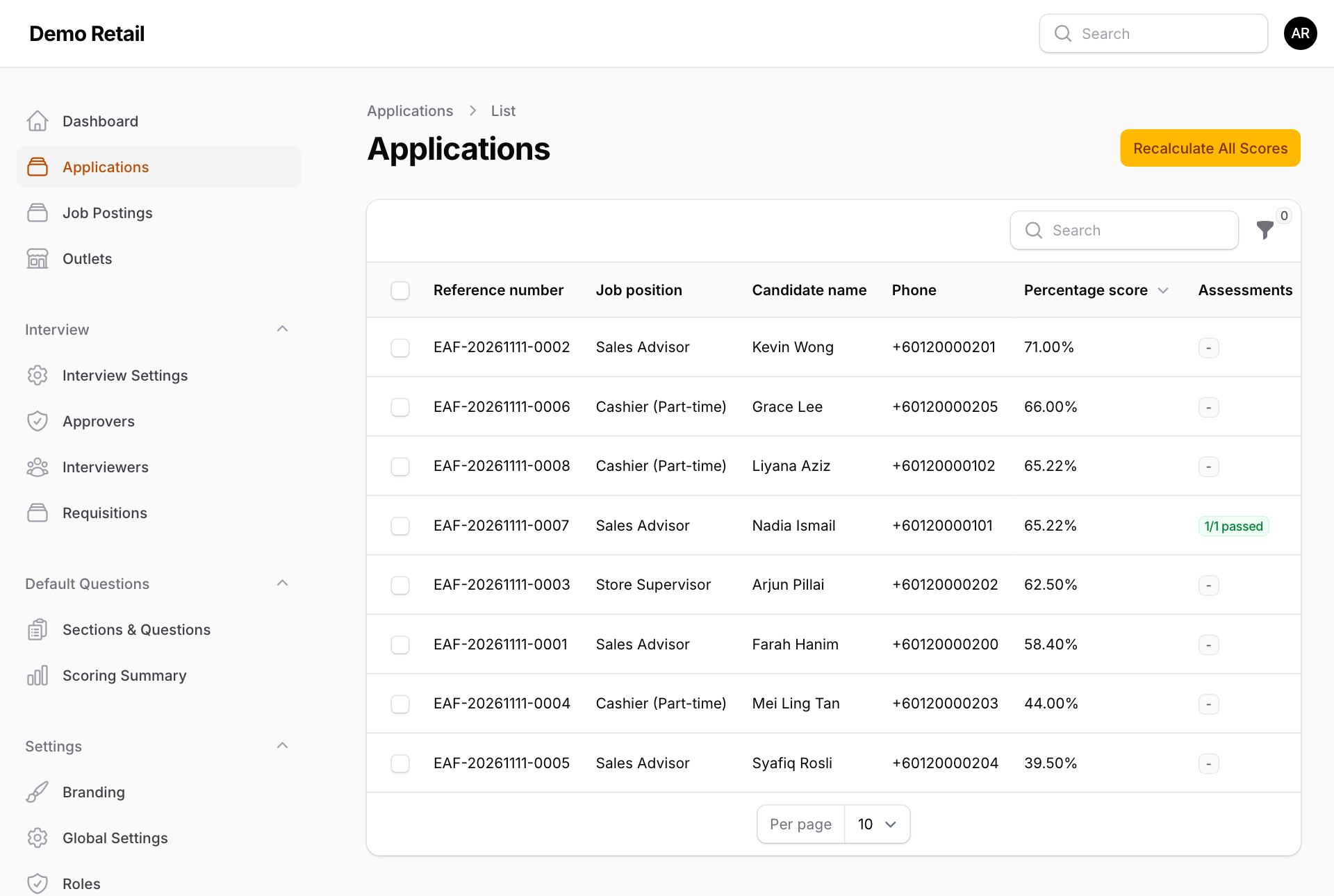
Press Applications in the menu for the full list. It is sorted by score, highest first. The Assessments column shows how many tests were passed. Press the funnel to filter by status or by Failed an assessment.
-
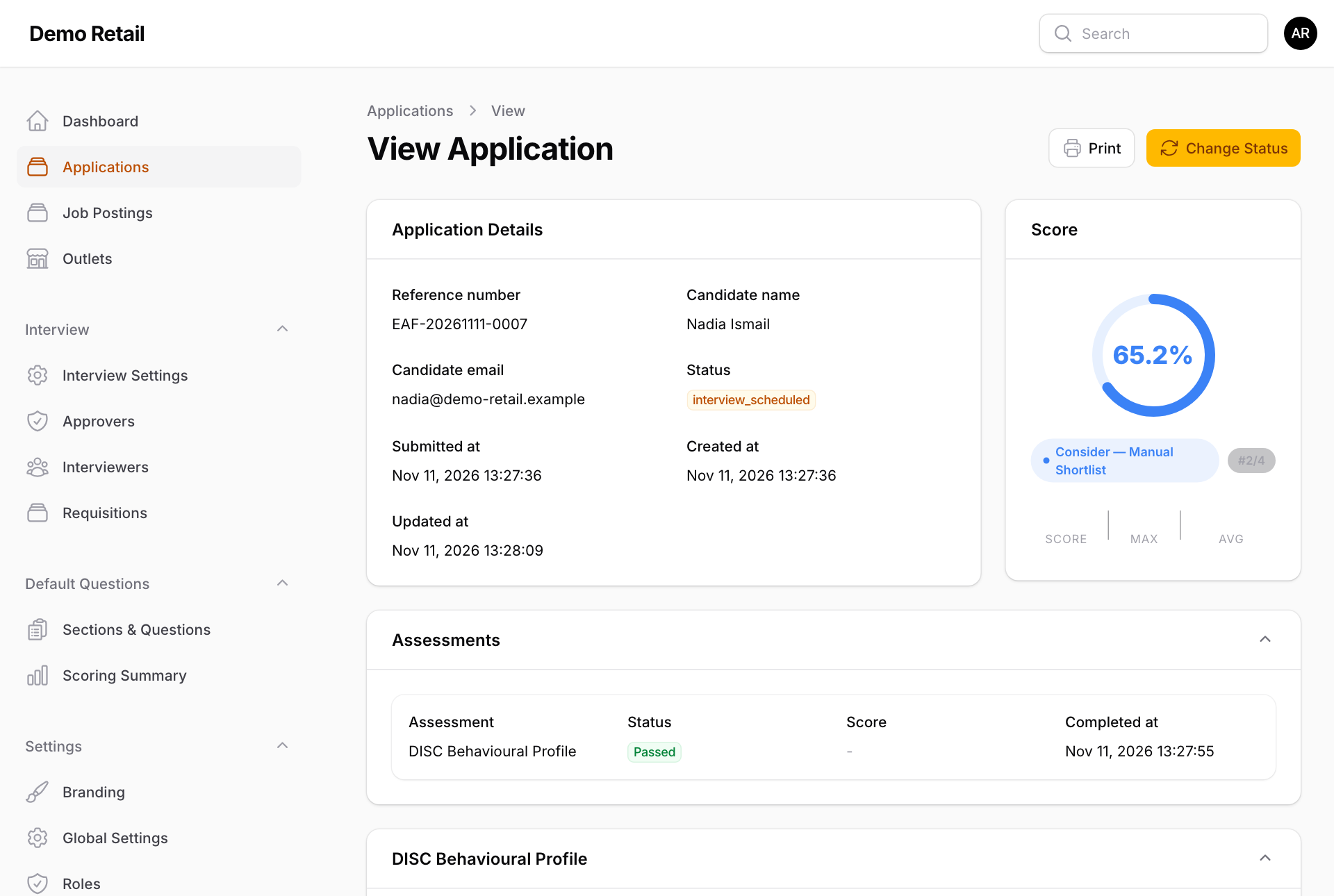
Press a row, or View, to open the application:
- Application Details: reference, name, email, status and dates.
- Score: the percentage, and the rank among applicants for the same job (for example #2/4). The label under the score ("Strong — Auto Shortlist", "Consider — Manual Shortlist", "Not Shortlisted") always uses 75% and 50%, not the percentages set on the job, so it can disagree with what happened.
- Assessments and DISC Behavioural Profile: test results, if the job has a test.
- Answers: every answer, with the points it earned. Press a file name to download it.
-
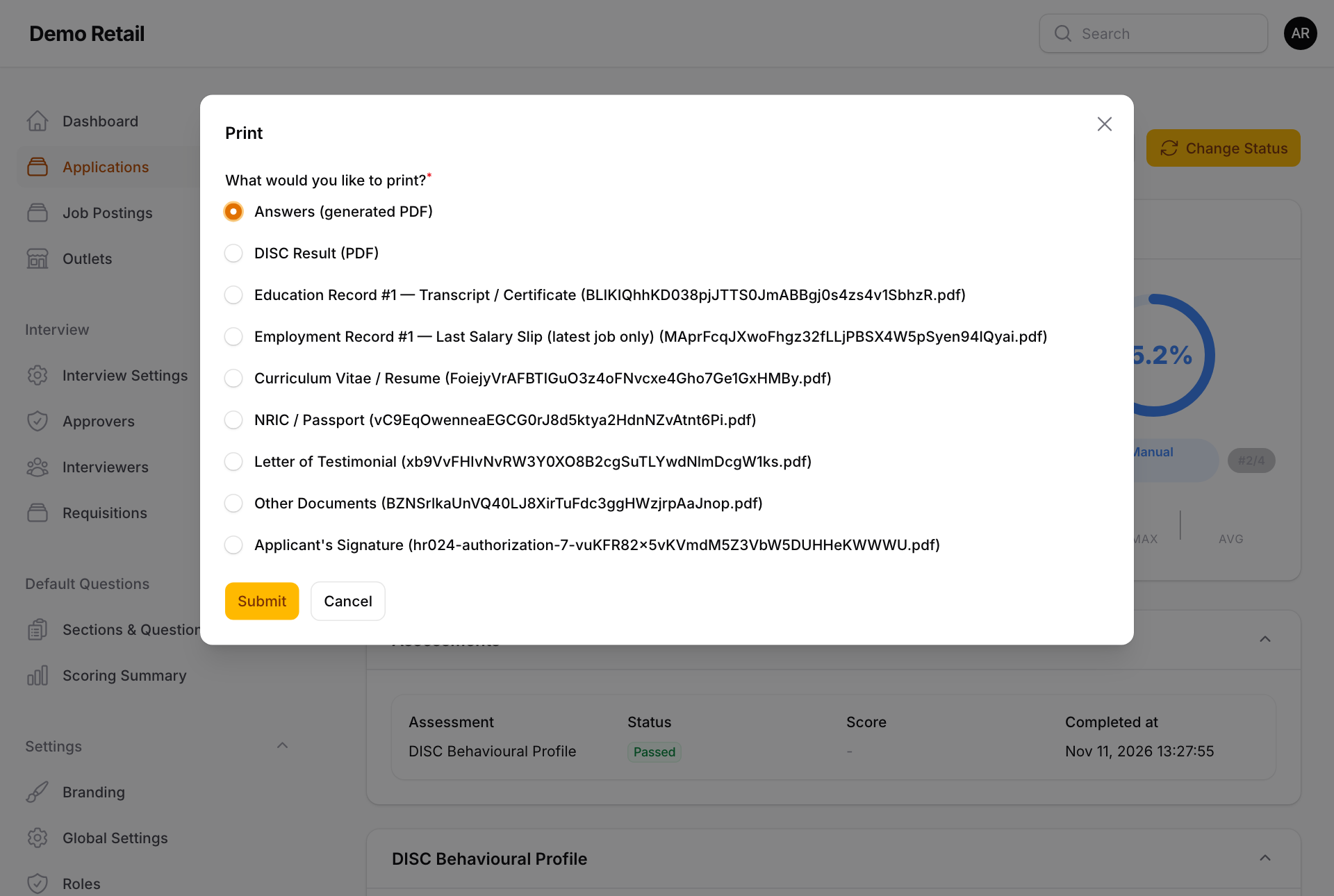
To print, press Print at the top and choose Answers (generated PDF), DISC Result (PDF) or one of the uploaded files, then Submit. It opens in a new tab; use your browser's Print there.
Shortlist or reject by hand
-
On the application, press Change Status.
-
Choose Shortlisted, Rejected or Archived (hidden from the usual lists) and press Submit.
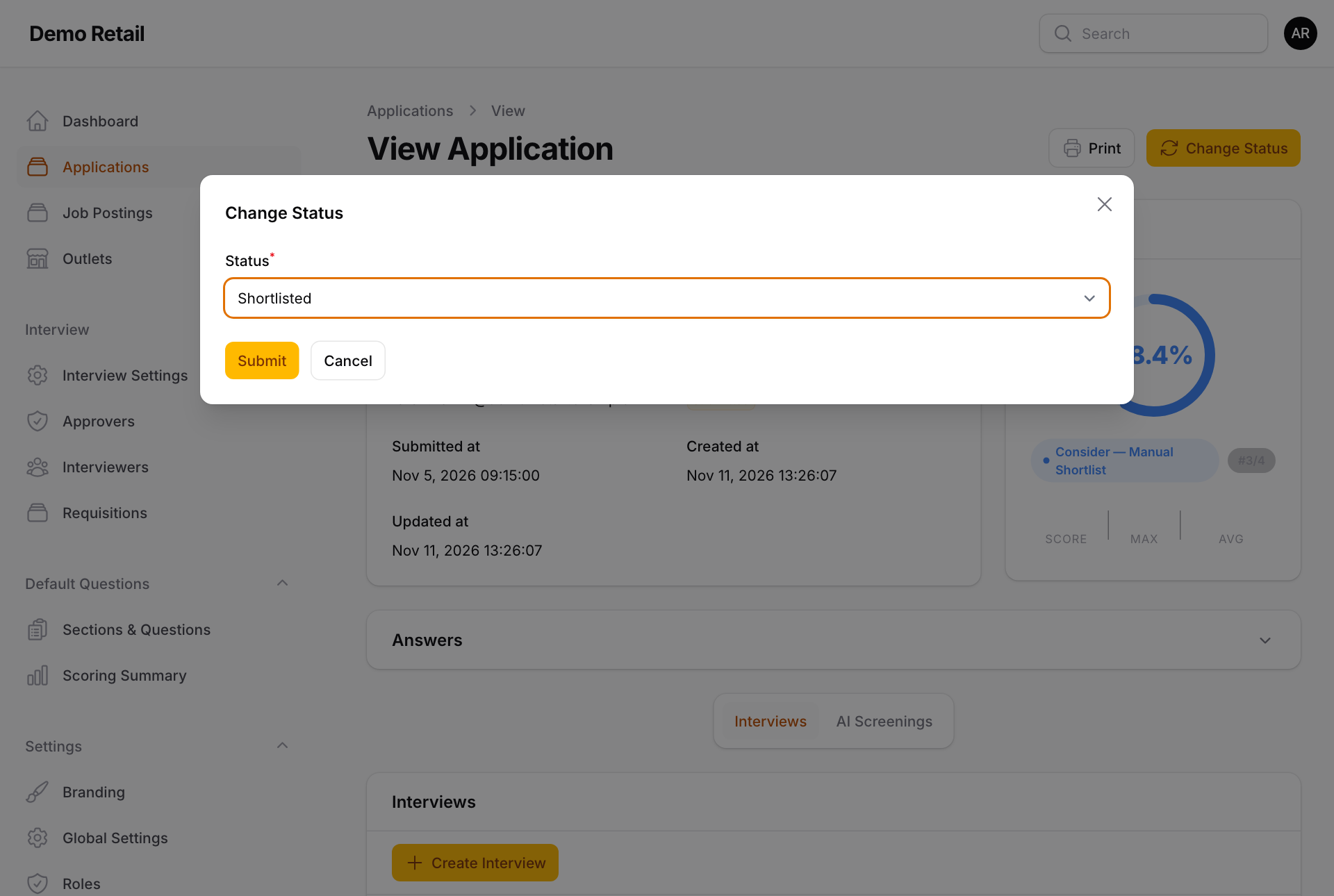
- Shortlisted sends the applicant a WhatsApp link to take the test (if any) and book an interview.
- Rejected sends the applicant nothing. Tell them yourself.
If you see Cannot schedule interview, the applicant's outlet has no interviewers. The status still changes to Shortlisted, but no link was sent. Give the outlet an interview panel (see "Set up outlets, panels and approvers"), come back and press the green Resend Invitation at the top once.
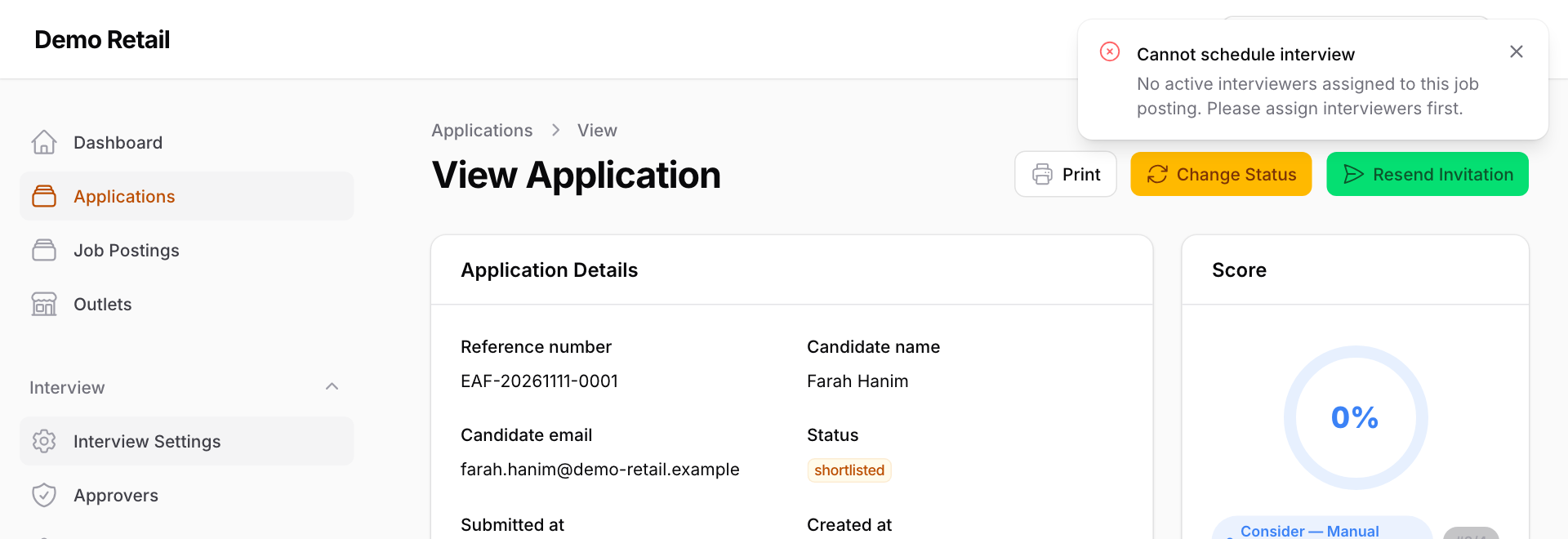
To send the link again after that (for example because it expired), use Resend Invitation in the Interviews part further down instead (see "Manage interviews from the admin screens"). Pressing the green button at the top a second time fails without a message.