Set interviewer availability
For: Administrators
Whole guide as PDF (5 MB)Applicants can only pick times when every required interviewer is free. Each interviewer's free time comes from a weekly schedule typed into the app, or from their Google Calendar.
Add an interviewer
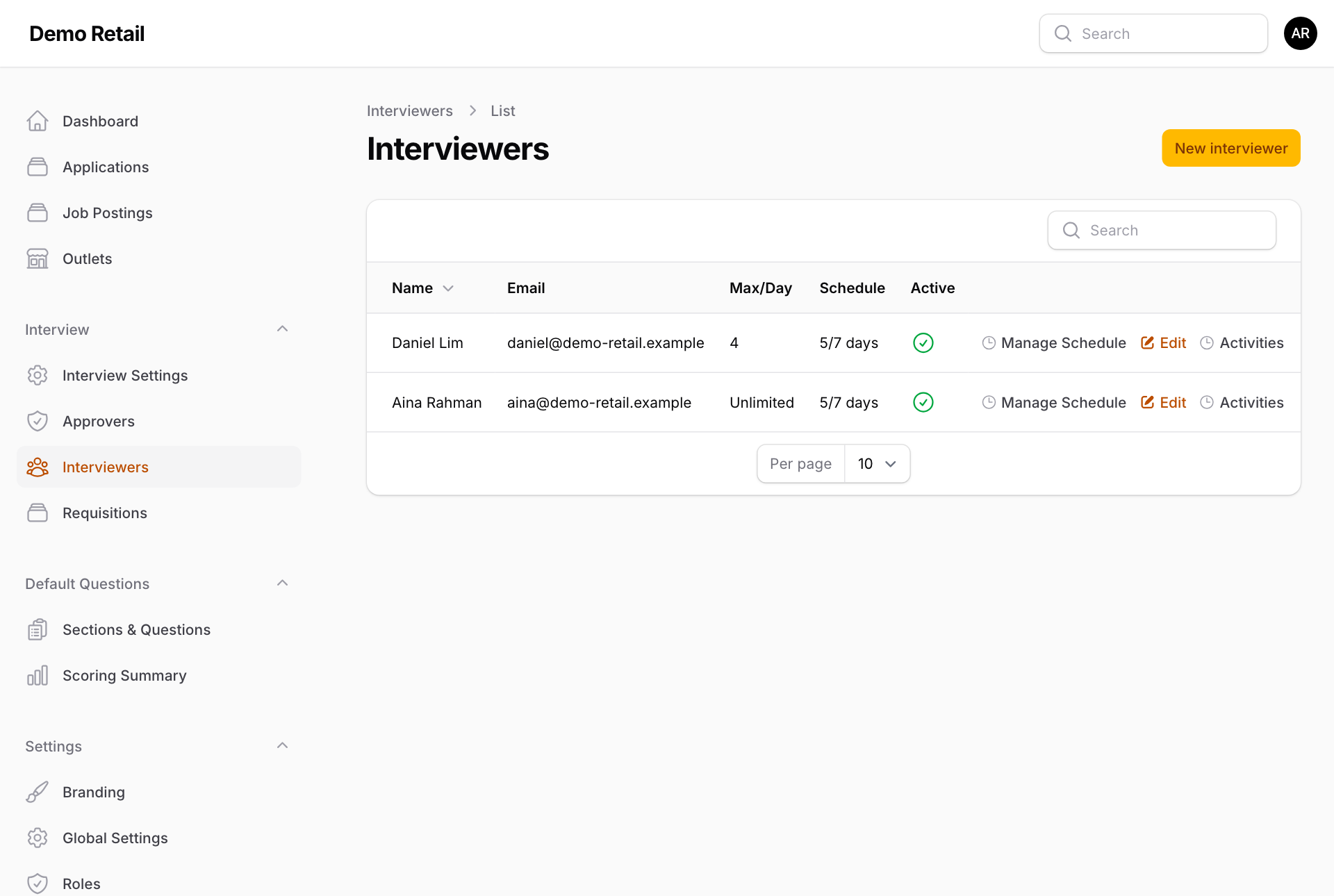
- Under Interview, press Interviewers, then New interviewer.
- Pick the User (the person needs an account first), set Max Interviews Per Day (0 = unlimited) and leave Is active on. Press Create.
Weekly schedule
-
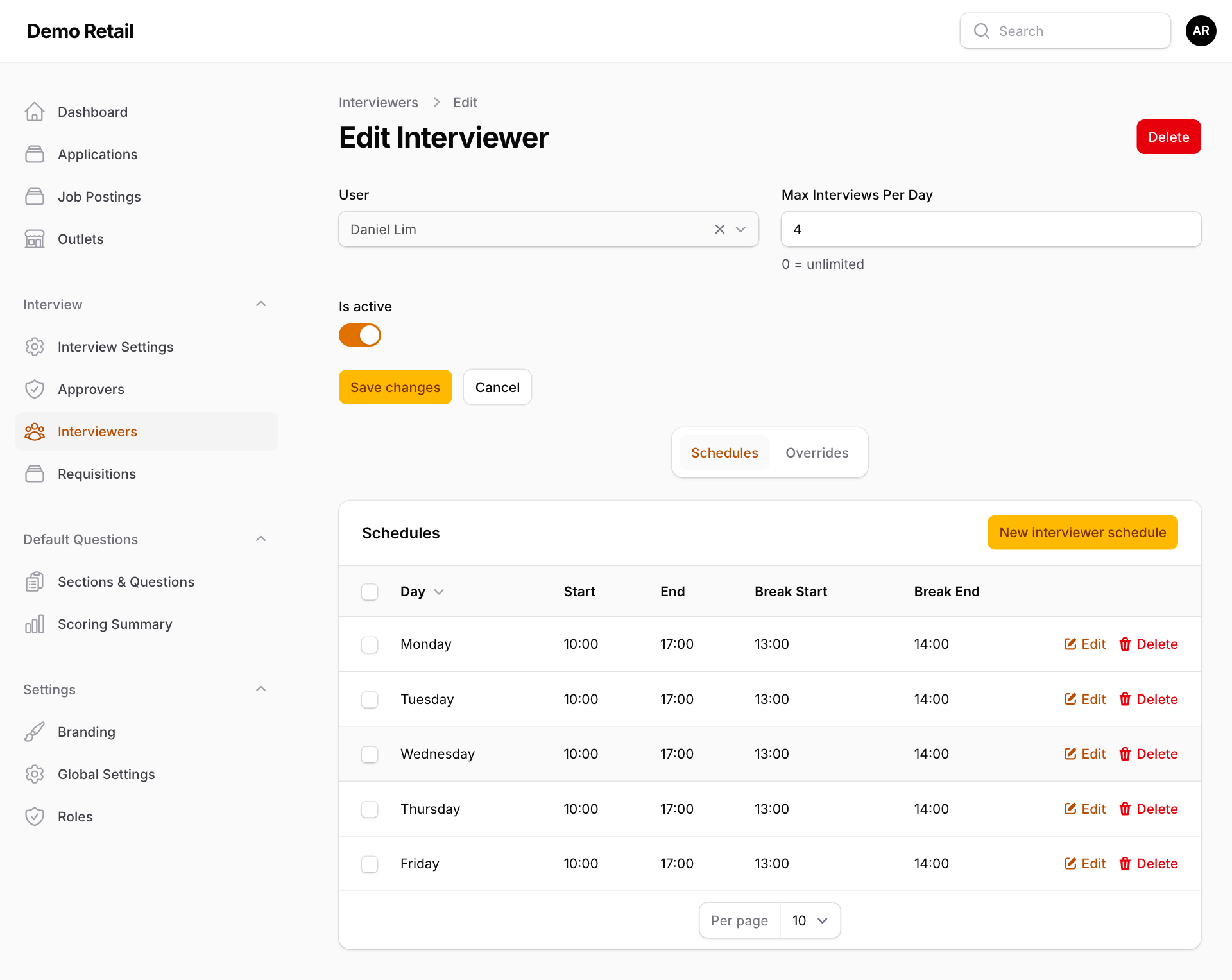
Press Manage Schedule on the interviewer.
-
On the Schedules tab, press New interviewer schedule for each working day: the day, Start and End time, and the lunch break (Break Start, Break End). No interview is offered during the break.
An interviewer with no schedule at all is treated as free on weekdays from 9:00 AM to 5:00 PM, except 12:00 to 1:00 PM.
Leave and one-off changes
-
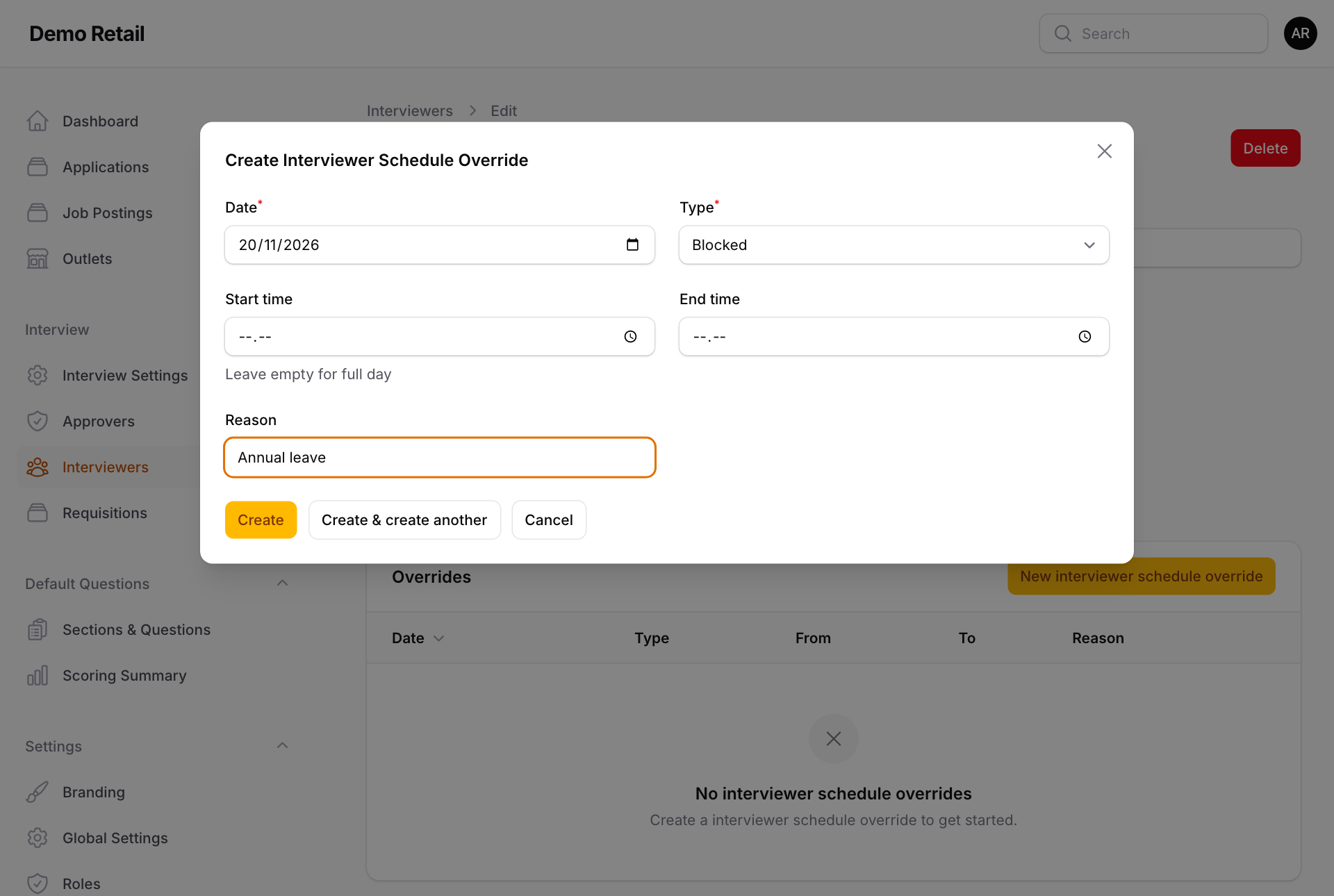
On the same page, open the Overrides tab and press New interviewer schedule override.
-
Pick the Date and the Type: Blocked (not available) or Available (extra hours, for example on a Saturday).
-
Leave Start time and End time empty for the whole day. Add a Reason and press Create.
Google Calendar instead
An interviewer can let the app read their Google Calendar. Your administrator must set up the Google connection first.
-
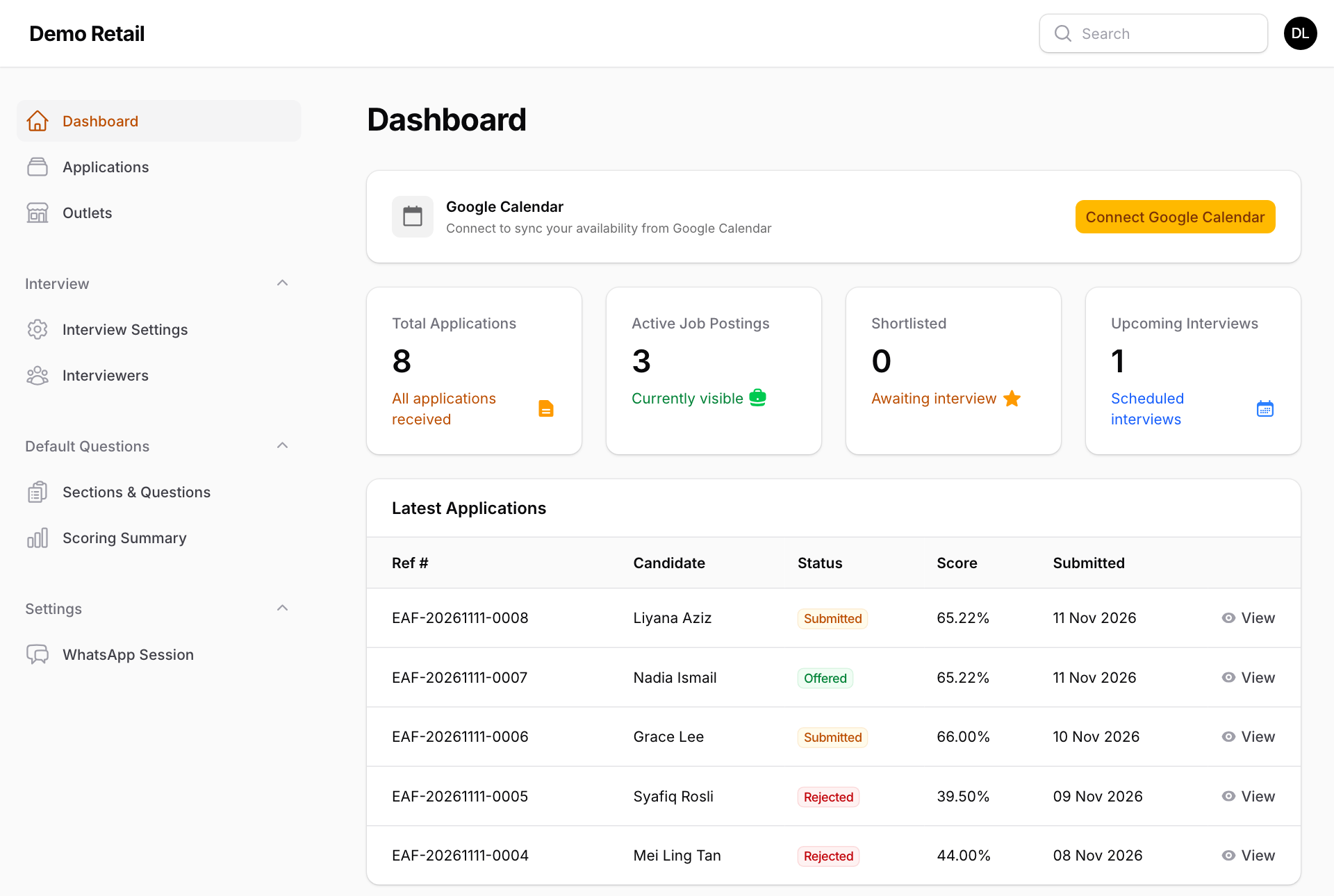
The interviewer signs in to the admin screens. Dashboard shows a Google Calendar box.
-
They press Connect Google Calendar and allow access in Google.
From then on, the app treats calendar events whose title contains the Calendar Event Keyword (set in Interview Settings) as the times they can interview. The weekly schedule no longer applies to them. They can switch back with Disable or Disconnect in the same box.