Request a new position
For: Outlet managers
Whole guide as PDF (5 MB)Use this when your outlet needs to hire. Your request goes to management for approval. Your account needs the Requisition Requester role and your phone number; ask HR if you are not set up. HR gives you the web address of the request page.
-
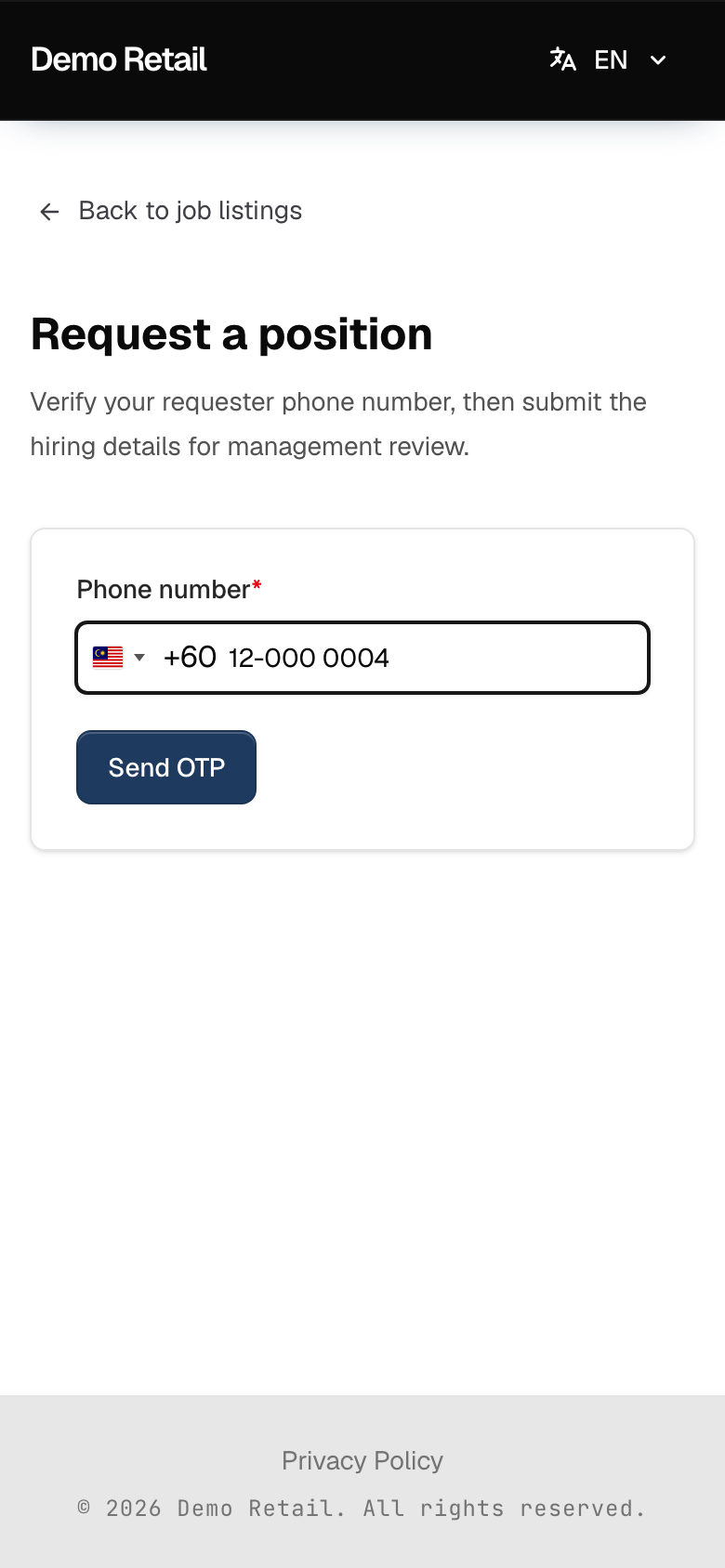
Open the request page. Type your phone number under Phone number and press Send OTP (OTP, a one-time code).
-
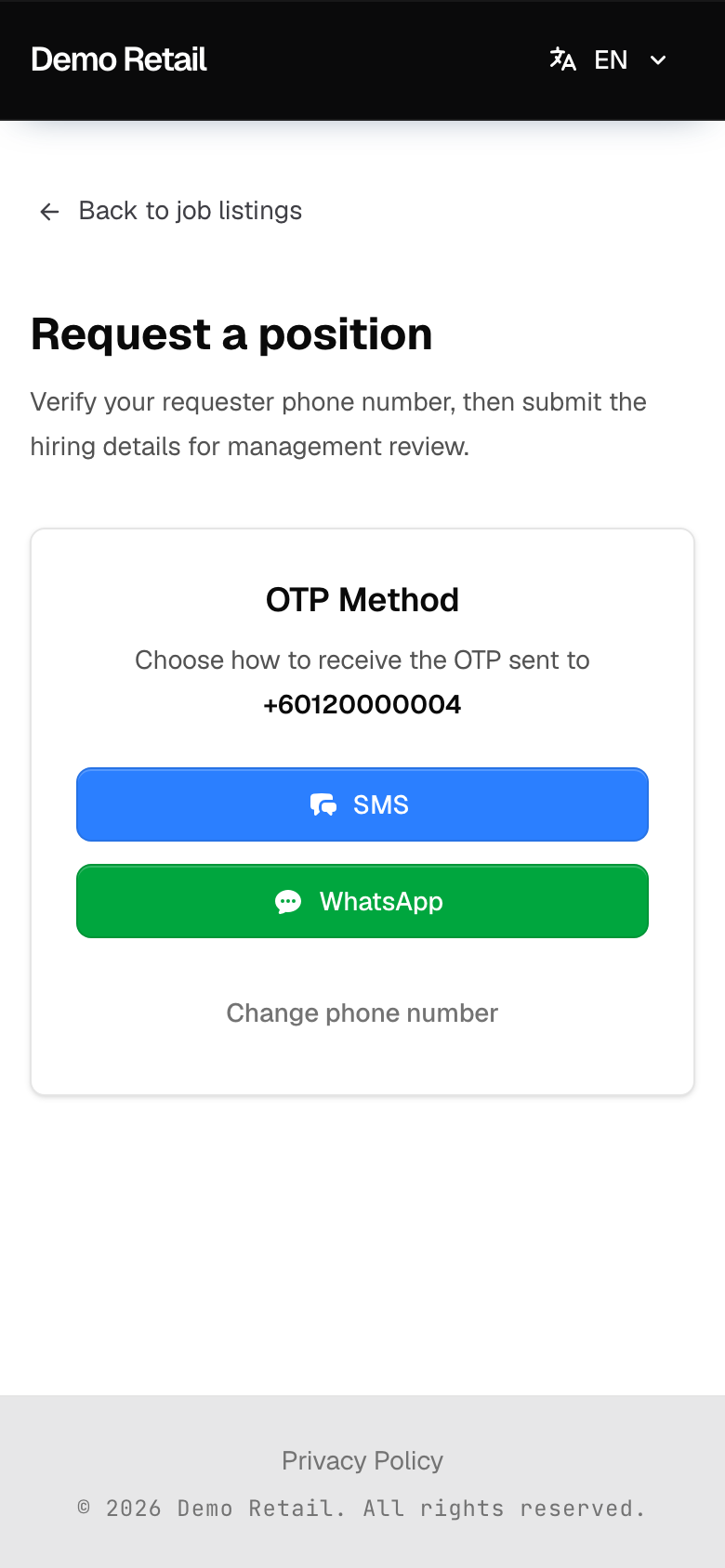
Choose WhatsApp or SMS.
-
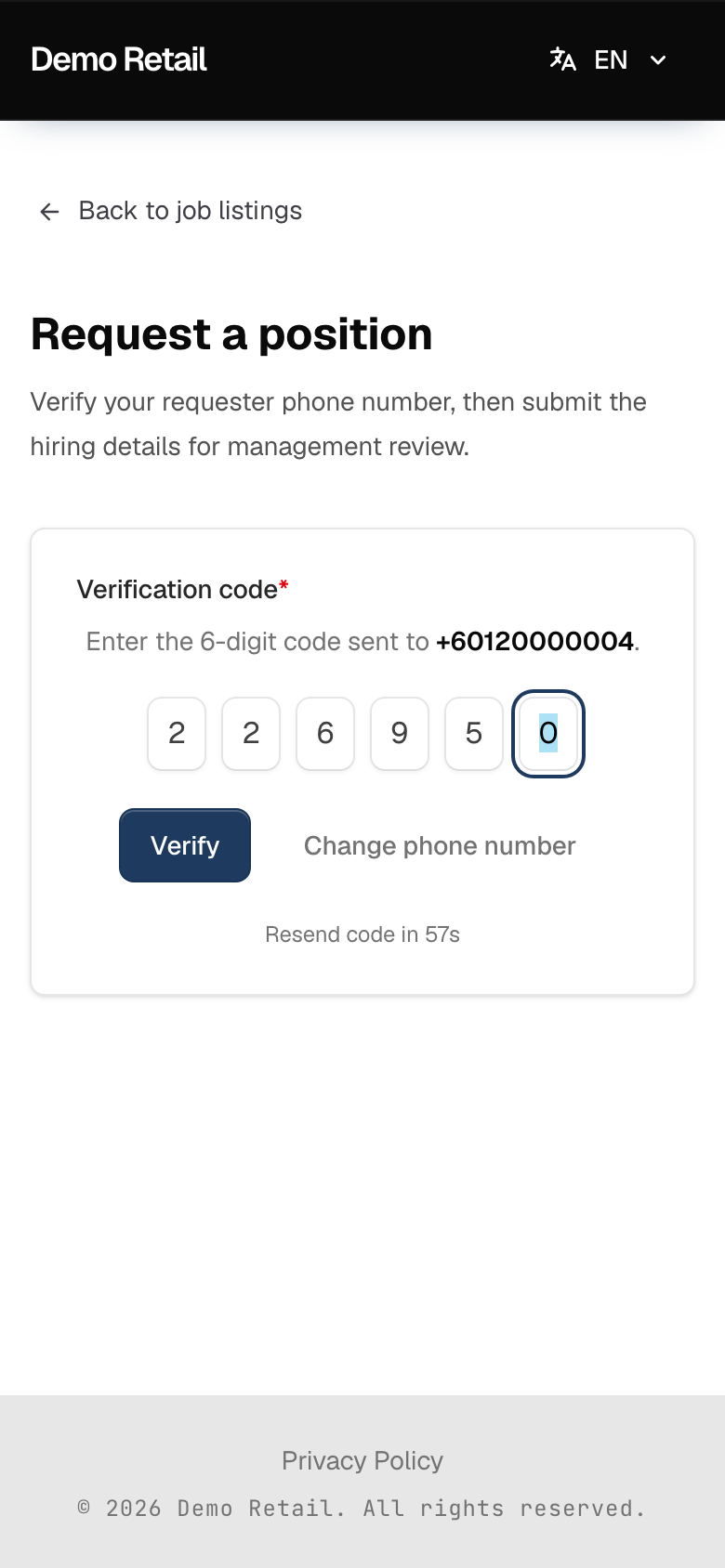
Type the 6-digit code under Verification code and press Verify. The code works for 10 minutes. If it does not arrive, wait for the countdown and press Resend Code.
-
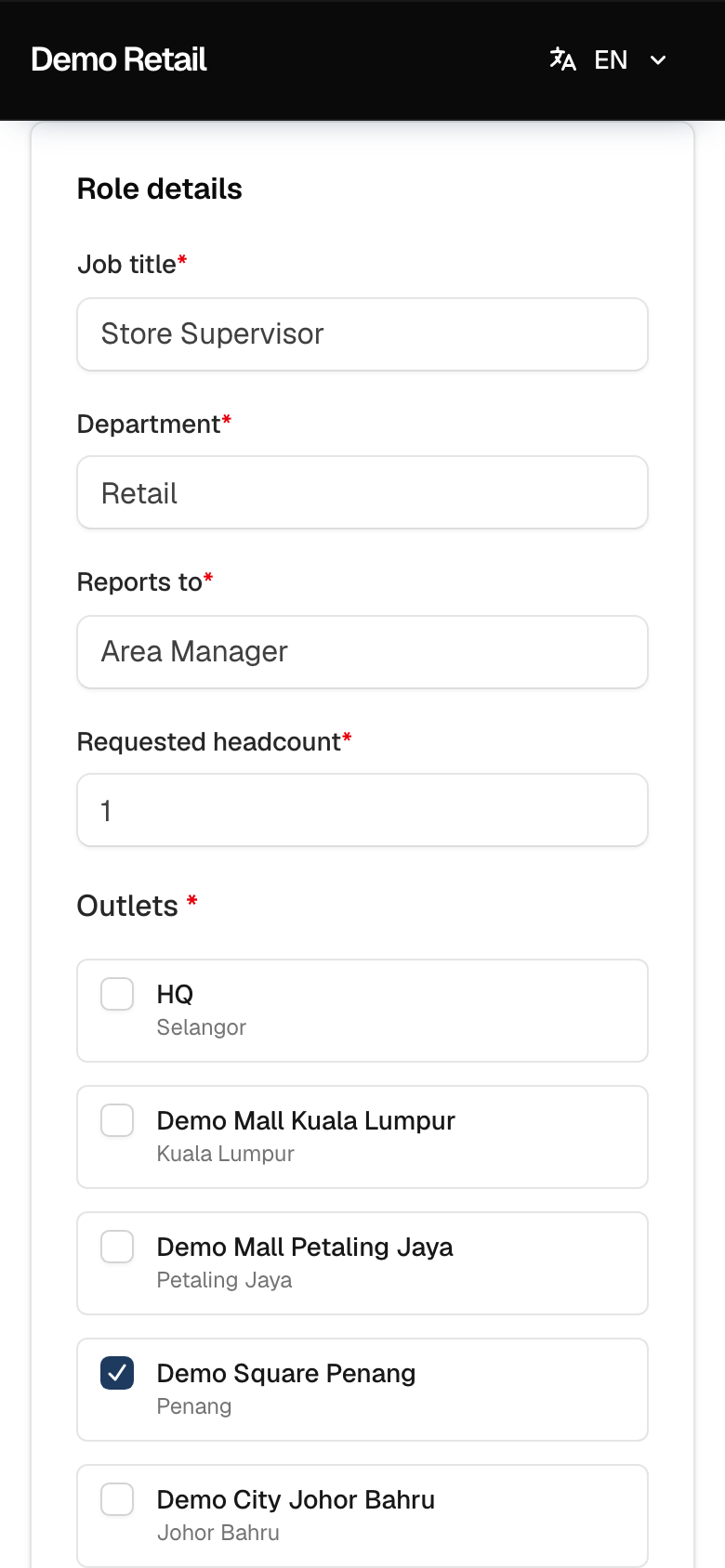
Fill in the form. Everything with a red star is required.
- Role details: Job title, Department, Reports to, Requested headcount (how many people), and tick the Outlets that need them.
- Employment details: Recruitment type (New position or Replacement; for a replacement, name the person under Replacement person), Employment type, Position level, Anticipated start date, Minimum years experience and Minimum education level.
- Compensation and workplace: Salary min, Salary max, Allowance, Working location and Working hours.
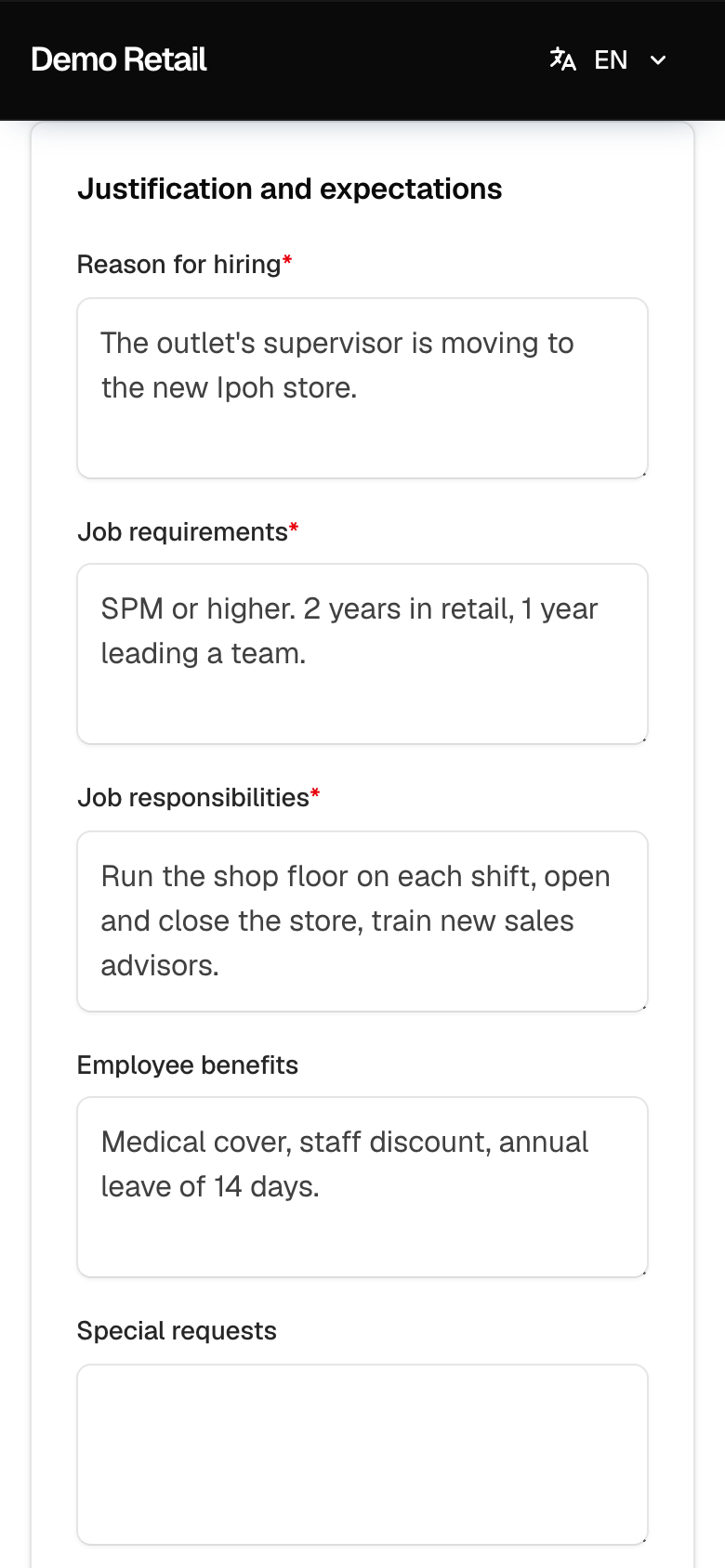
- Justification and expectations: Reason for hiring, Job requirements, Job responsibilities, and if you like Employee benefits and Special requests. HR copies the responsibilities into the job advert.
-
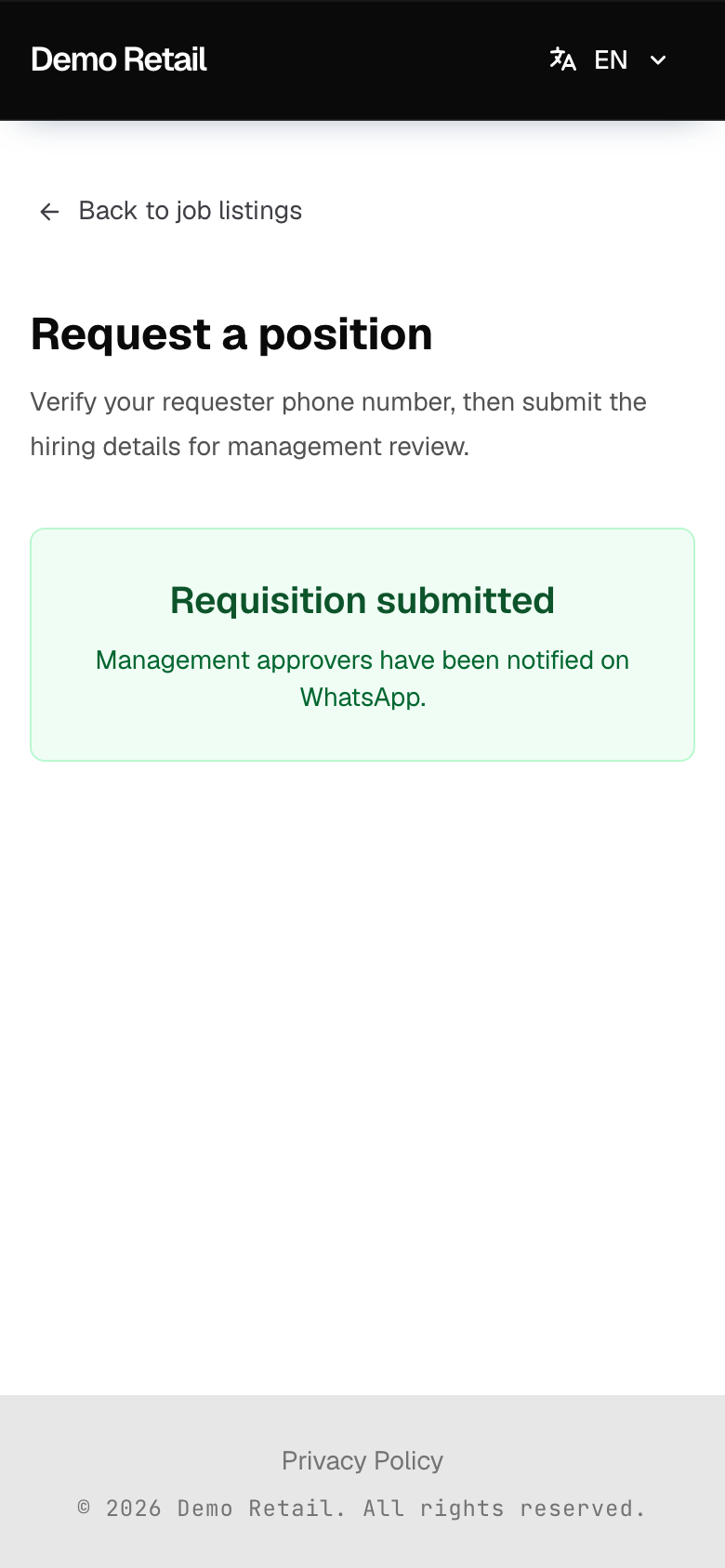
Press Submit requisition. You see Requisition submitted.
Good to know
- Every person with the Management Approver role gets a WhatsApp link to your request. The first one to decide settles it.
- You are not told the result. Ask HR, or open Requisitions in the admin screens if your account can sign in there: the Status column shows Submitted, Management Approved or Management Rejected.
- "This phone number is not authorized to submit requisitions." means your account does not have the Requisition Requester role, or has a different phone number. Ask HR.
- HR can also enter a request for you: Requisitions, then New requisition, in the admin screens.