Take the test and book your interview
For: Applicants
Whole guide as PDF (5 MB)You reach this step in one of two ways:
- Straight after applying, when your application scored high enough. The page opens by itself.
- From a WhatsApp message when HR shortlists you later. Press the link in the message.
If you were shortlisted straight after applying, finish this step before you close the page. No WhatsApp link is sent in that case. If you closed it, ask HR to send you the link.
The personality test
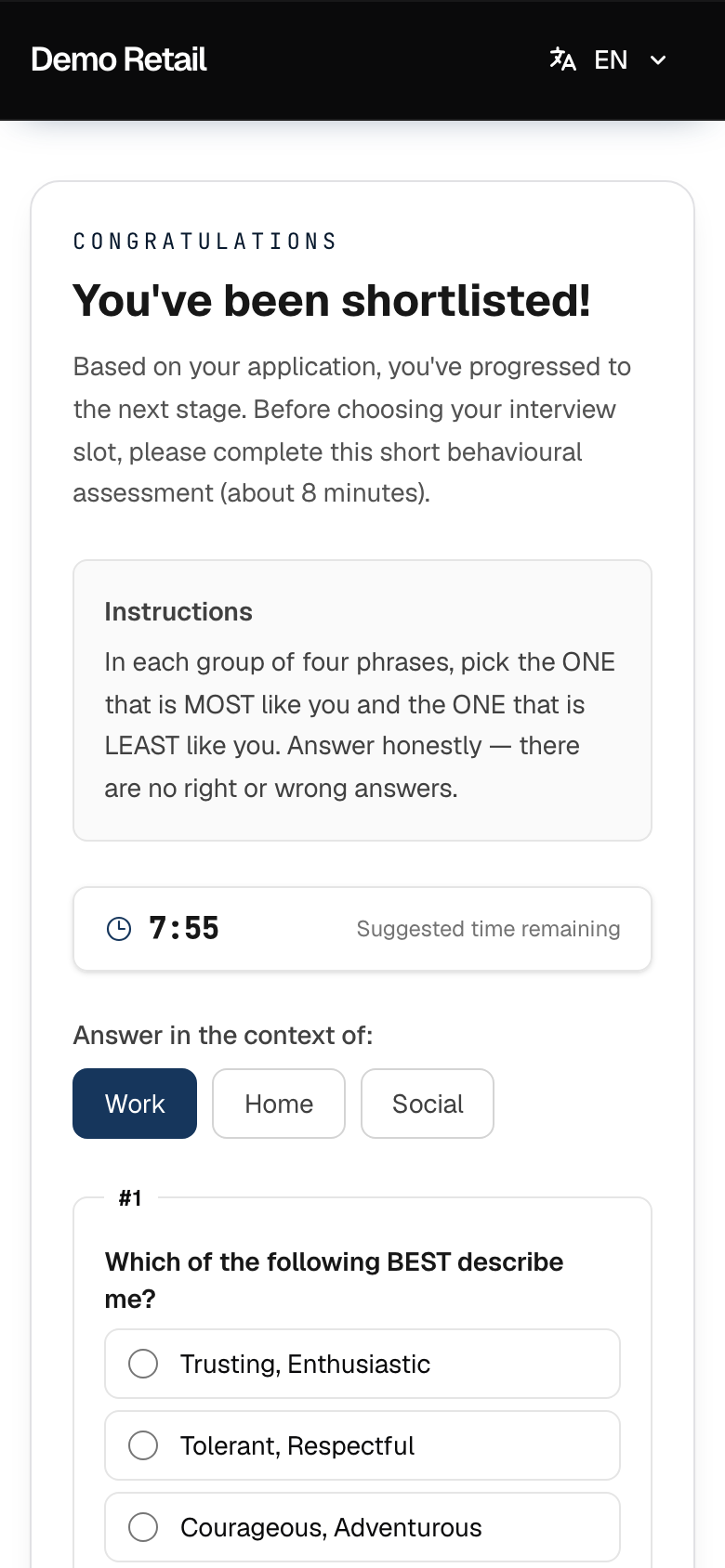
Some jobs ask for a short personality test first (DISC, about 8 minutes). If the job has none, you go straight to the dates.
-
Read Instructions. Under Answer in the context of:, choose Work, Home or Social.
-
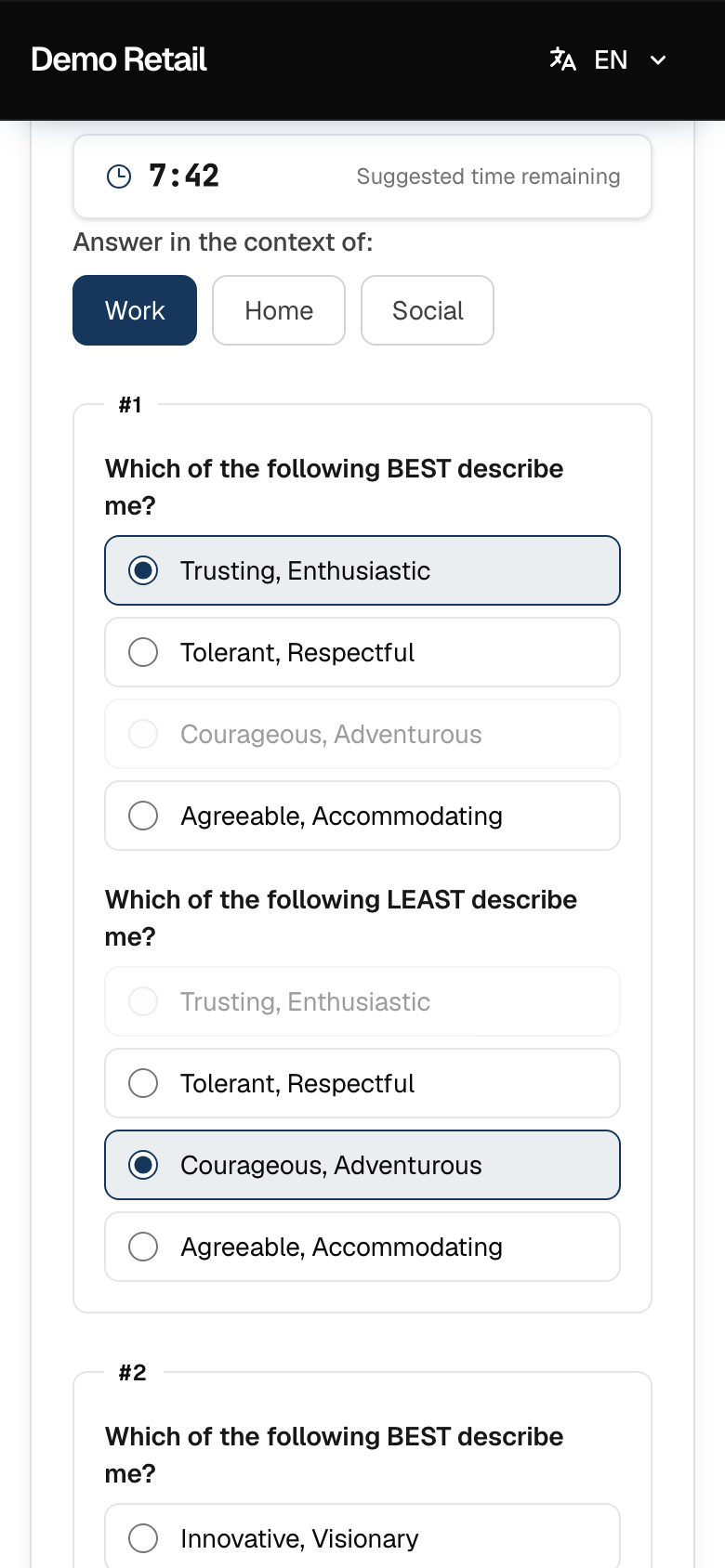
Each numbered group has four phrases. Under Which of the following BEST describe me? pick the one most like you. Under Which of the following LEAST describe me? pick the one least like you. The same phrase cannot be both.
-
Answer every group, then press Submit & Continue. The timer is a guide only; you can finish after it runs out. There are no right or wrong answers.
Book your interview
-
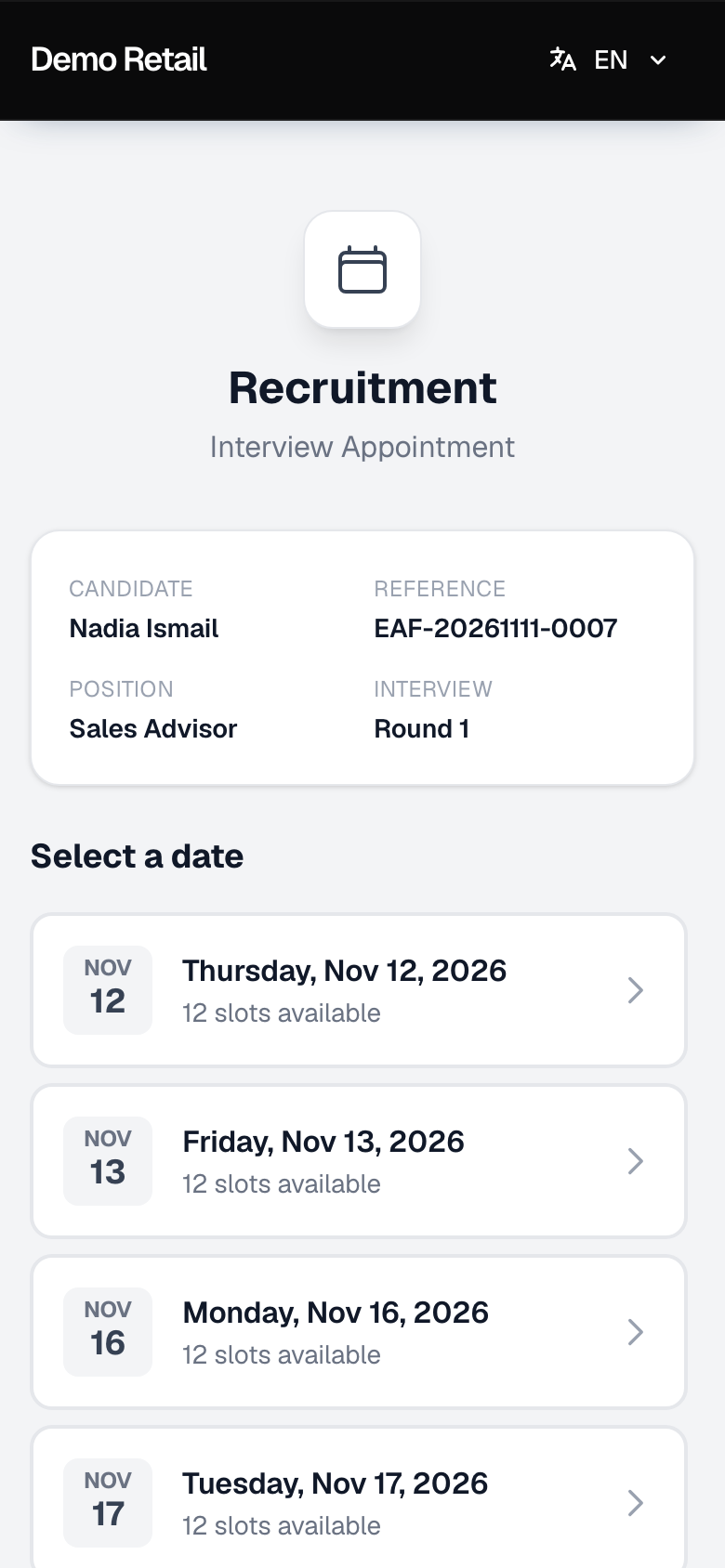
Under Select a date, press a day. Each day shows how many time slots are free.
-
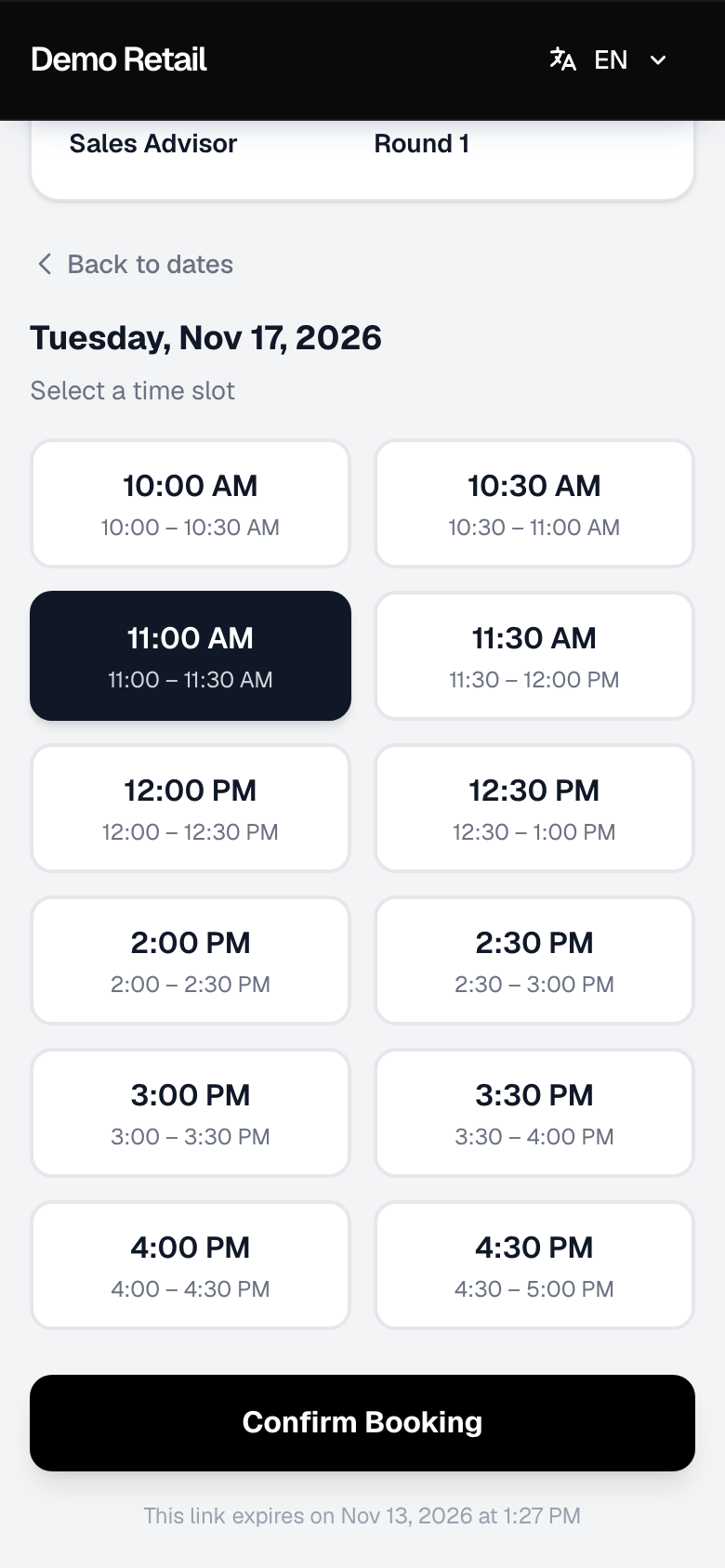
Press a time under Select a time slot, then press Confirm Booking. Press Back to dates to pick another day.
-
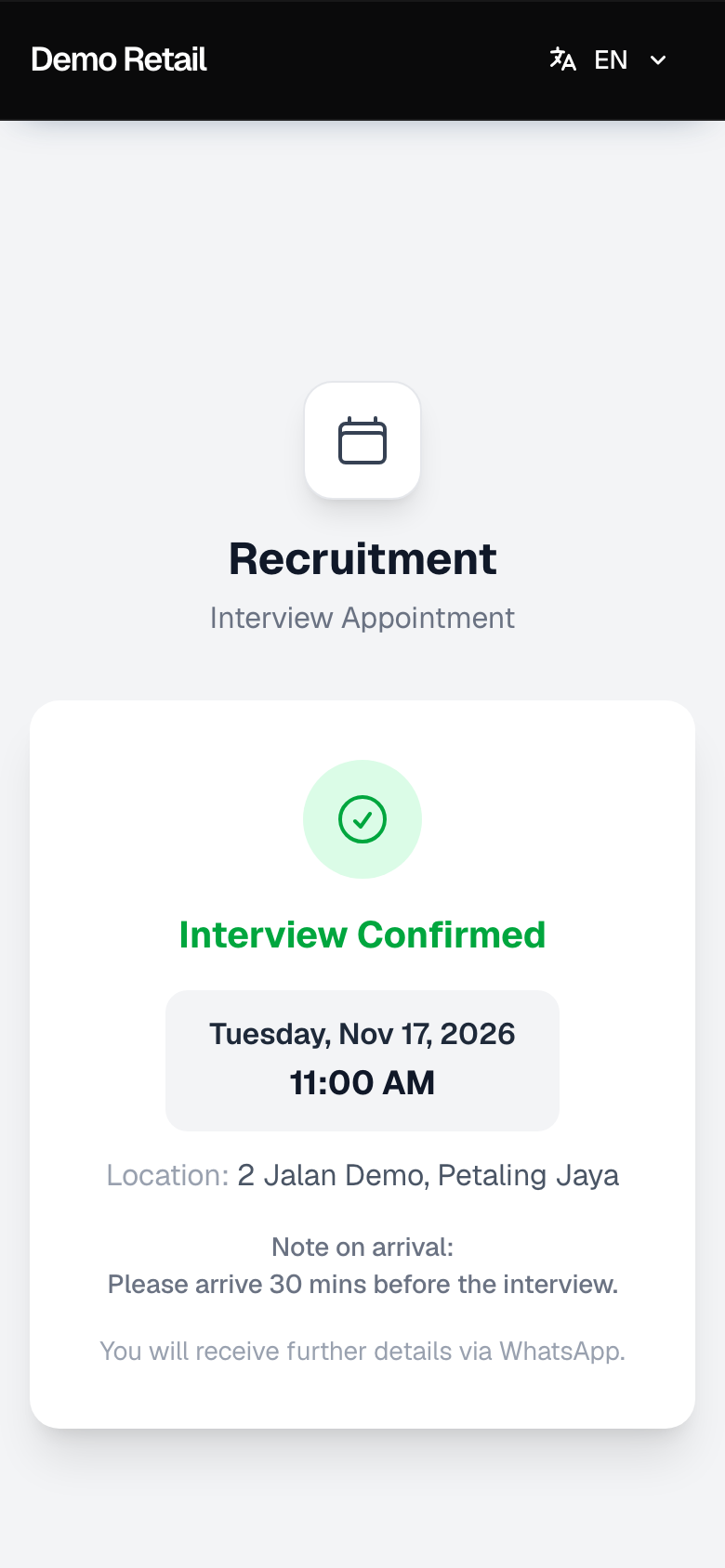
Interview Confirmed shows the date, time and the outlet's address. Take a screenshot of it.
Good to know
- The page says "You will receive further details via WhatsApp." Today no message is sent when you book. You get WhatsApp reminders 24 hours and 2 hours before the interview, if your company has them switched on.
- The link expires; the date is at the bottom of the page ("This link expires on…"), 48 hours after it was sent by default. If it has expired, ask HR to send a new one.
- To change your interview time after booking, ask HR. They can send you a new link.