Clear the exceptions list
For: Everyone
Whole guide as PDF (2 MB)Exceptions lists the things the system could not settle by itself, for example a payment with no confirmed result, a payment that does not match the order, an e-invoice that failed, a stock difference, or a message to another system that kept failing. The red number on Exceptions in the menu is how many are waiting.
- Open Exceptions in the menu. Each card names the problem, how serious it is, and the last thing the system tried.
- Press Assign to me so colleagues can see you are on it.
- Fix the actual problem on its own screen: the order, the payment, the stock. Resolving an exception never changes the order or payment itself.
- Type a Resolution note: what you did and where someone can check it.
- Press Resolve. Use Dismiss only when nothing needed doing.
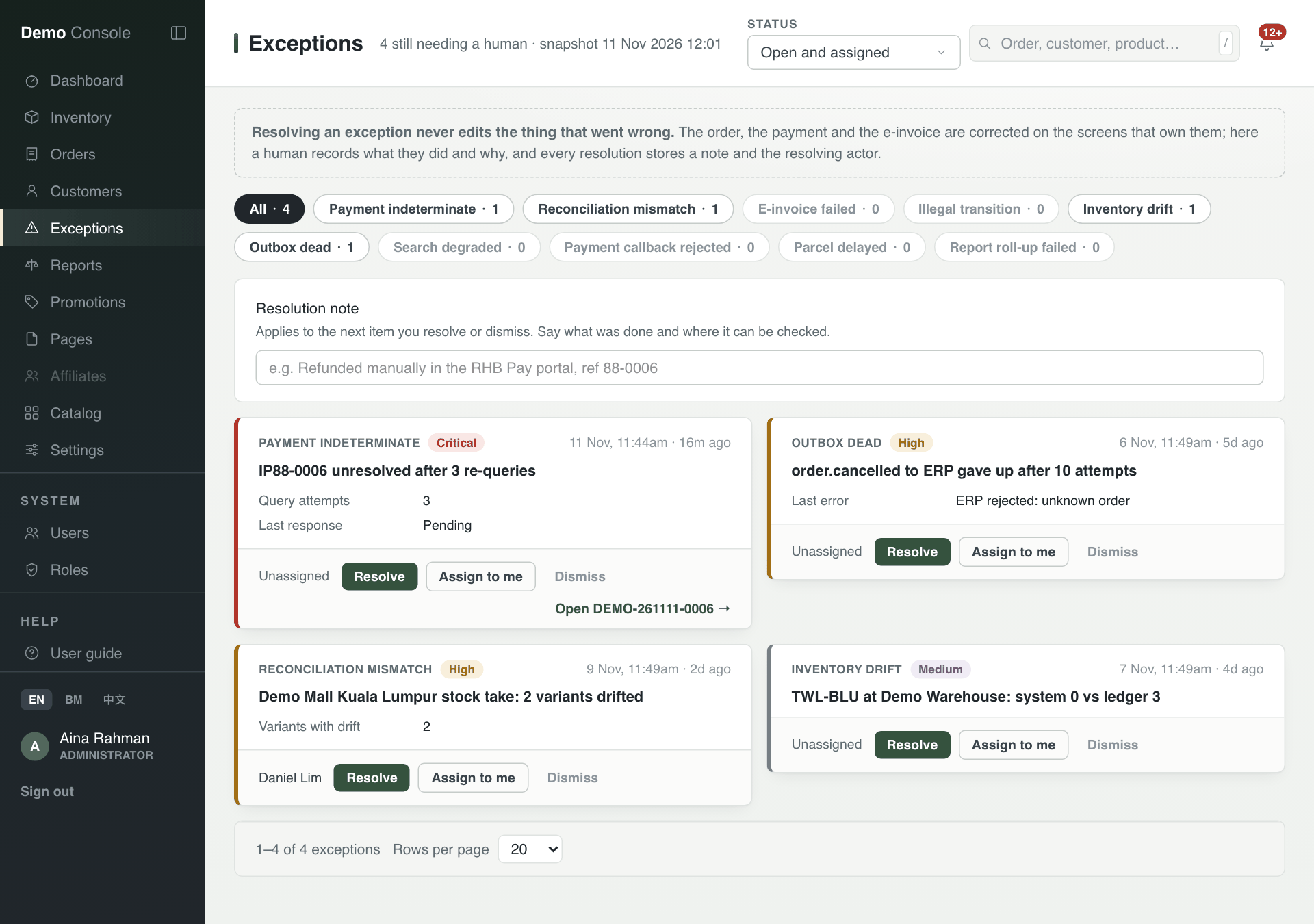
The resolution note applies to the next card you resolve or dismiss, so type it right before you press the button.