Keep online stock right
For: Inventory Controller
Whole guide as PDF (2 MB)The shop never corrects stock by itself. When the stock records and a count disagree, the difference stays on a list until a person explains it.
See the differences
- Open Inventory in the menu. The page is called Inventory drift.
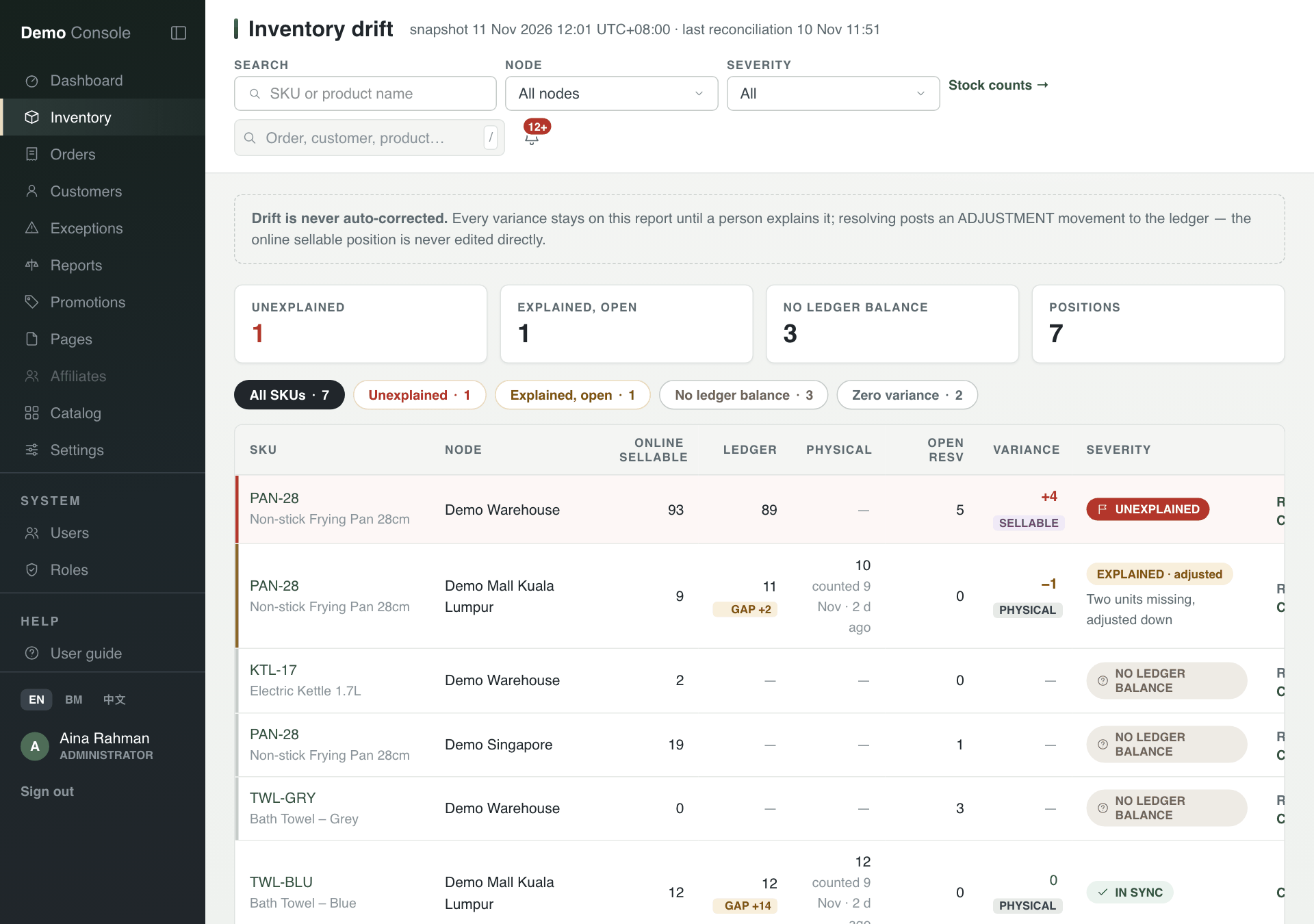
- The boxes at the top count Unexplained differences, ones Explained, open, and items with No ledger balance (no stock record to compare against, which is not the same as no difference).
- Each row shows a product at one outlet or warehouse: Online sellable (what the shop may sell now), Ledger (the stock record), Physical (the last count), and the Variance between them.
- Press Resolve on a row and type why the numbers differ. This writes a correction to the stock record. Press Count this to count that product instead.
Only an Inventory Controller can resolve a difference. Administrators, Merchandisers and Marketing are never allowed to, even though they can see the list.
Count stock
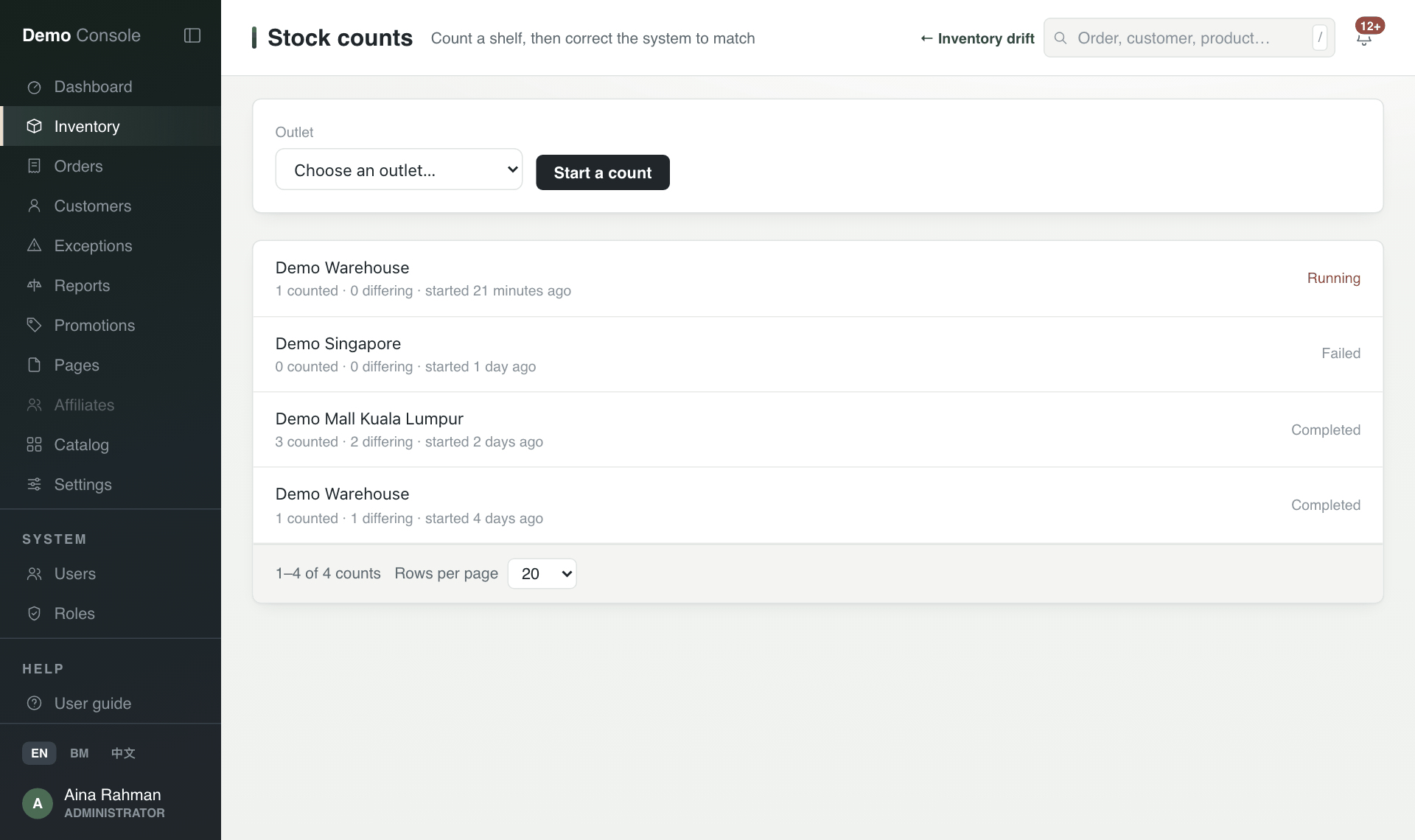
- On Inventory drift, press Stock counts →.
- Choose the Outlet and press Start a count. Past counts are listed below with how many products were counted and how many differed.
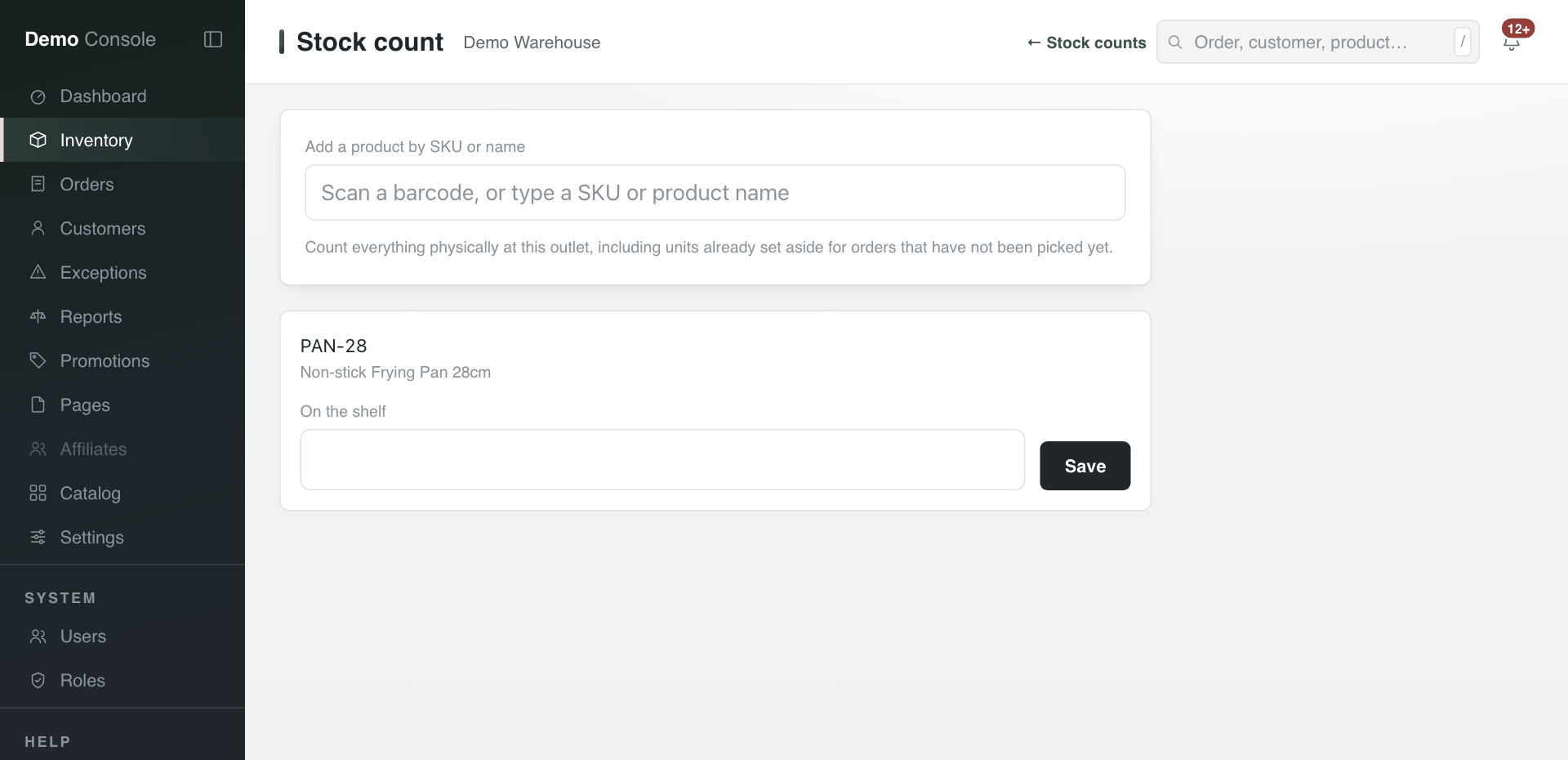
- Scan a barcode, or type a SKU (the code for one product) or a product name.
- Under On the shelf, type how many are physically there, including units already set aside for orders not yet picked. Press Save.