Edit the shop's pages
For: Marketing
Whole guide as PDF (2 MB)The shop's own pages, such as the home page, are built here. You edit a draft; customers see nothing until you publish it.
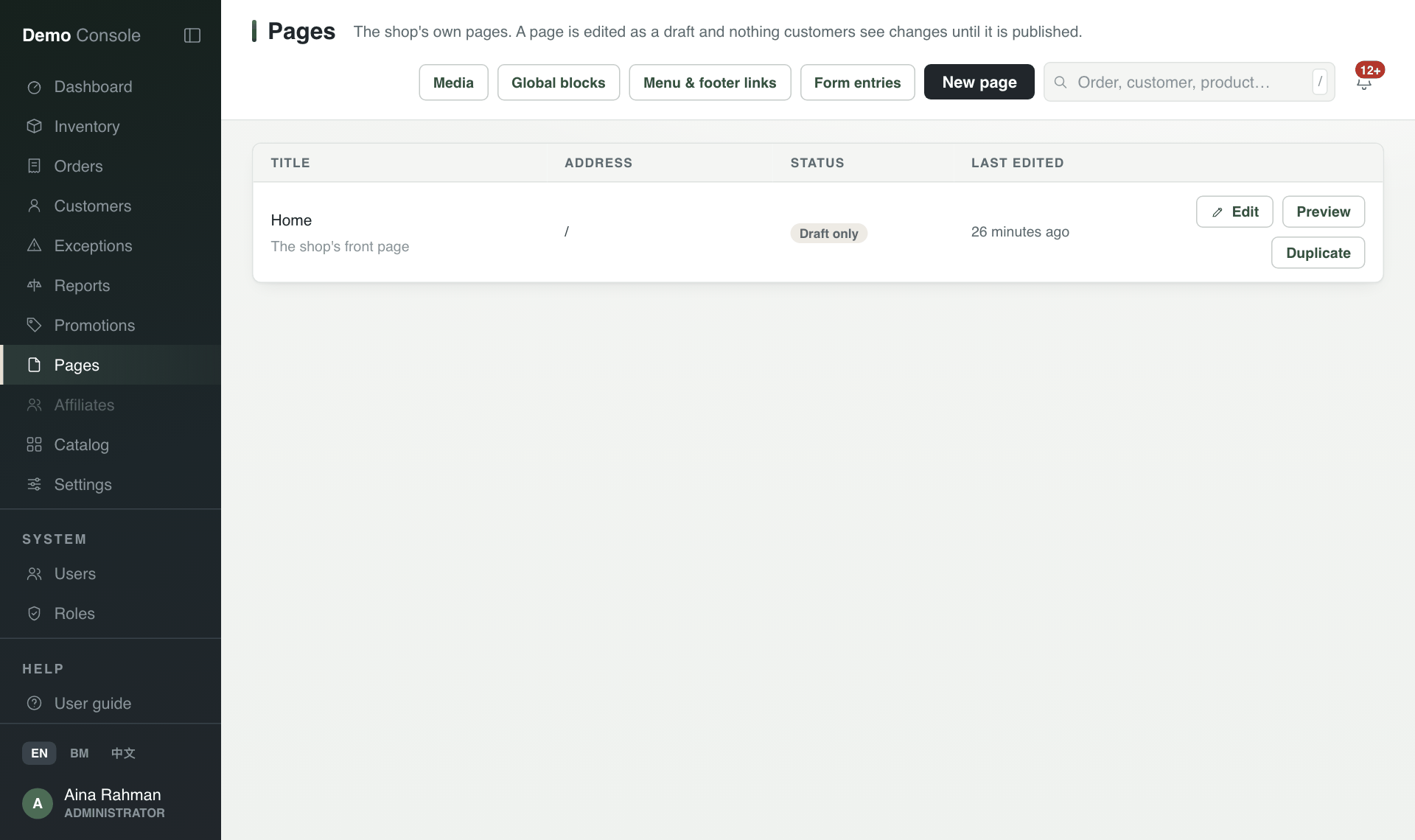
- Open Pages in the menu.
- Press Edit on a page, Duplicate to copy one, or New page.
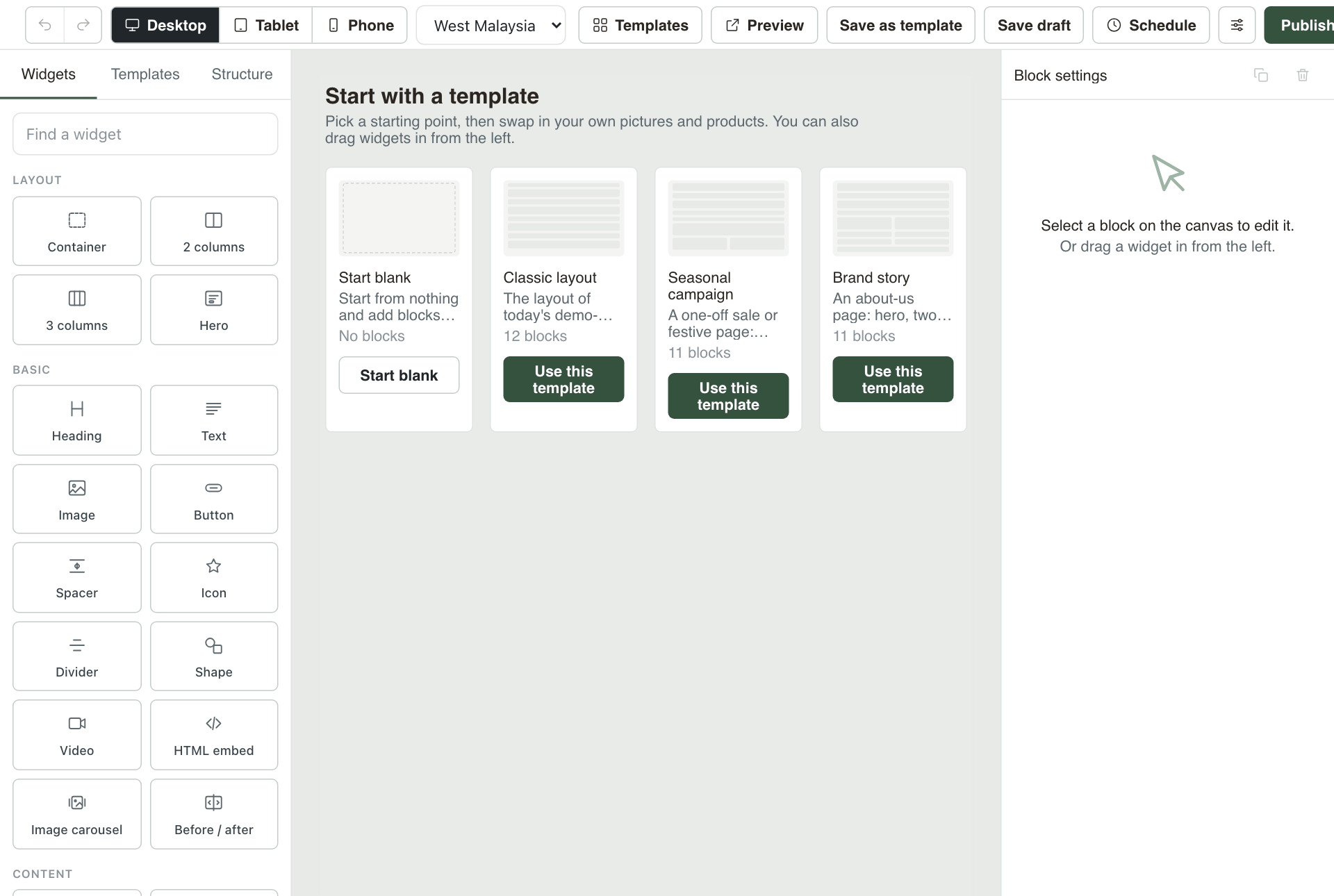
- A new page can start from a template: press Use this template, or Start blank.
- Drag blocks from Widgets on the left onto the page, such as Heading, Text, Image or Button. Click a block to change it in Block settings on the right.
- Desktop, Tablet and Phone at the top show how the page looks on each screen.
- Press Save draft to keep your work, Preview to see it as customers will, Schedule to publish at a set time, or Publish to put it live now.
The buttons above the page list open the shared Media library, Global blocks (blocks reused on many pages), Menu & footer links, and Form entries (what customers sent through forms on your pages).