Sign in and find your way
For: Everyone
Whole guide as PDF (2 MB)- Open the console's address, which ends in /admin. If you are not signed in, the sign-in page opens.
- Under Mobile number, check the country code shows +60 (Malaysia) or +65 (Singapore), then type your number.
- Type your Password and press Sign in. No password? Press Code on WhatsApp or Code by SMS and type the code you receive.
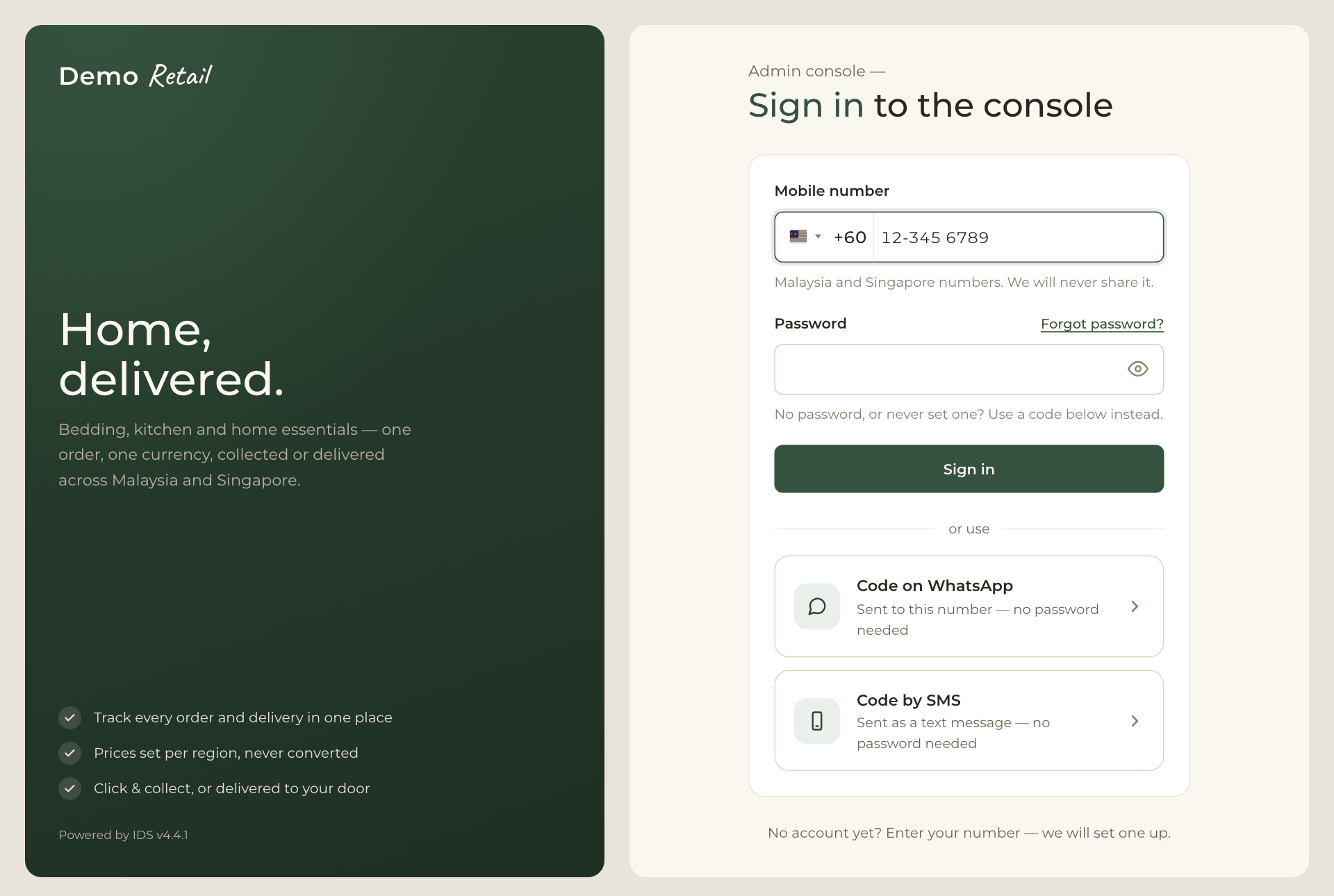
Signing in does not give you access by itself. If you see a message saying your account has no admin console access, ask an administrator to give you a role.
The menu and the dashboard
The dark menu on the left is the same on every screen: Dashboard, Inventory, Orders, Customers, Exceptions, Reports, Promotions, Pages, Catalog and Settings. Affiliates is greyed out because it is not built yet. Users and Roles appear only for administrators.
The Dashboard opens first. Each box links to the screen where that work is done:
- Orders: awaiting payment, to fulfil, awaiting collection, placed today.
- Received yesterday: money taken yesterday per region, less refunds. If a box says No figures for yesterday, the overnight figures did not run; check Exceptions.
- Needs a person: stock differences nobody has explained, open exceptions, payments with no confirmed result, and units held for customers who are paying right now.
- Latest orders: the newest orders, with a link to all of them.
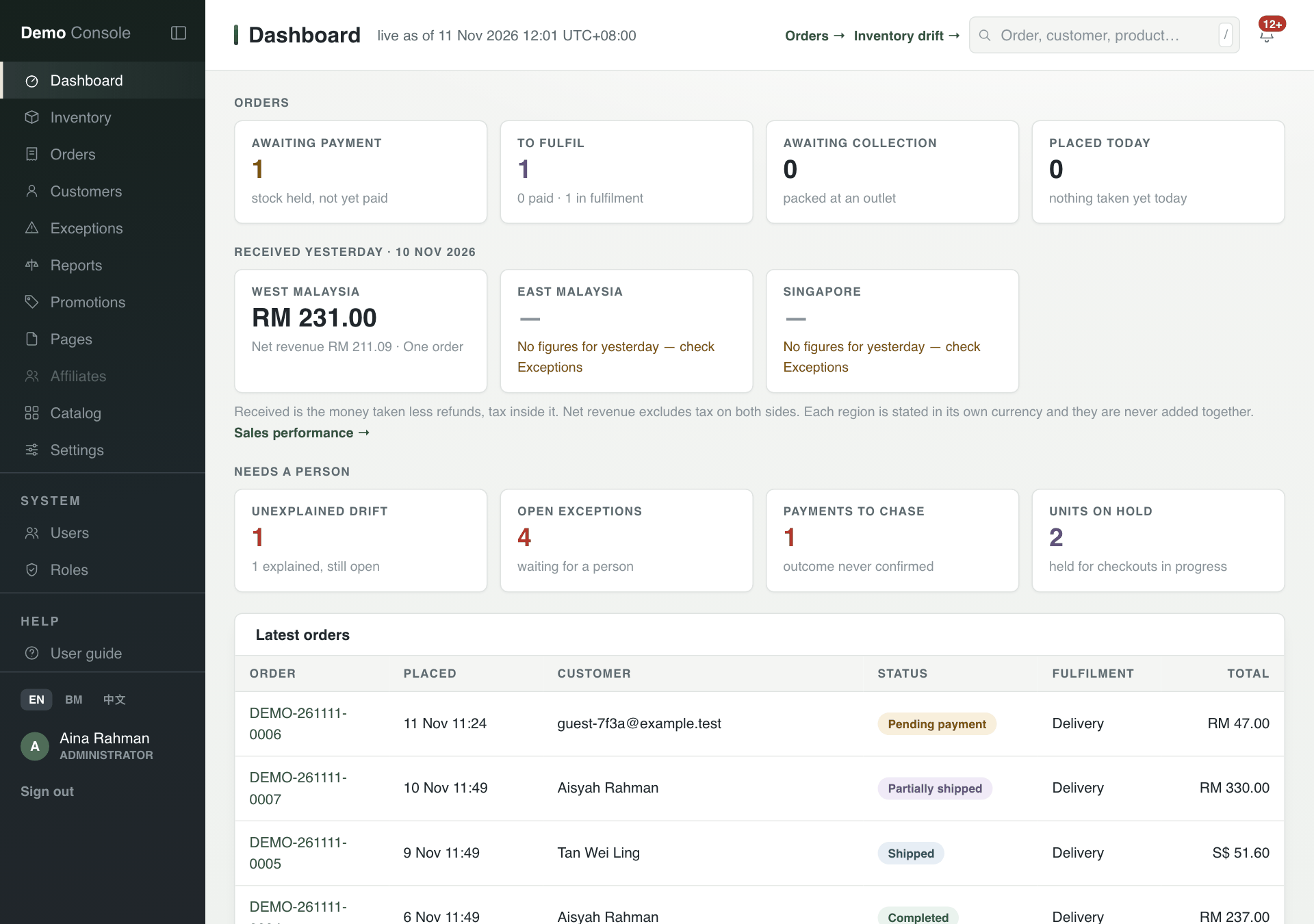
Your name at the bottom of the menu opens Your account, where you change your display name, email address, password and language. EN, BM and 中文 switch the console's language.