Look up a customer
For: Customer Service, Order Ops
Whole guide as PDF (2 MB)- Open Customers in the menu.
- Type a name, email address, phone number or customer reference and press Search. The pills split Registered accounts, Guests (bought without an account), Blocked and Erased customers.
- Press Open → on a row.
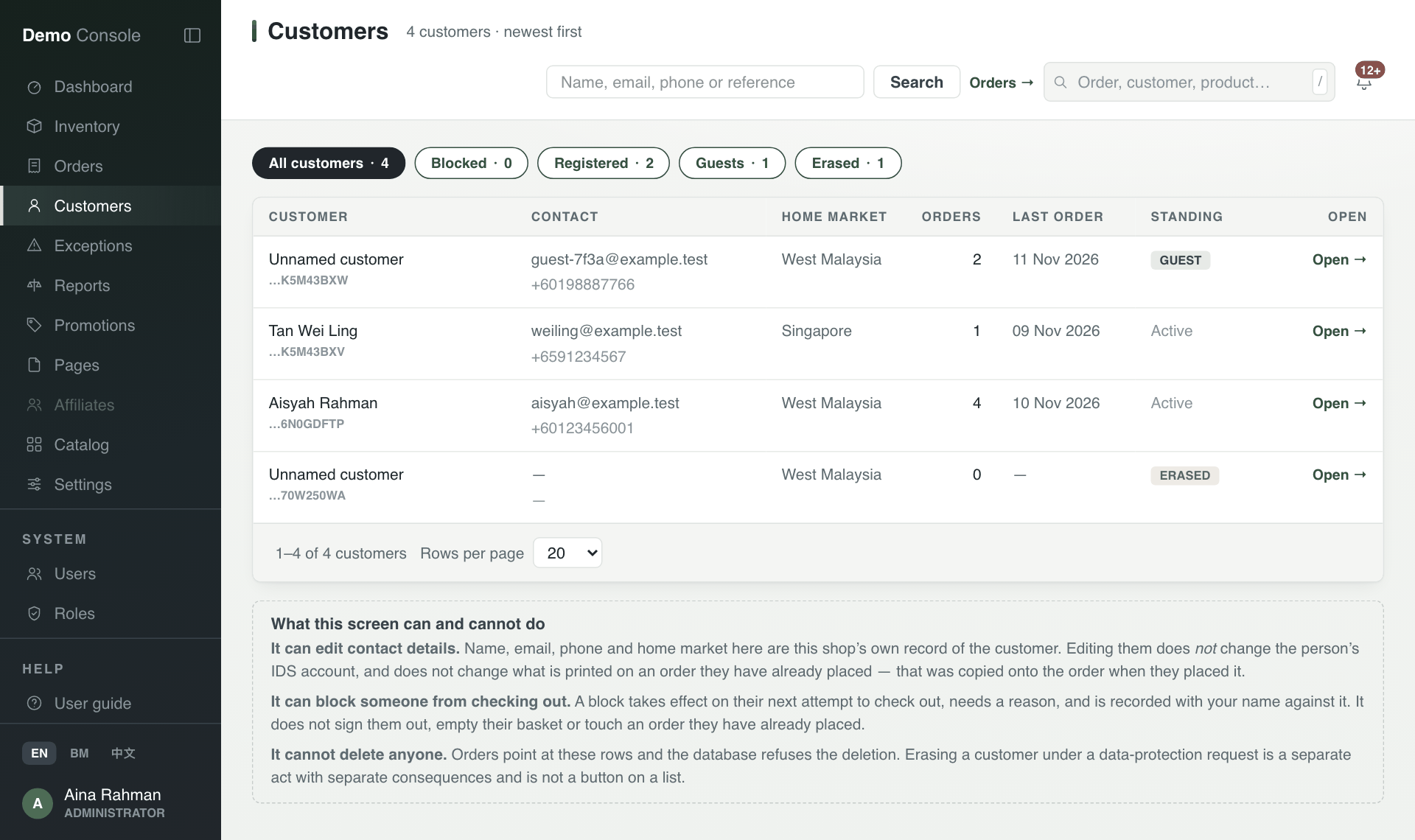
The customer page shows how much they have spent, their recent orders, their saved addresses and how to reach them.
- Edit details changes the name, email, phone and home market in this shop's records only. It does not change their sign-in account or any order already placed.
- Addresses are the customer's own. They change them from their account page or at checkout, not here.
Stop someone from checking out
- On the customer page, find Checkout standing.
- Type a Reason for blocking. The customer never sees it; they are told to contact customer service.
- Press Block from checkout.
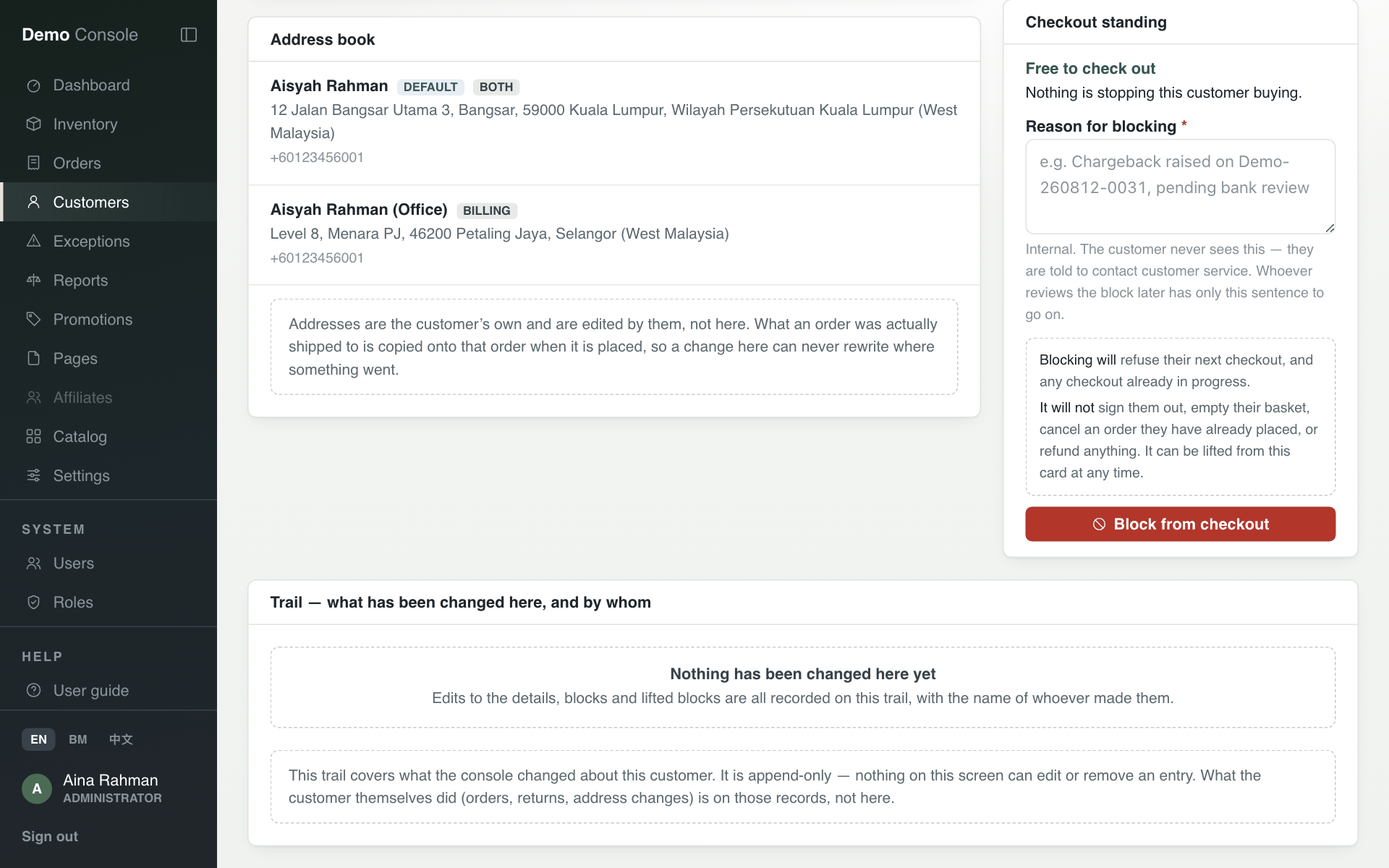
A block refuses their next checkout and any checkout already in progress. It does not sign them out, empty their basket, cancel an order or refund anything. You can lift it from the same card. Every edit, block and lifted block is written to the Trail with the name of whoever did it, and nobody can change the trail.
Customers cannot be deleted from this screen.