Close the day
For: Store managers
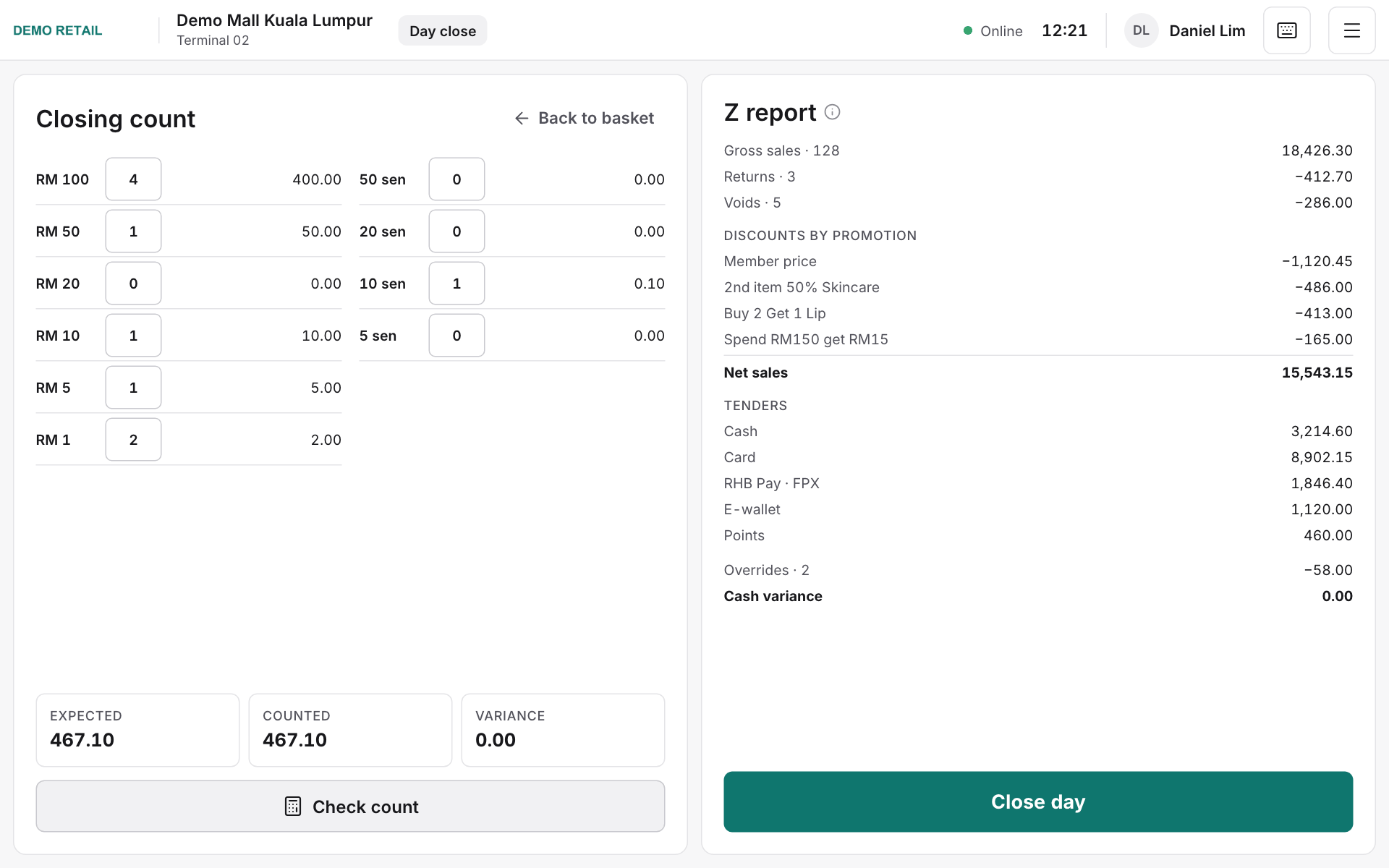
Whole guide as PDF (2 MB)- At closing time, open Drawer and press Close day.
- Count every note and coin in the drawer and type how many of each under Closing count.
- Press Check count. Variance shows any difference between the cash expected and the cash counted.
- The Z report (the end-of-day summary) appears on the right. Press Close day to finish. The Z report prints.