Make a sale
For: Beauty advisors
Whole guide as PDF (2 MB)Scan the items and add the member
- Scan each product's barcode, or type its name in Scan or search.
- Change the quantity with + and − on the line. The bin button removes the line. After a payment has been taken, removing a line is a void and asks for a reason.
- If the customer is a member, open the Member tab. Scan their member QR code, type their member card number, or type their phone number and press Find.
- Use the Staff tab to pick the sales person for the whole sale. Staff from other outlets show as Not in this outlet but can still be picked.
- Member prices, promotions and free gifts are added by themselves. The saving shows under each line.
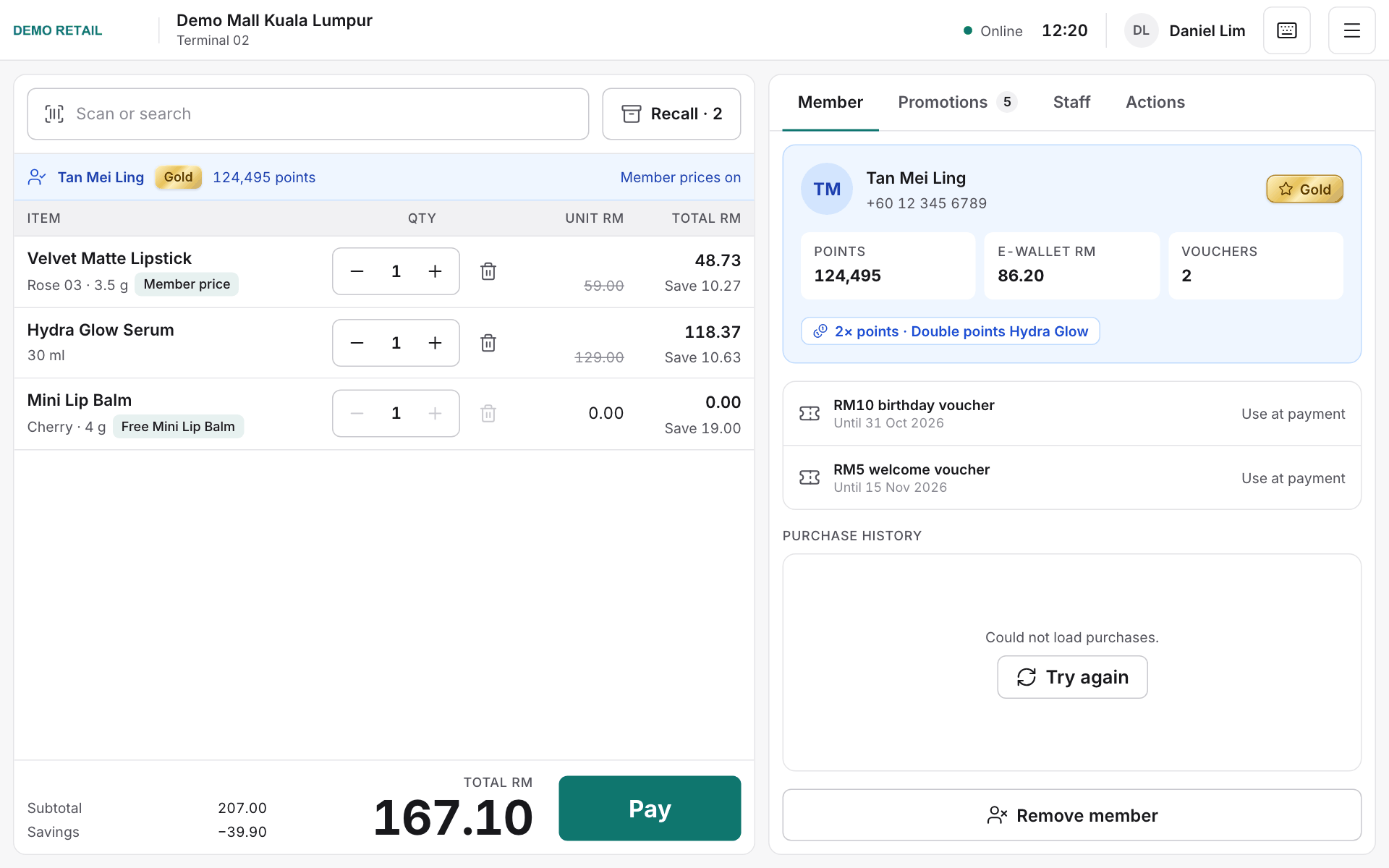
The Promotions tab shows which offers apply to this basket. When a deal needs more items, its reminder names them and its button adds the missing quantity.
Give a discount on the whole receipt
- Press Receipt discount.
- Choose a percentage or a fixed amount off, and pick a reason. If the reason is Other, type a short note.
- The discount shows as its own line under the totals. Press the small red × beside it to remove it.
Above your role's limit, a store manager must approve. Adding a receipt discount after a payment has been taken always needs a manager.
Take payment
- Press Pay.
- Choose how the customer pays: Cash, Card (the bank's card machine), FPX, Card online, DuitNow, Points, E-wallet or Voucher.
- For cash, type the amount received or press Exact, 10, 20, 50 or 100, then press Add Cash.
- Paying with more than one method? Add each one until the balance due is 0.
- The sale completes by itself once it is paid in full.
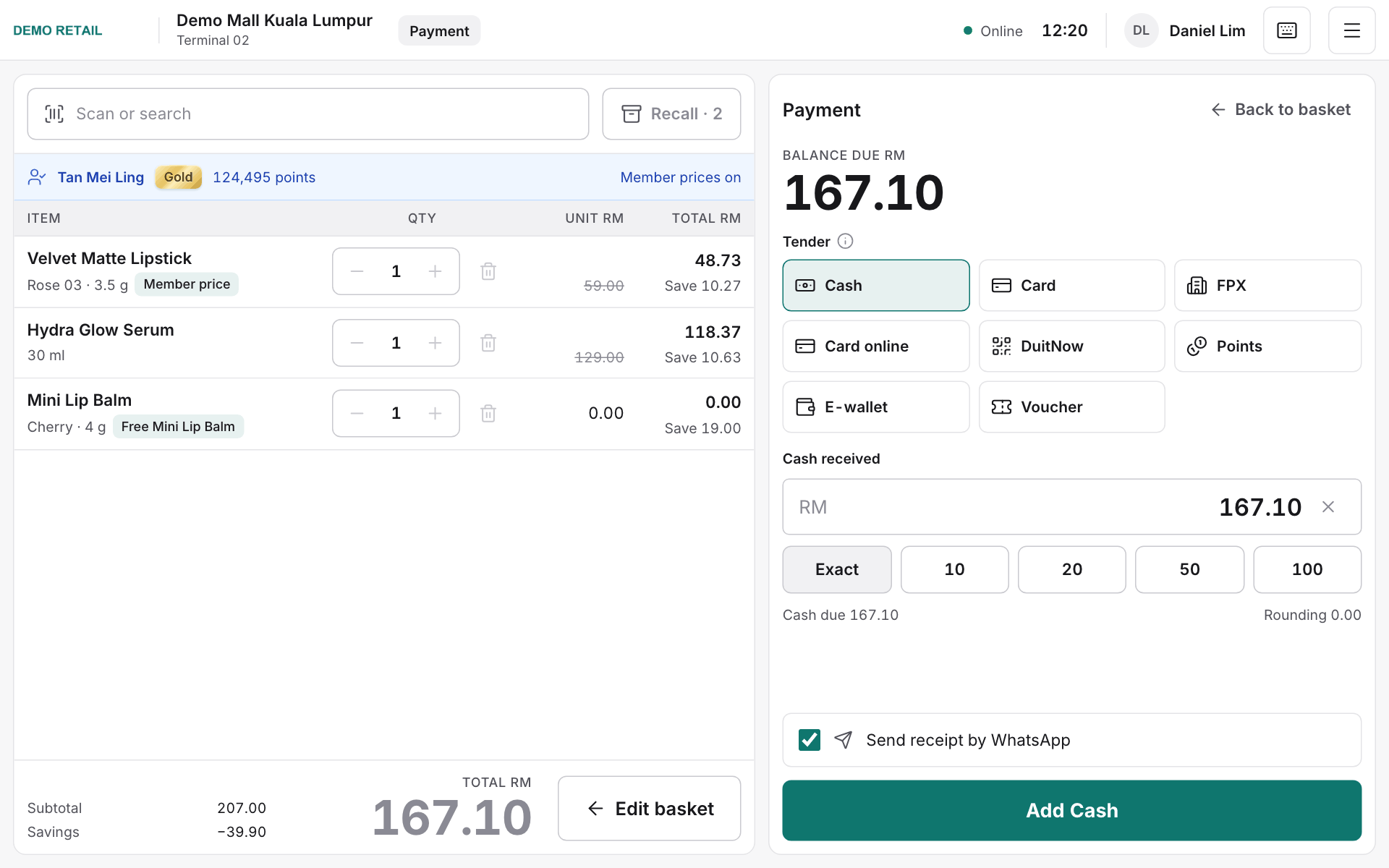
Need to change the basket? Press Edit basket or Back to basket before the sale completes.
FPX, Card online and DuitNow
These go through RHB Pay: the customer pays on their own phone.
- Press FPX, Card online or DuitNow. The amount is set to the balance due; lower it if the customer pays only part this way.
- Press Show QR. The code appears on the customer display, or on the till screen when there is no customer display.
- The customer scans the code and pays. The till counts down from 2 minutes. Press Still waiting for 2 more minutes, or Cancel to choose another method.
- When the payment arrives, the line turns green and shows the bank's reference.
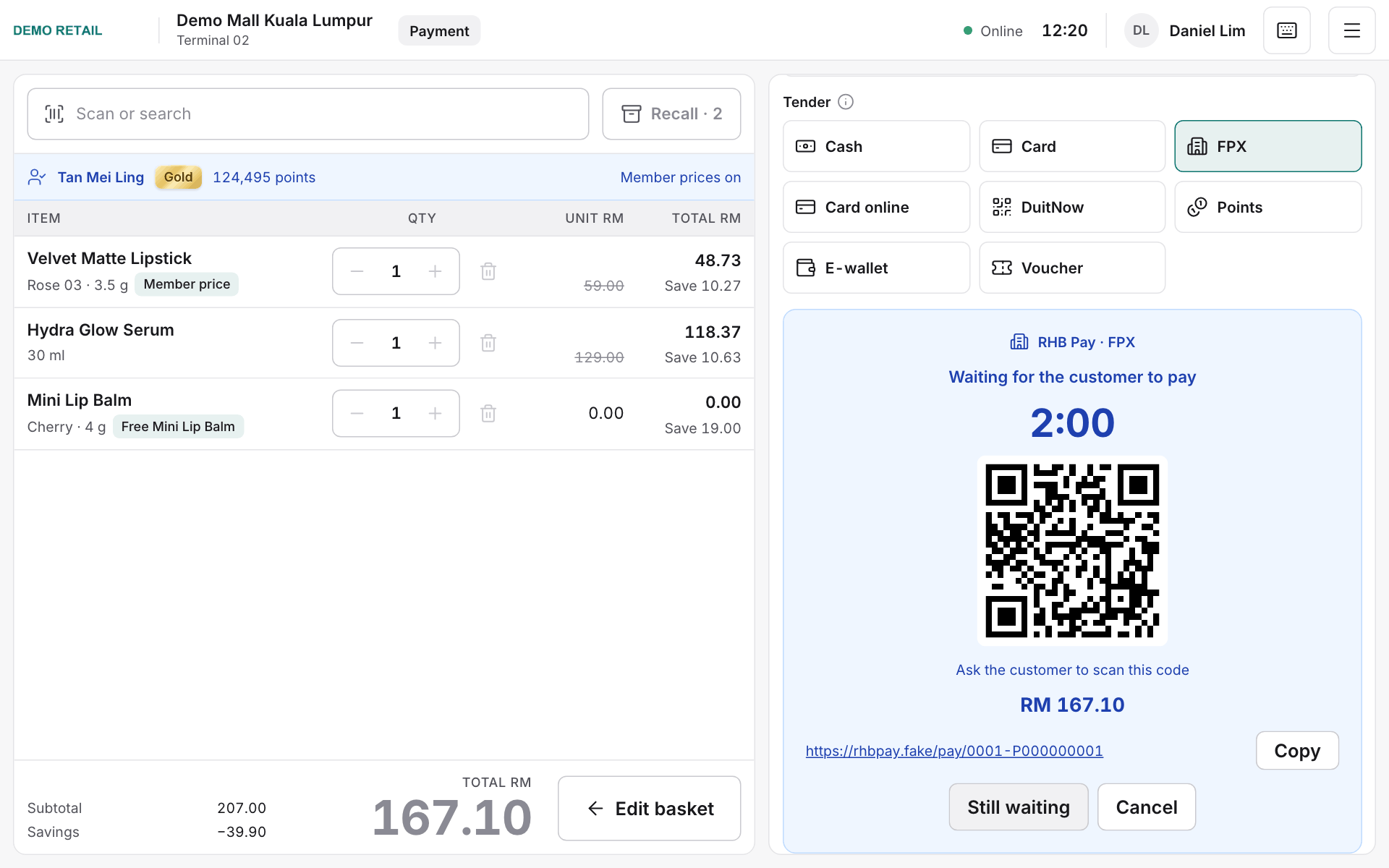
A paid RHB Pay payment cannot be removed from the basket; voiding that basket needs a manager's approval.
Give the receipt
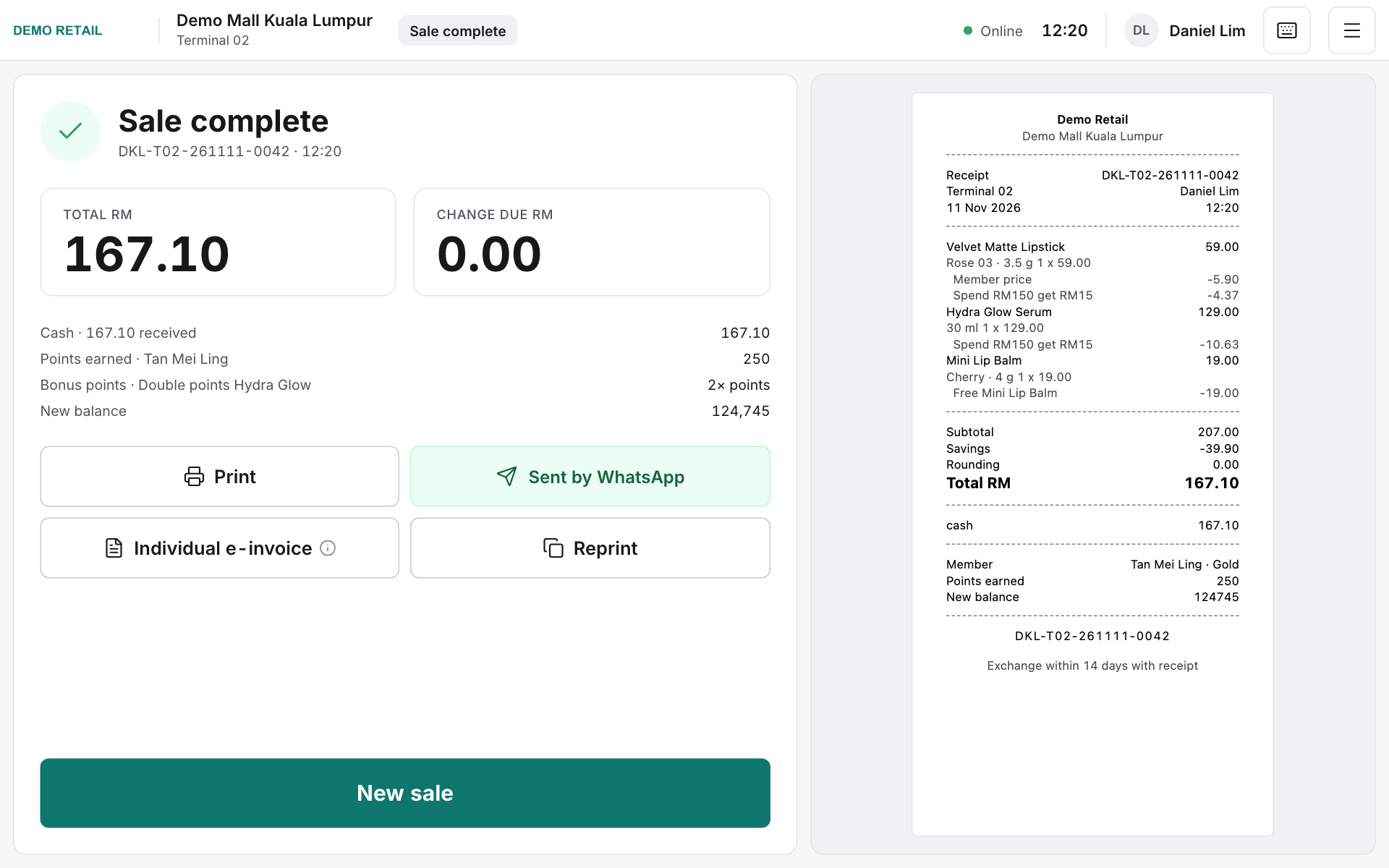
- The screen shows the total and the change to give back. The receipt prints.
- Press Print or Reprint for another copy. A receipt can also go to a member by WhatsApp.
- If the customer asks for an e-invoice, press Individual e-invoice.
- Press New sale for the next customer.
Till keyboard shortcuts
| Key | What it does |
|---|---|
| F1 | Show all keyboard shortcuts |
| F2 | Member tab |
| F3 | Scan or search box |
| F4 | Suspend: put the basket on hold |
| F5 | Recall: bring back a basket on hold |
| F6 | Returns |
| F7 | Drawer |
| F8 | Void the whole basket |
| F12 | Lock the till when you step away |