Read the reports
For: Store managers, Finance
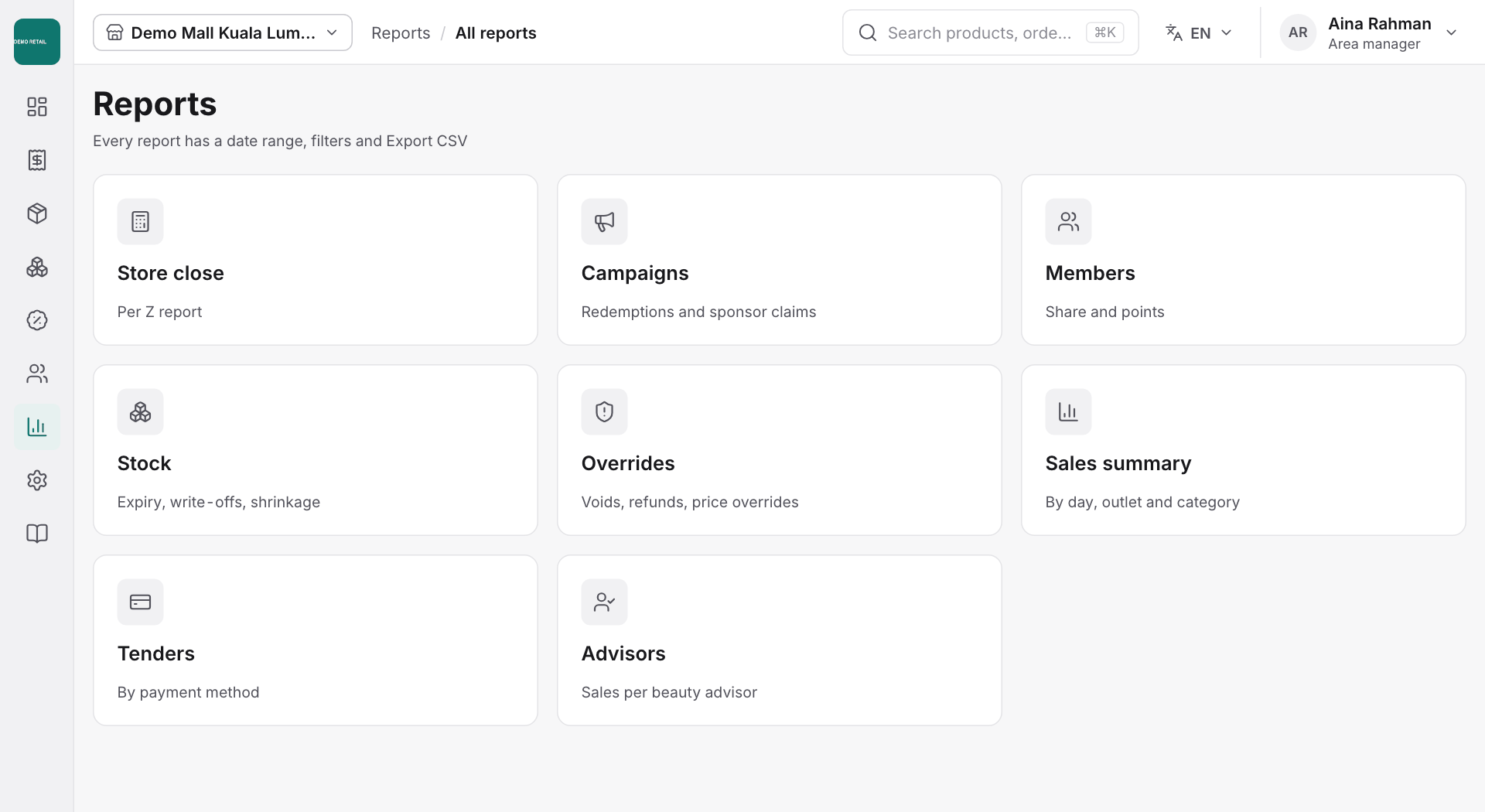
Whole guide as PDF (2 MB)- Open Reports, then All reports, and pick one:
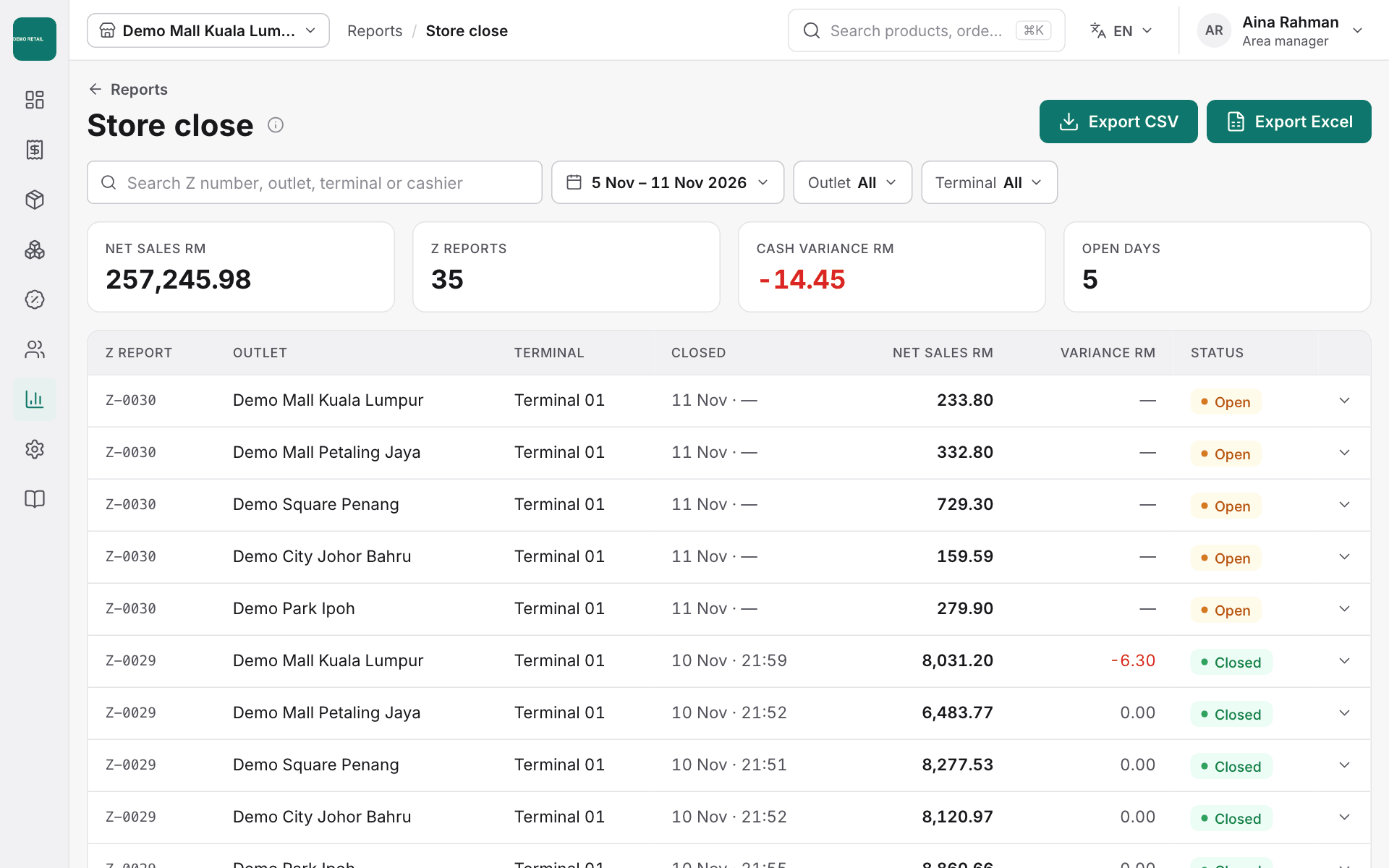
- Store close: the end-of-day Z reports.
- Sales summary: sales by day, outlet and category.
- Tenders: sales by payment method. RHB Pay shows one line each for FPX, Card online and DuitNow.
- Advisors: sales per beauty advisor.
- Campaigns: promotion use and sponsor claims.
- Members: member share and points.
- Stock: expiry, write-offs and losses.
- Overrides: voids, refunds and price changes made at the till.
- Choose the dates and outlet at the top of the report.
- Press Export CSV (or Export Excel where shown) to download it.