Users and roles
For: Administrators
Whole guide as PDF (2 MB)Users
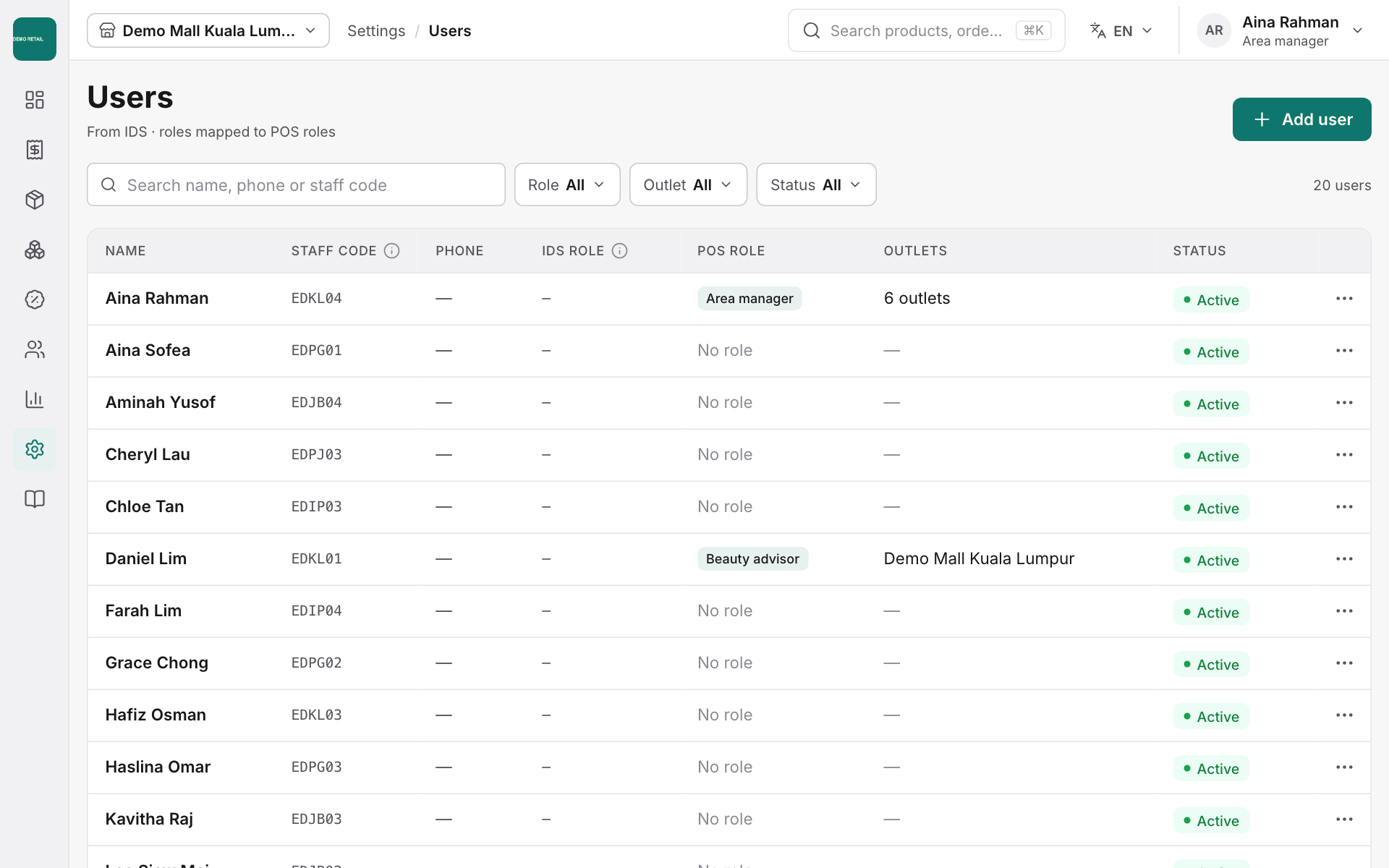
Open Settings, then Users, to see who can sign in, their POS role, their outlets and whether they are active. Staff are added from the company staff directory: press Add user and search by name, phone or staff code.
Roles and limits
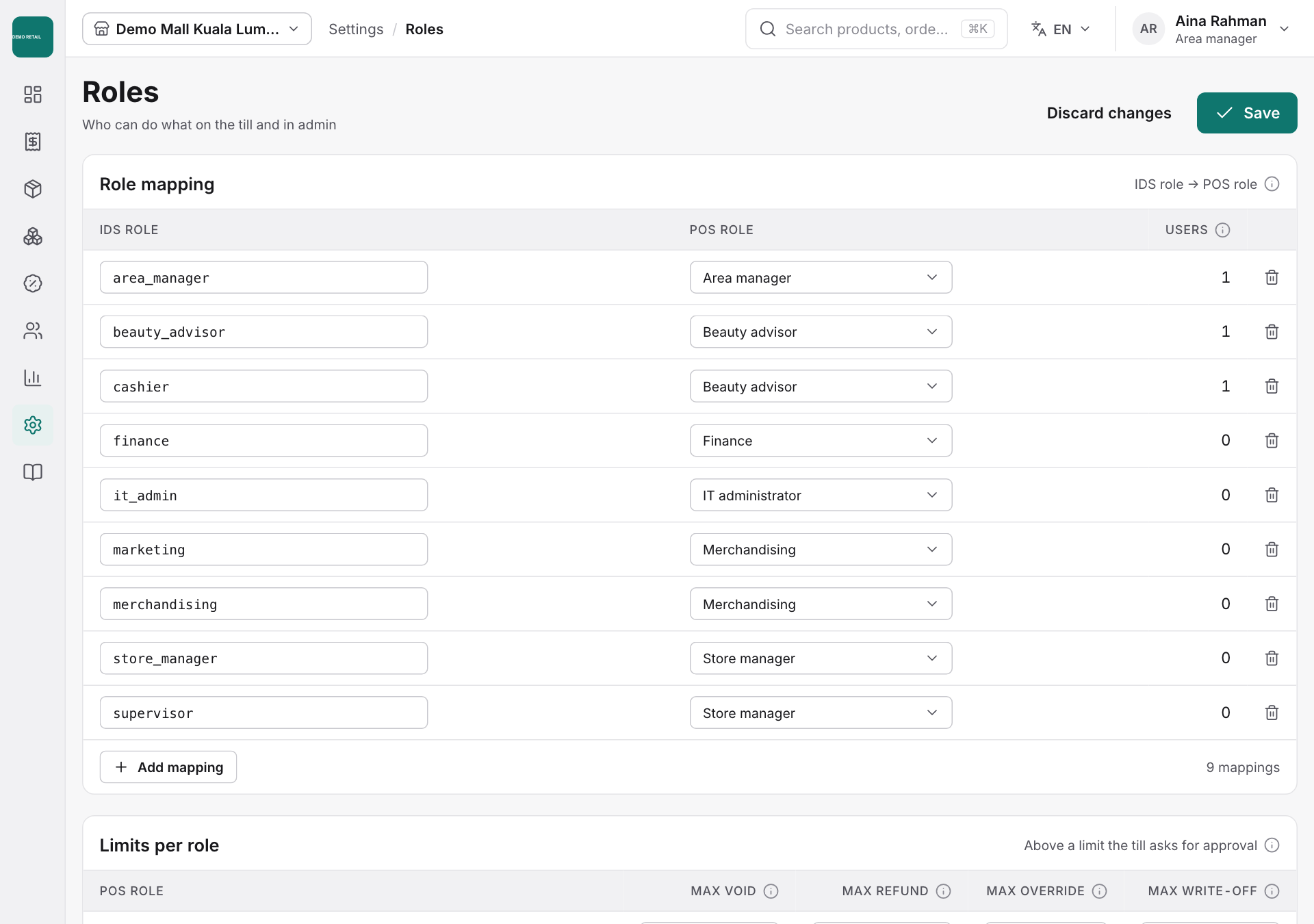
- Open Settings, then Roles.
- Role mapping links each job title from the sign-in system to a POS role.
- Limits per role sets the biggest void, refund, price change and write-off a role can make. Above the limit, the till asks for a manager's approval.
- Under Permissions, tick what each role may do.
- Press Save, or Discard changes to undo.