Products and prices
For: Merchandising
Whole guide as PDF (2 MB)Find a product
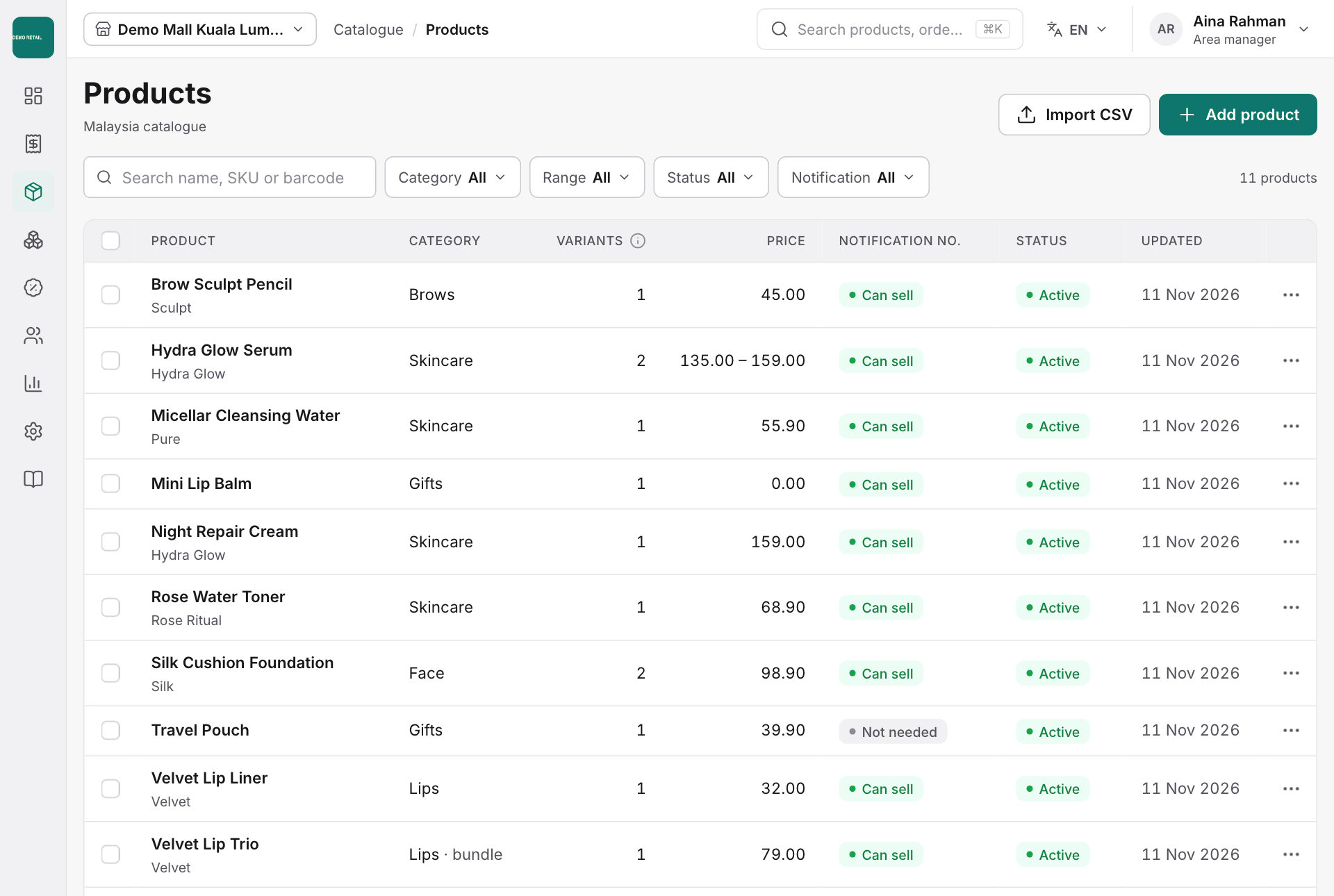
- Open Catalogue, then Products.
- Search by name, SKU (the product code) or barcode, or narrow the list with Category, Range, Status and Notification.
- Press Add product to create one, or Import CSV to add many at once.
Change a product
- Click a product in the list to open it.
- Use the tabs for its Details, Variants (shades and sizes), Barcodes, Notifications (cosmetic notification numbers), Return rule and Bundle components.
- Make your change and press Save changes, or Discard to undo.
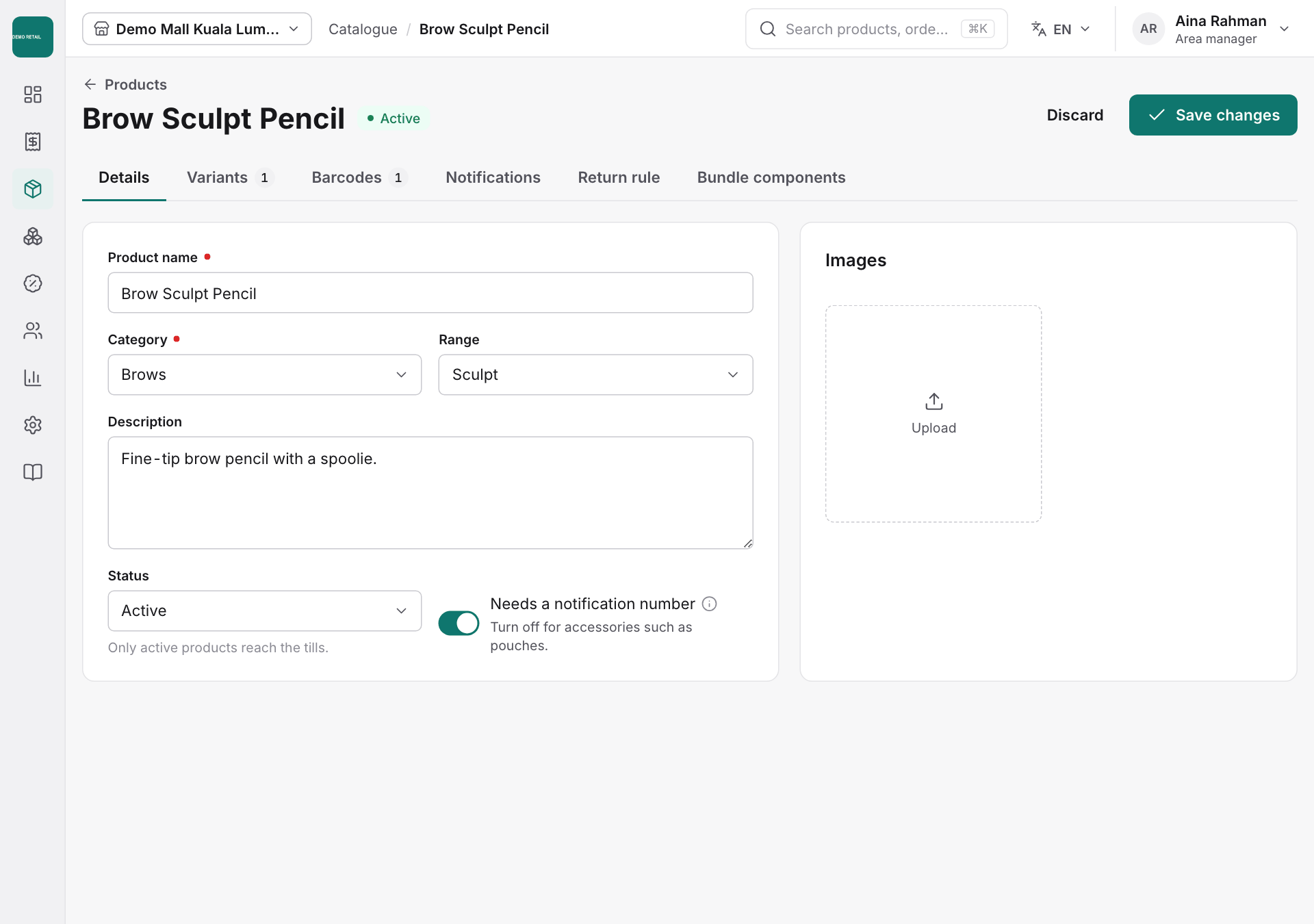
Only products with the status Active reach the tills.
Import many products from a spreadsheet
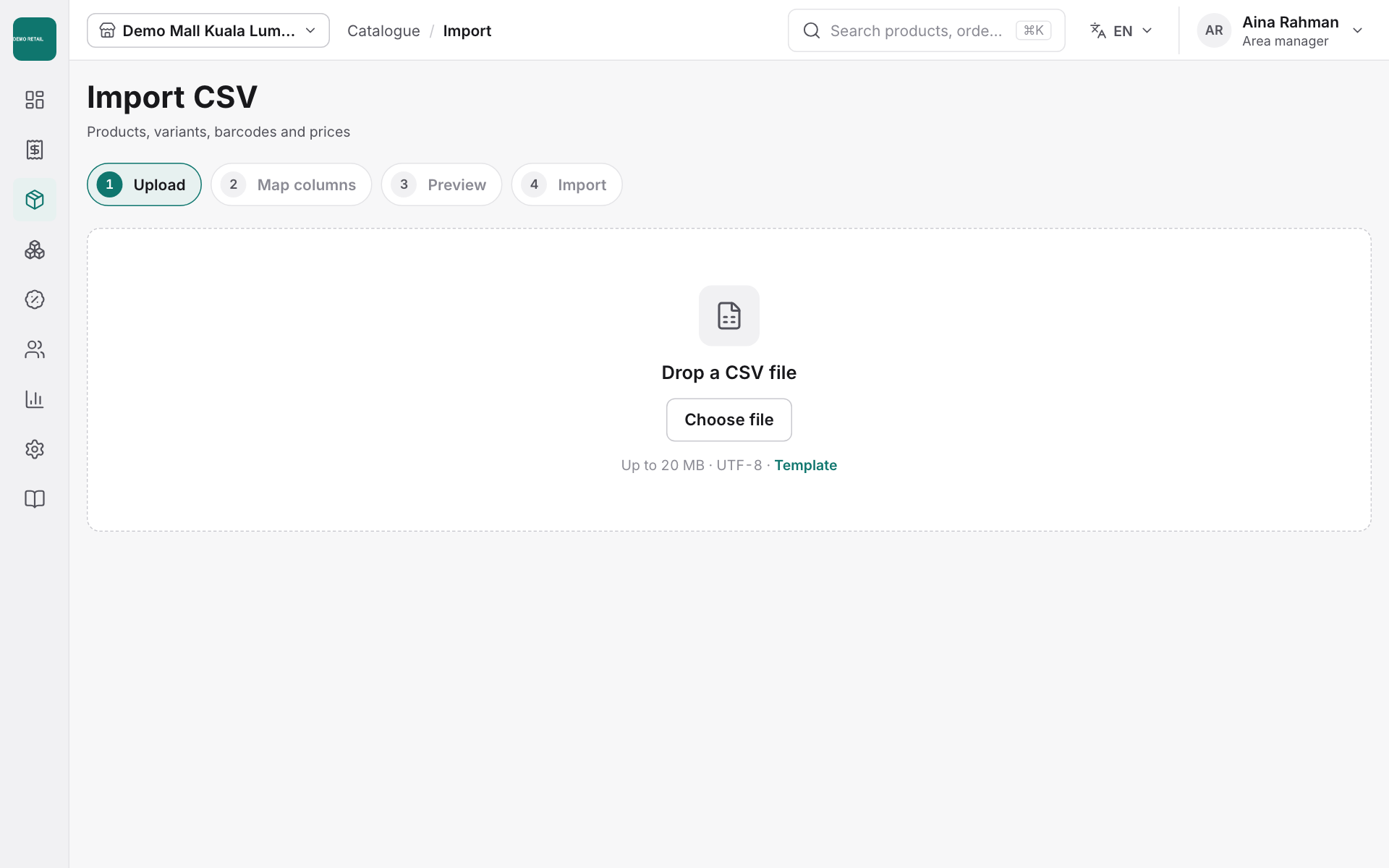
- Open Catalogue, then Import.
- Download the Template, fill it in and save it as CSV.
- Drop the file on the page or press Choose file, then follow the four steps: Upload, Map columns, Preview, Import.
Price lists
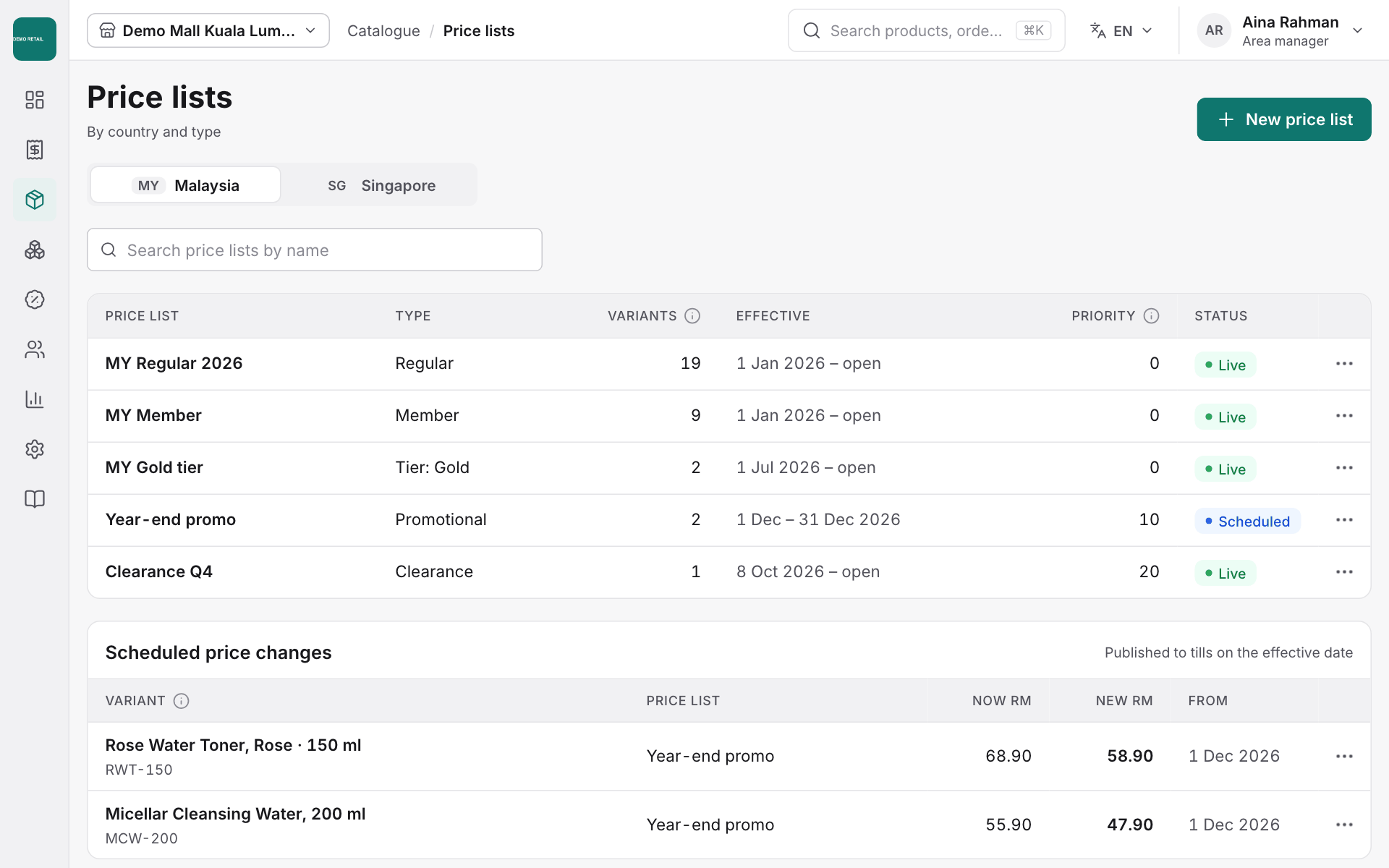
- Open Catalogue, then Price lists, to see each price list, when it starts and whether it is live.
- Press New price list to add one.
- Price changes with a future date are listed under Scheduled price changes and reach the tills on that date.