Run a promotion
For: Merchandising
Whole guide as PDF (2 MB)Discounts, free gifts and voucher codes are applied by the tills on their own.
See all campaigns
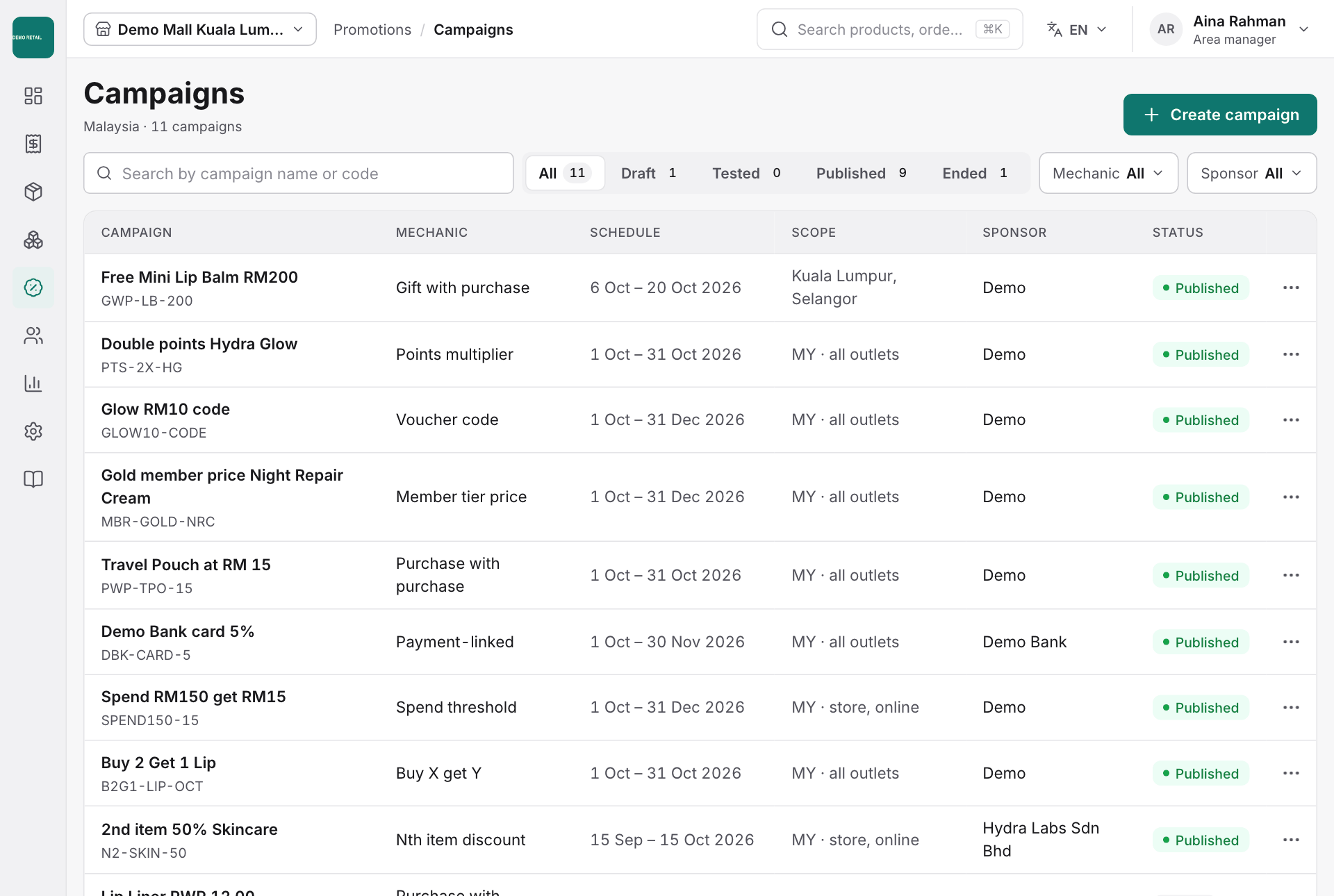
Open Promotions, then Campaigns. Each campaign is Draft, Tested, Published (running) or Ended. Filter by Mechanic (the type of deal) or by Sponsor (who pays for it).
Create a campaign
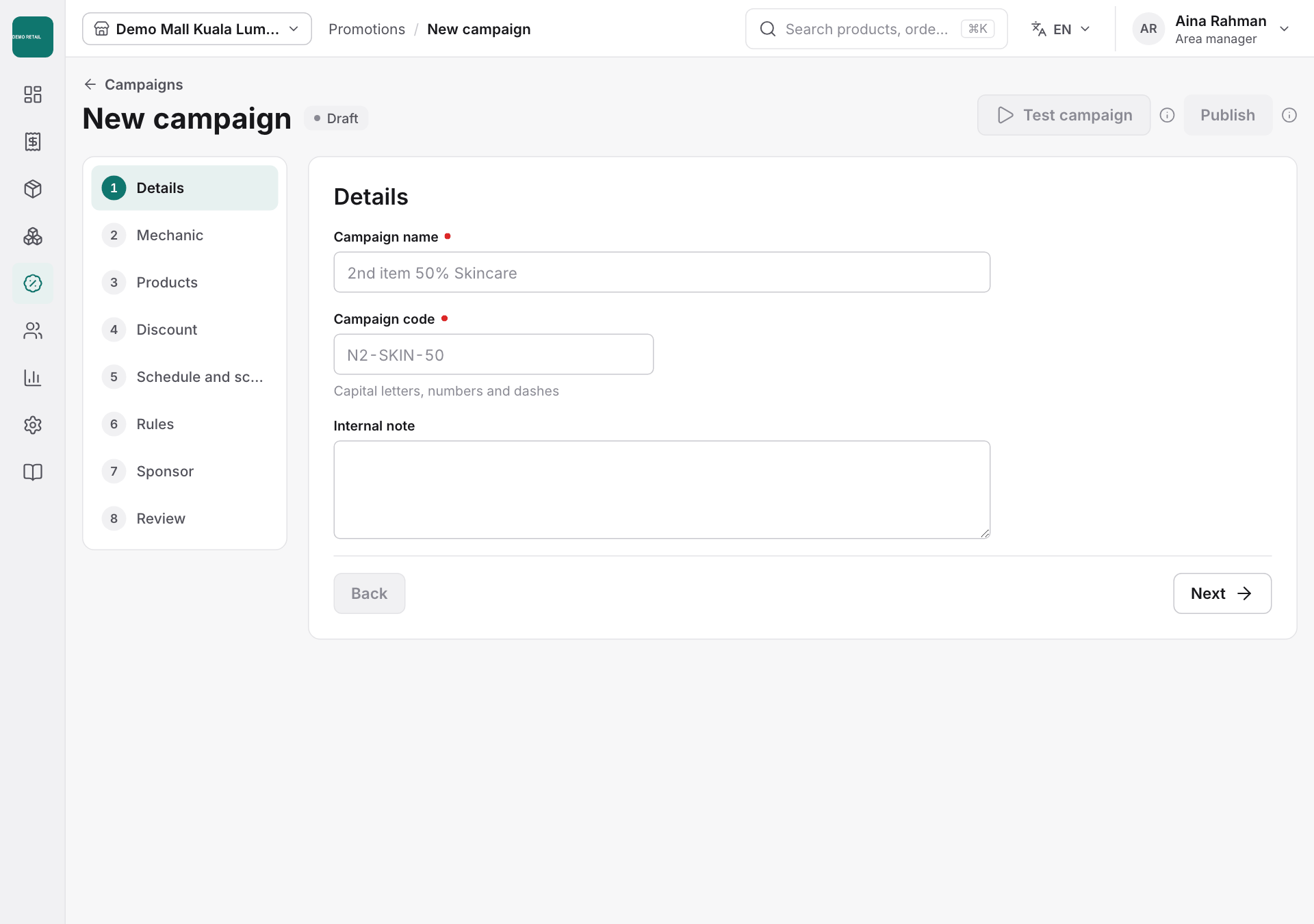
- Press Create campaign.
- Go through the 8 steps on the left with Next: Details, Mechanic, Products, Discount, Schedule and scope, Rules, Sponsor and Review.
- Press Test campaign to try it on a sample basket. Publish only unlocks after a test.
- Once published, the campaign reaches the tills on its start date.
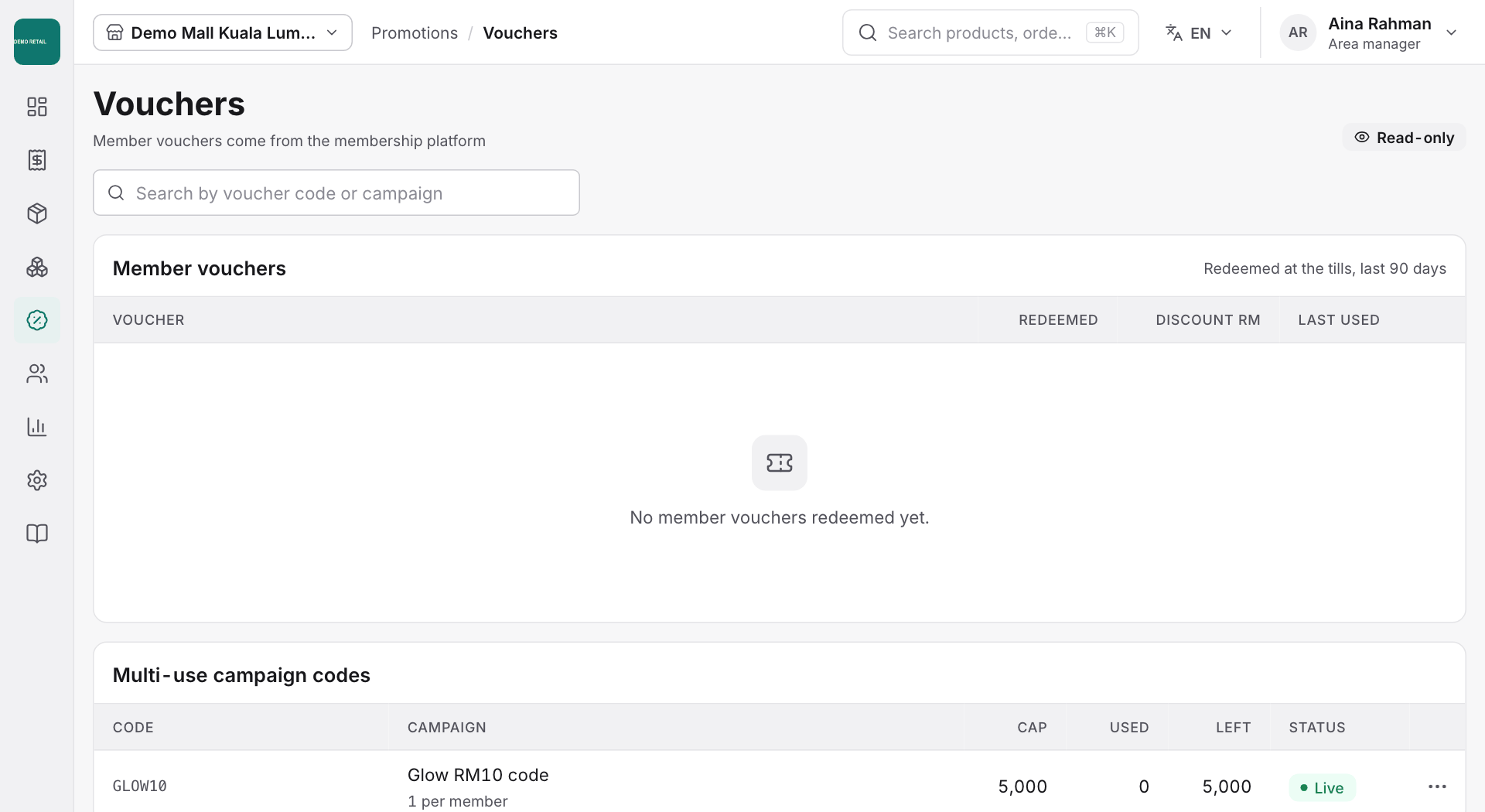
Vouchers
Open Promotions, then Vouchers, to see member vouchers used at the tills in the last 90 days, and the codes customers type in (Multi-use campaign codes). Member vouchers come from the membership system and cannot be changed here.