Approve and publish a procedure
For: Administrators
Whole guide as PDF (2 MB)A new version goes live in three steps: someone submits it, an approver approves it, and then it is published. You need the Sop Approver role (or Super Admin) to approve and publish.
- In the admin area, press SOPs. A procedure with a version waiting shows it under In progress.
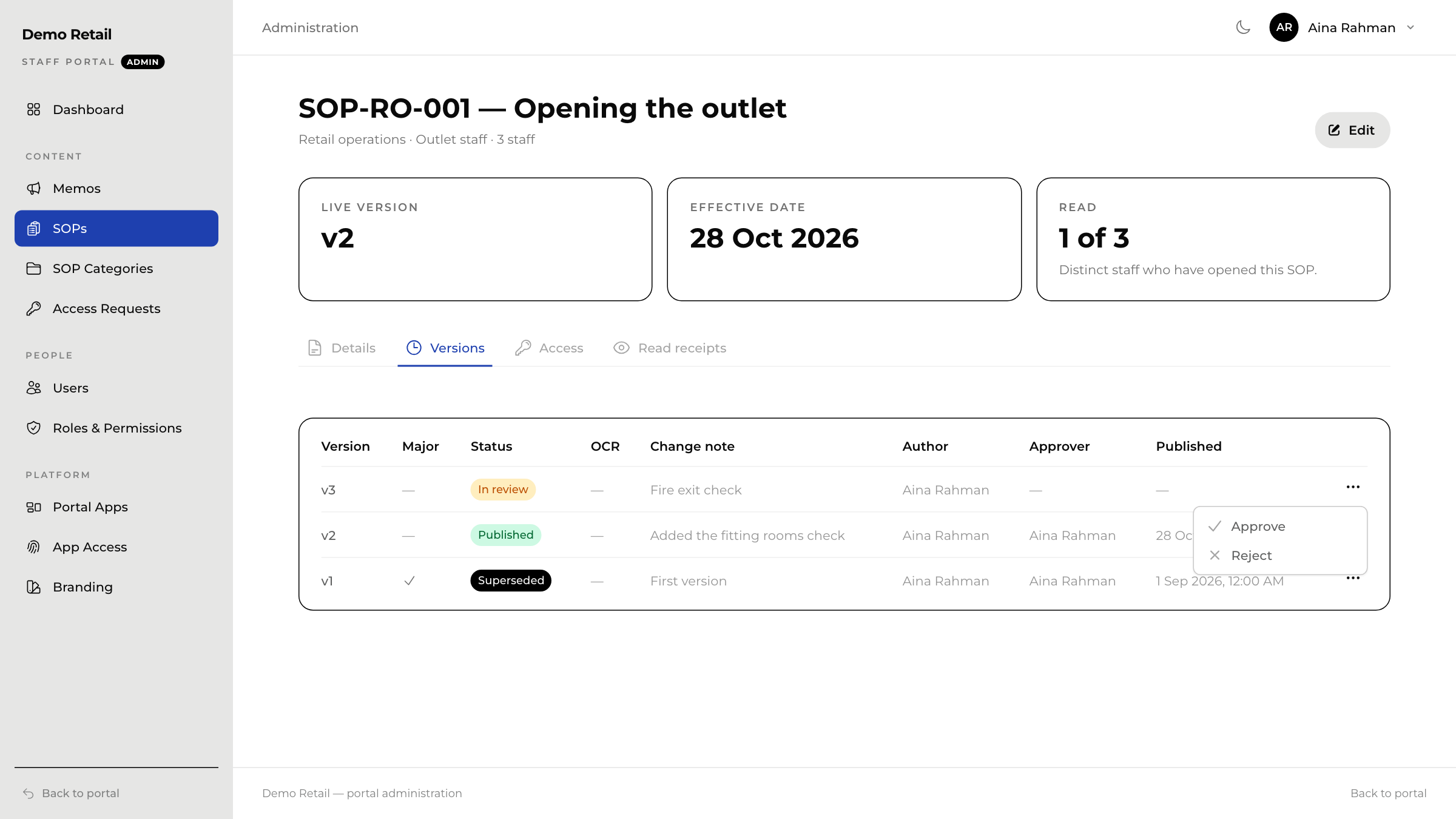
- Open the procedure and the Versions tab.
- Press ⋯ on the row marked In review.
- Read it, then choose Approve, or Reject to send it back with a note saying why.
- After approving, press ⋯ again and choose Publish. The version goes live in the directory straight away, and the old version is marked Superseded.
Change a live procedure
On the Versions tab, press New draft version. The draft starts with the live text, so you only change what is different. Fill in What changed?, press Start draft, then edit and submit it as in Add a procedure. Staff keep seeing the live version until the new one is published.
Who has read it
The Read receipts tab lists who has opened the procedure and which version they read.