Open your apps
For: Staff
Whole guide as PDF (2 MB)- Press Your apps in the menu on the left.
- Press a tile. The app opens in a new browser tab, already signed in.
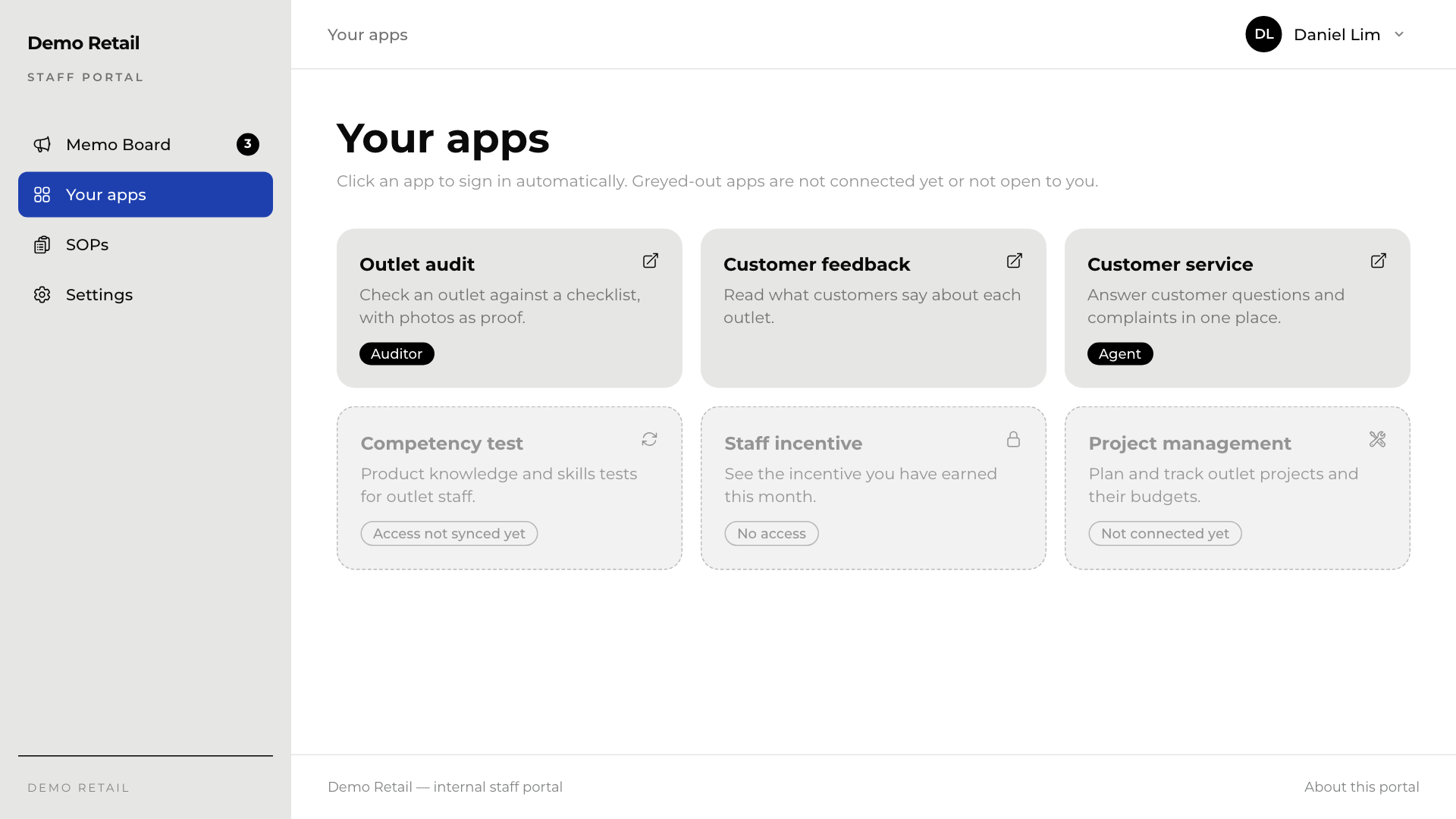
The small dark label on a tile, for example Auditor or Agent, is your role inside that app.
Why is a tile grey? Greyed-out tiles cannot be opened. The label at the bottom says why:
| Label | What it means |
|---|---|
| Access not synced yet | The app has not yet told the portal whether you may use it. The portal checks each time you sign in and again every night at 2 am. If it has not changed by the next day, ask your administrator. |
| No access | Your company has the app, but you have not been given access to it. Ask your manager. |
| Not connected yet | The app is listed but cannot be opened from here yet. Your administrator is setting it up. |
If a tile says roles may be outdated, your role in that app has not been checked for more than a day. You can still open it.
The menu on the left also has Memo Board, SOPs and Settings. In Settings you can change your name, your email address and whether the screen is Light, Dark or follows your device (System).