Change your branding
For: Administrators
Whole guide as PDF (2 MB)- In the admin area, press Branding.
- Change what you need, then press Save branding at the bottom.
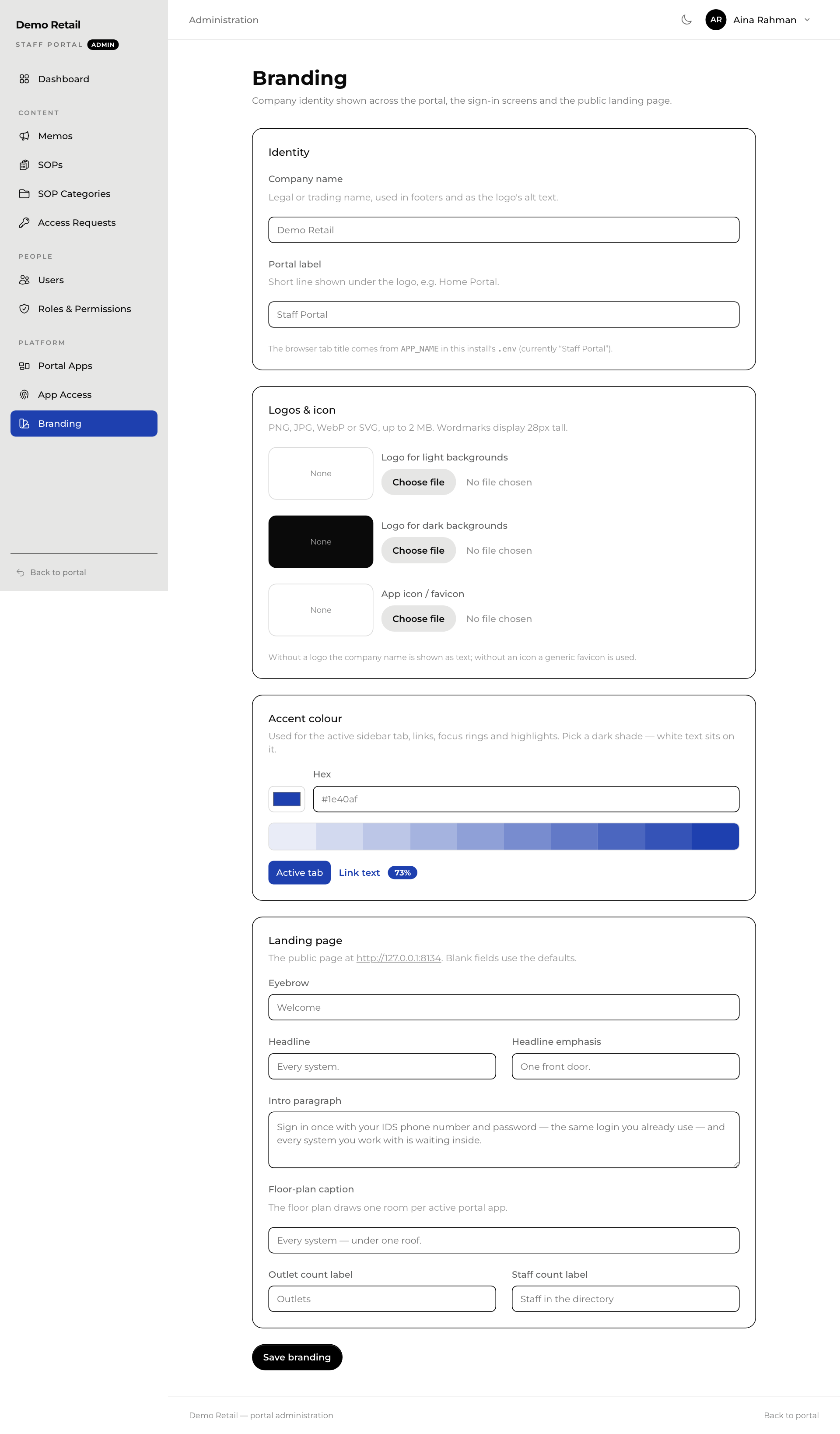
| Section | What it changes |
|---|---|
| Identity | Company name shows in footers and in place of a logo. Portal label is the small line under it. |
| Logos & icon | A logo for light backgrounds, one for dark backgrounds, and the small icon in the browser tab. PNG, JPG, WebP or SVG, up to 2 MB. Without a logo, the company name is shown as text. |
| Accent colour | The colour of the highlighted menu item, links and buttons. Pick a dark shade so white text stays readable. The preview below shows the result. |
| Landing page | The text on the public front page: the small line above the headline (Eyebrow), the headline, the paragraph under it, the picture caption and the two count labels. Leave a box empty to use the standard text. |
The name in the browser tab is set when the portal is installed, not here. Ask IT to change it.