Read memos
For: Staff
Whole guide as PDF (2 MB)- Press Memo Board in the menu on the left. The number next to it is how many memos you have not opened yet.
- Memos under Pinned stay at the top. Below them, All memos are listed newest first.
- Press a memo to read it.
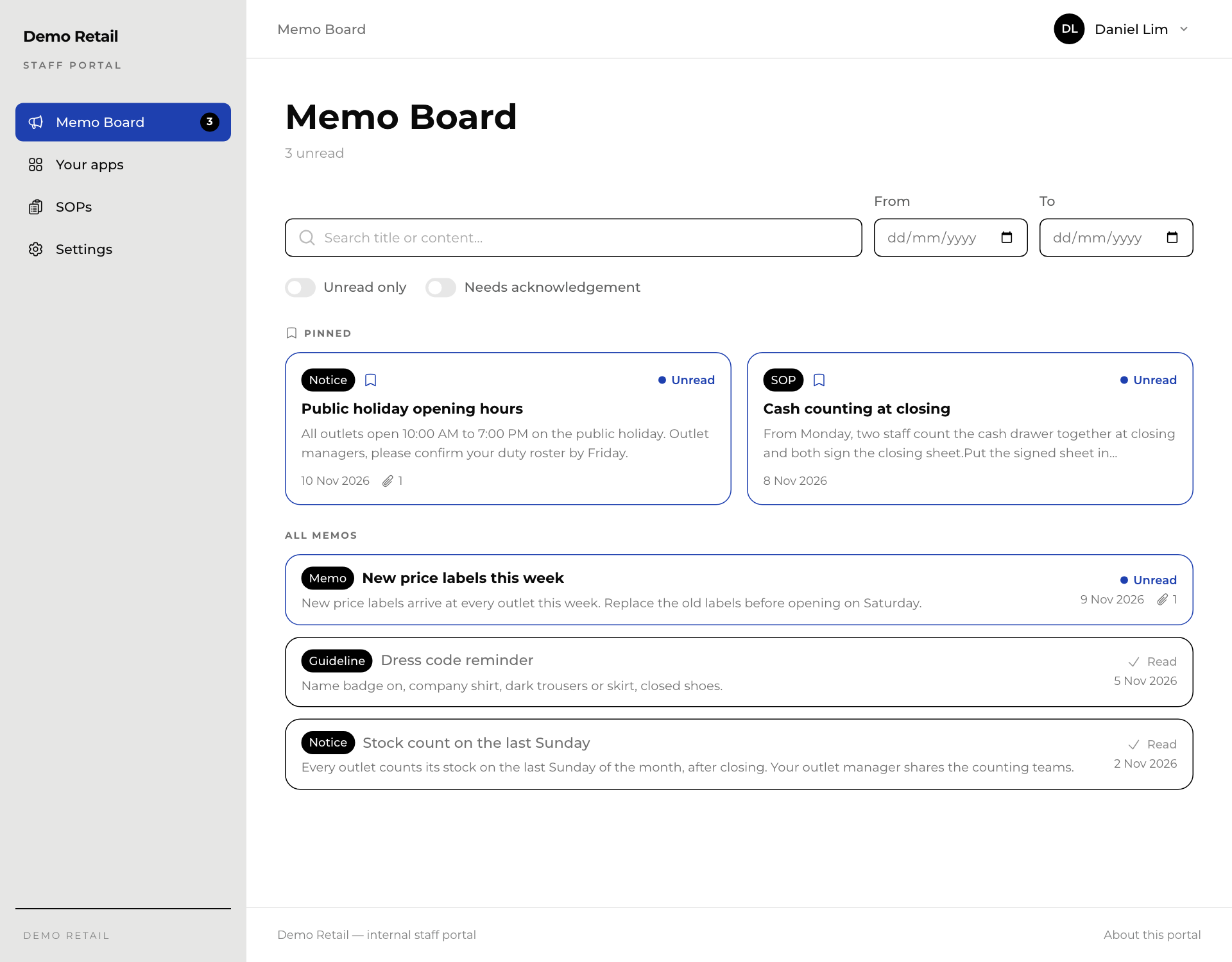
On each memo:
- The black label is its kind: Memo, SOP, Guideline or Notice.
- Unread in blue means you have not opened it yet. Read means you have.
- A paper clip and a number shows how many files are attached.
Find a memo
- Type in Search title or content….
- Pick dates in From and To.
- Switch on Unread only to hide what you have read.
- Switch on Needs acknowledgement to see memos still waiting for your confirmation.
- Press Clear to remove the filters.
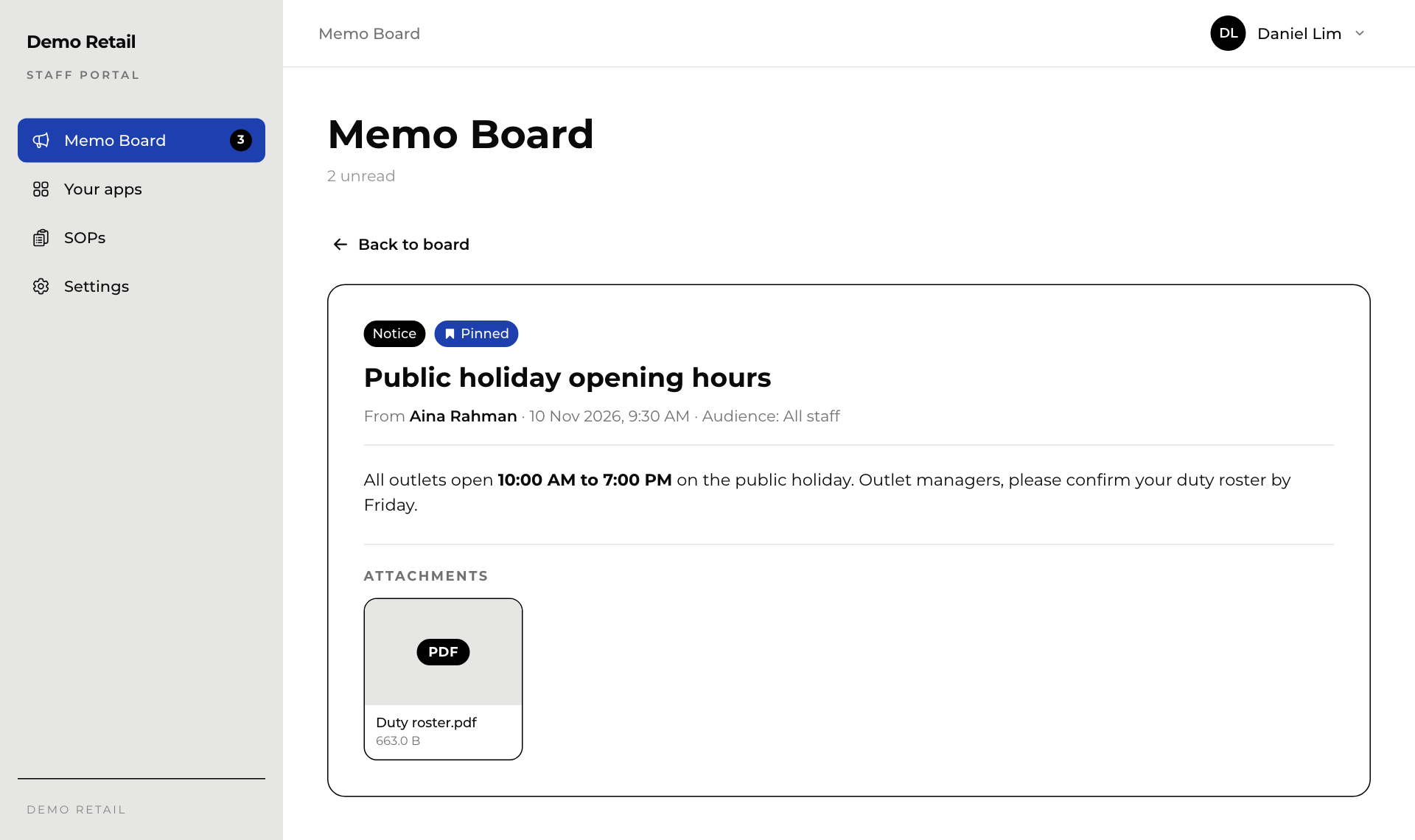
Open a memo
The memo shows who sent it, when, and who it is for (Audience). Files are listed under Attachments. Press a file to look at it or download it. Press Back to board to return.
You only see memos meant for you. Where you work (an outlet or head office), your department and your staff grade decide which ones.