Pin and follow up a memo
For: Administrators
Whole guide as PDF (2 MB)Pin a memo to the top of the board
- Press Memos in the admin area.
- Press ⋯ at the end of the memo's row and choose Pin to board.
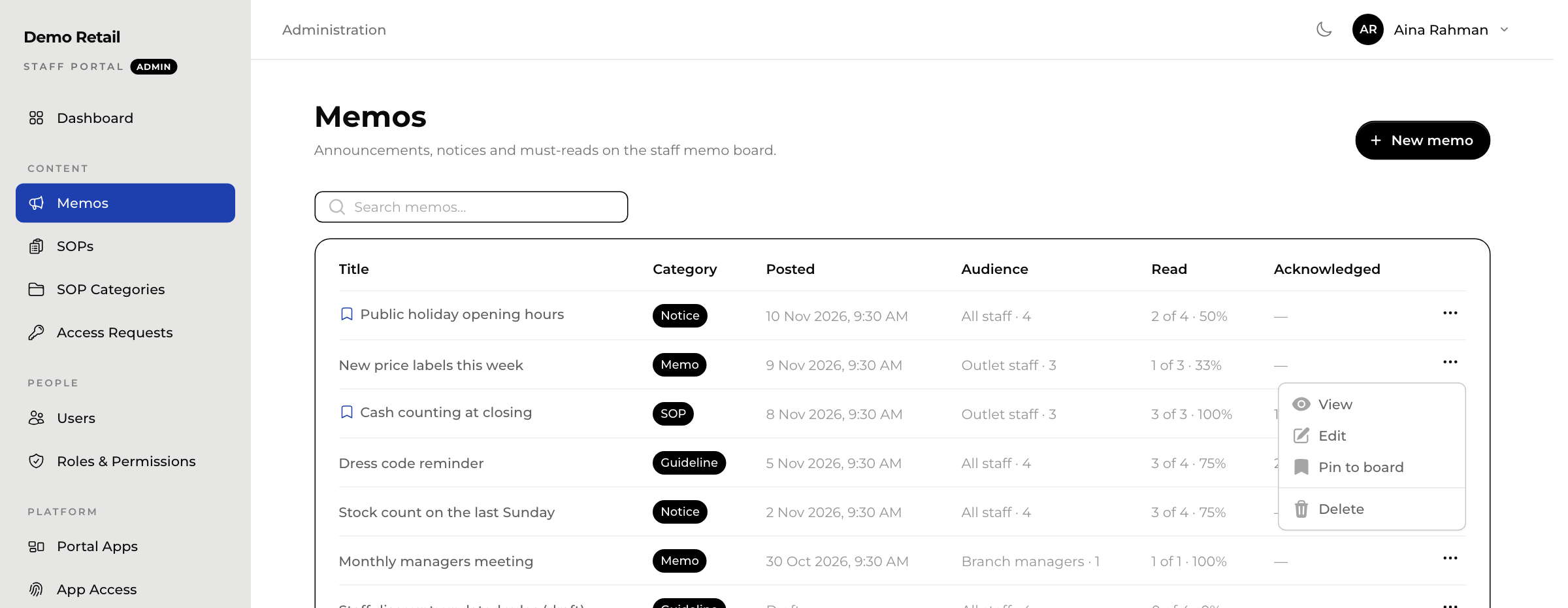
Up to two memos can be pinned at a time. To pin a third, first choose Unpin from board on one of the others. Only memos already sent can be pinned. A bookmark next to the title shows which memos are pinned.
See who has read it
The Read and Acknowledged columns show how many of the audience have opened and confirmed each memo. For names, press ⋯ and choose View.
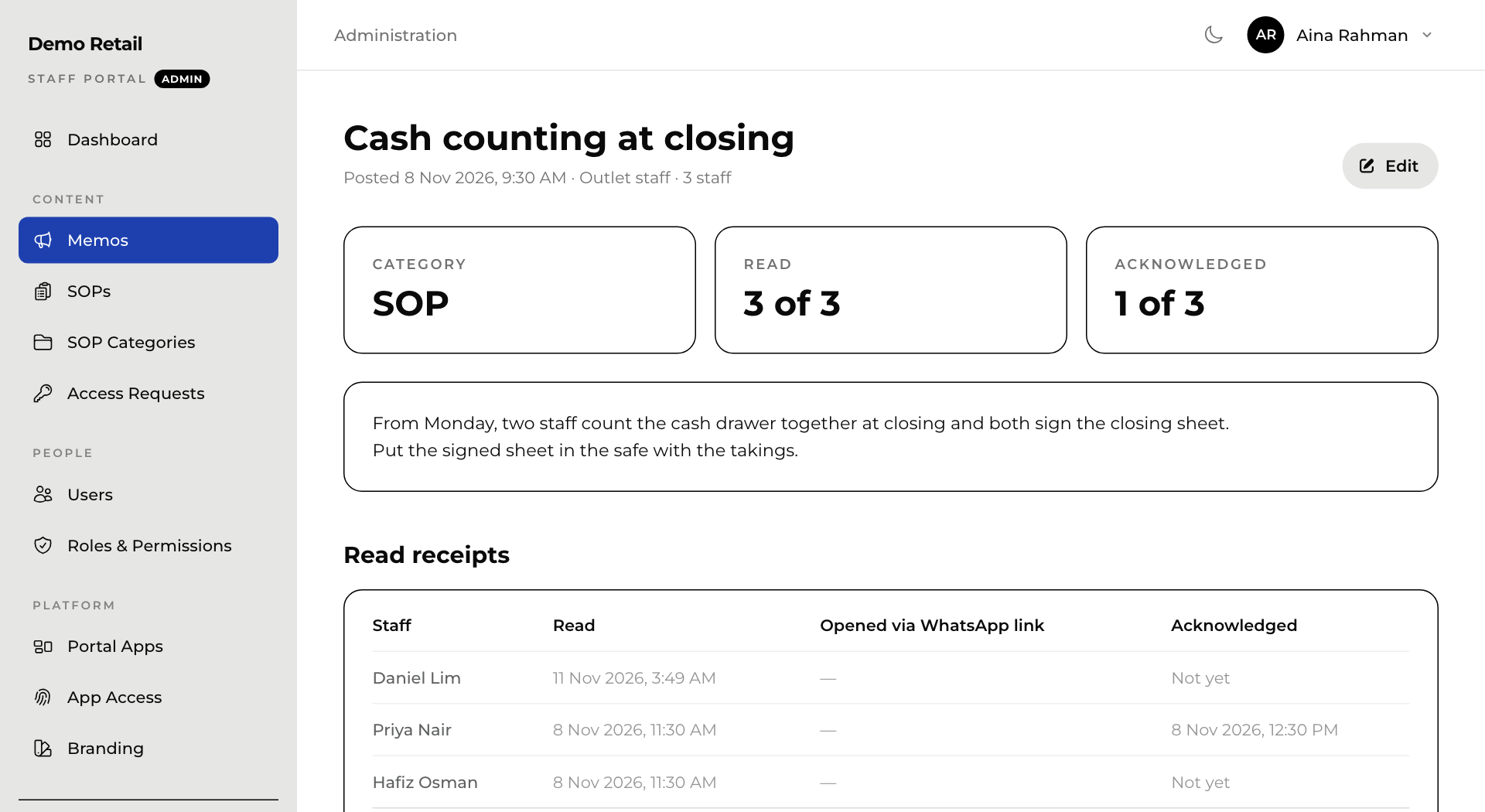
Read receipts lists each person, when they read it, whether they came from the WhatsApp link, and when they confirmed it (Not yet if they have not).
Change or remove a memo
Press ⋯, then Edit to change it or Delete to remove it. Deleting also removes its read receipts.