Act on customer feedback at your outlet
For: Outlet Managers
Whole guide as PDF (2 MB)When a customer at your outlet gives a low score or complains in the survey, a feedback ticket comes to you. You see one menu item: My Feedback Tickets.
-
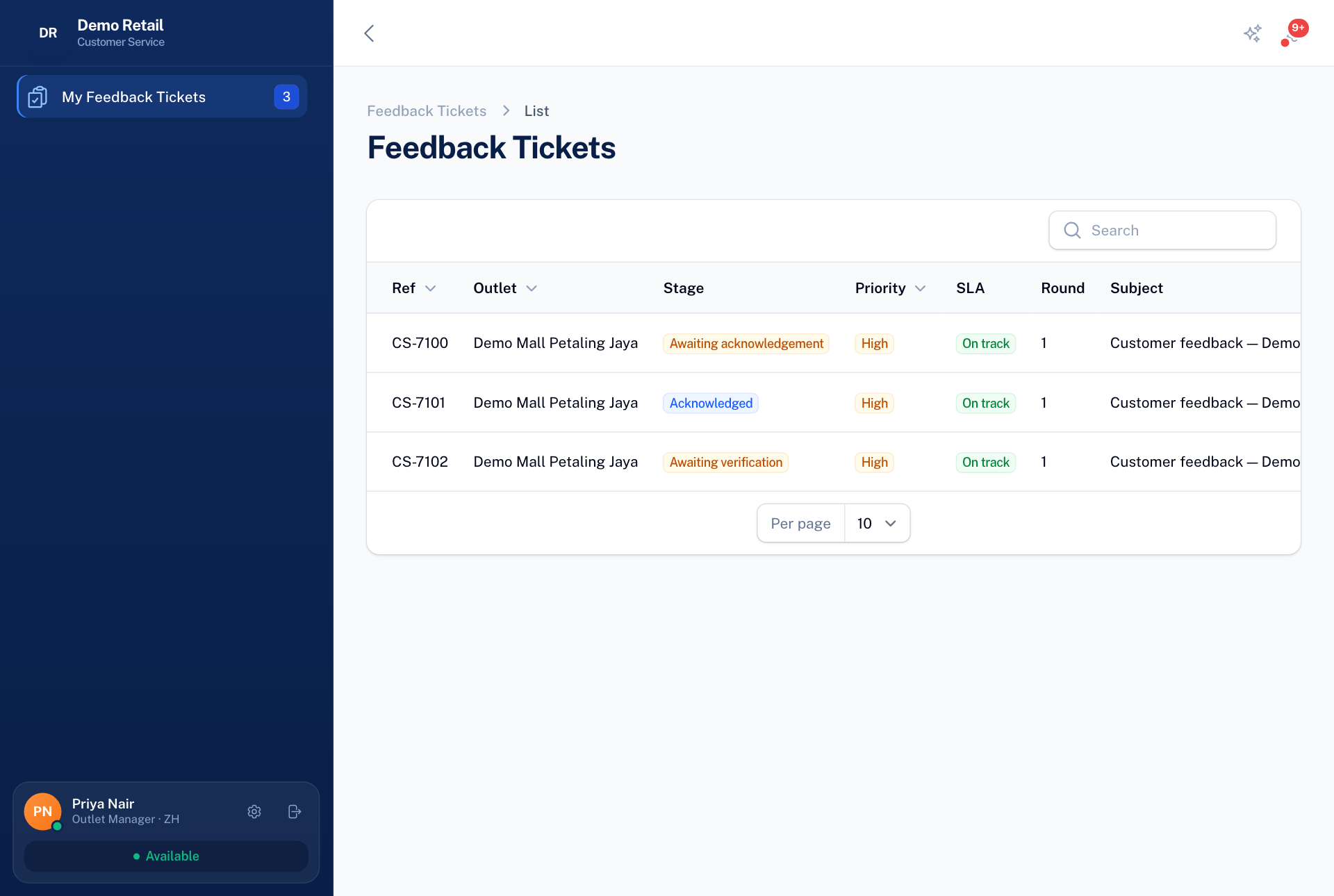
Open My Feedback Tickets. The Stage column says what is waiting, and SLA says whether you are still in time.
-
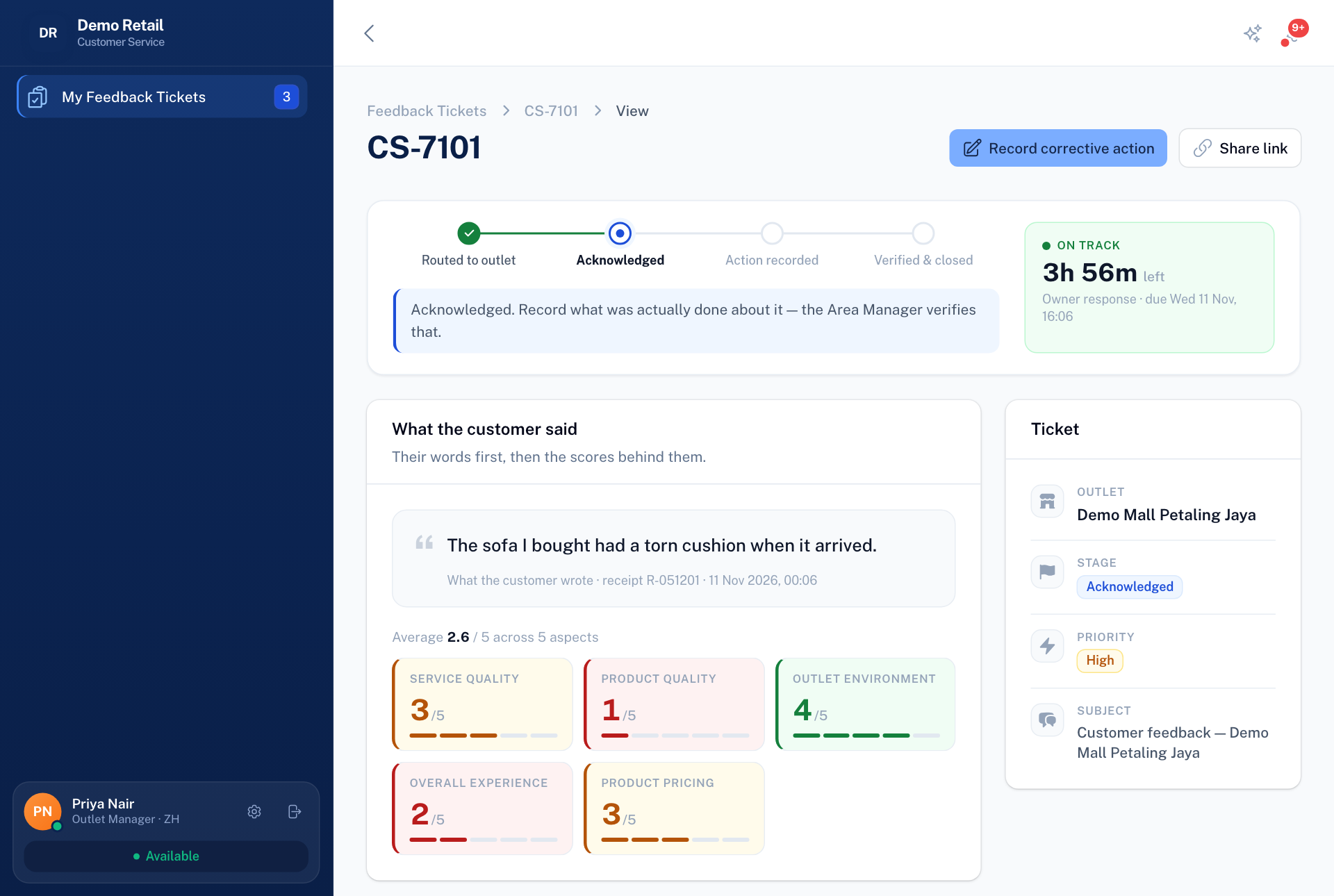
Open a ticket. You see the customer's words, their receipt number and their five scores.
-
Press Acknowledge to say you have seen it.
-
When you have dealt with it, press Record corrective action, write what was actually done, and press Submit for verification.
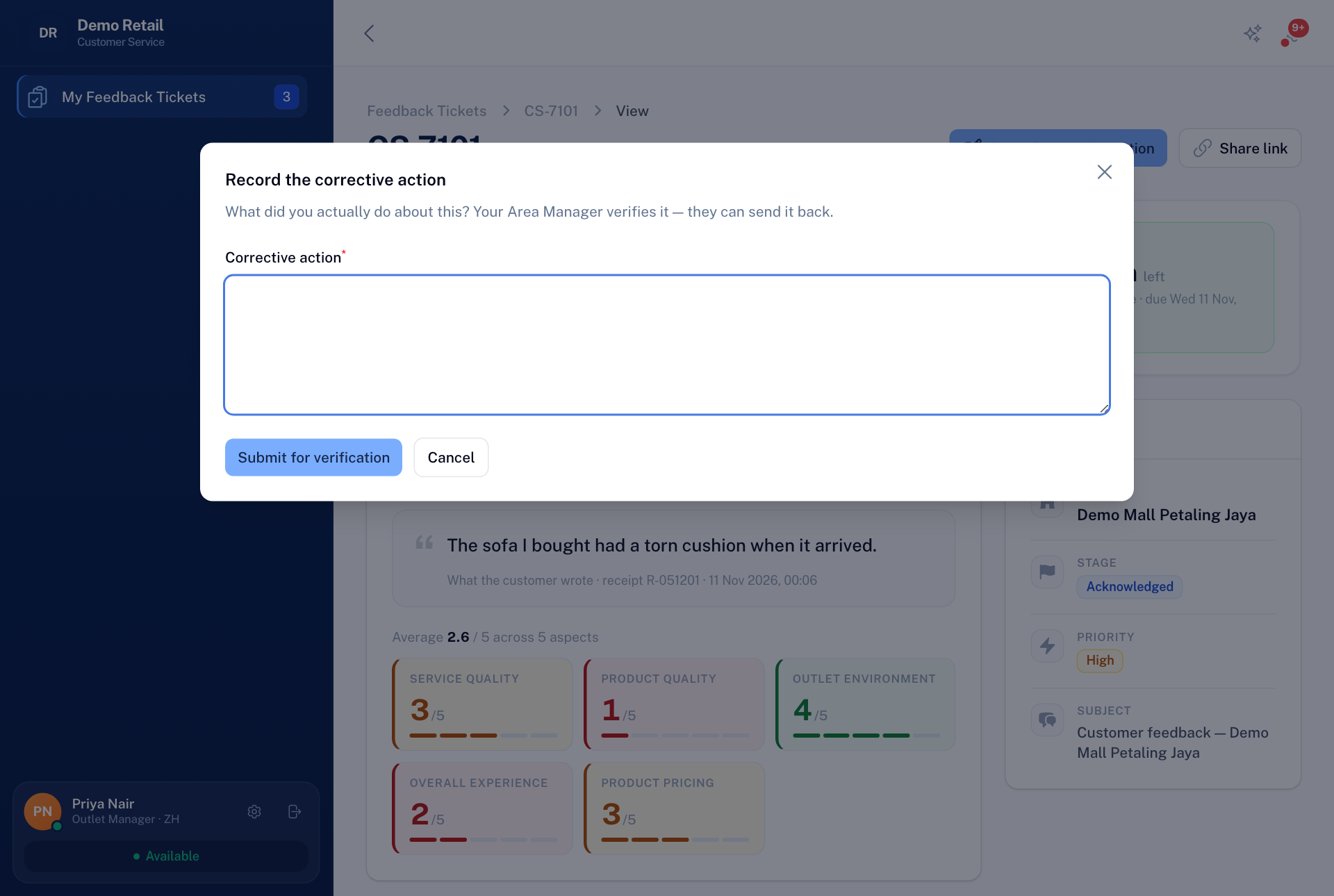
Your Area Manager then checks it. If they send it back, it returns to you as Returned for rework with their reason, and you record a new action.
The time left is shown on the ticket. If you miss the deadline, an alert goes out, and after that Customer service can close the ticket as Owner non-responsive.