Give people access
For: Admins
Whole guide as PDF (2 MB)- Open Users under Manage. The top shows how many people are online and free to take calls.
- Press Add User to invite someone, and choose their role.
- To change someone's role, use the role drop-down on their row. Supervisors and above can also change a person's status here, for example to Offline when their shift ends.
- When someone leaves, press Delete user on their row.
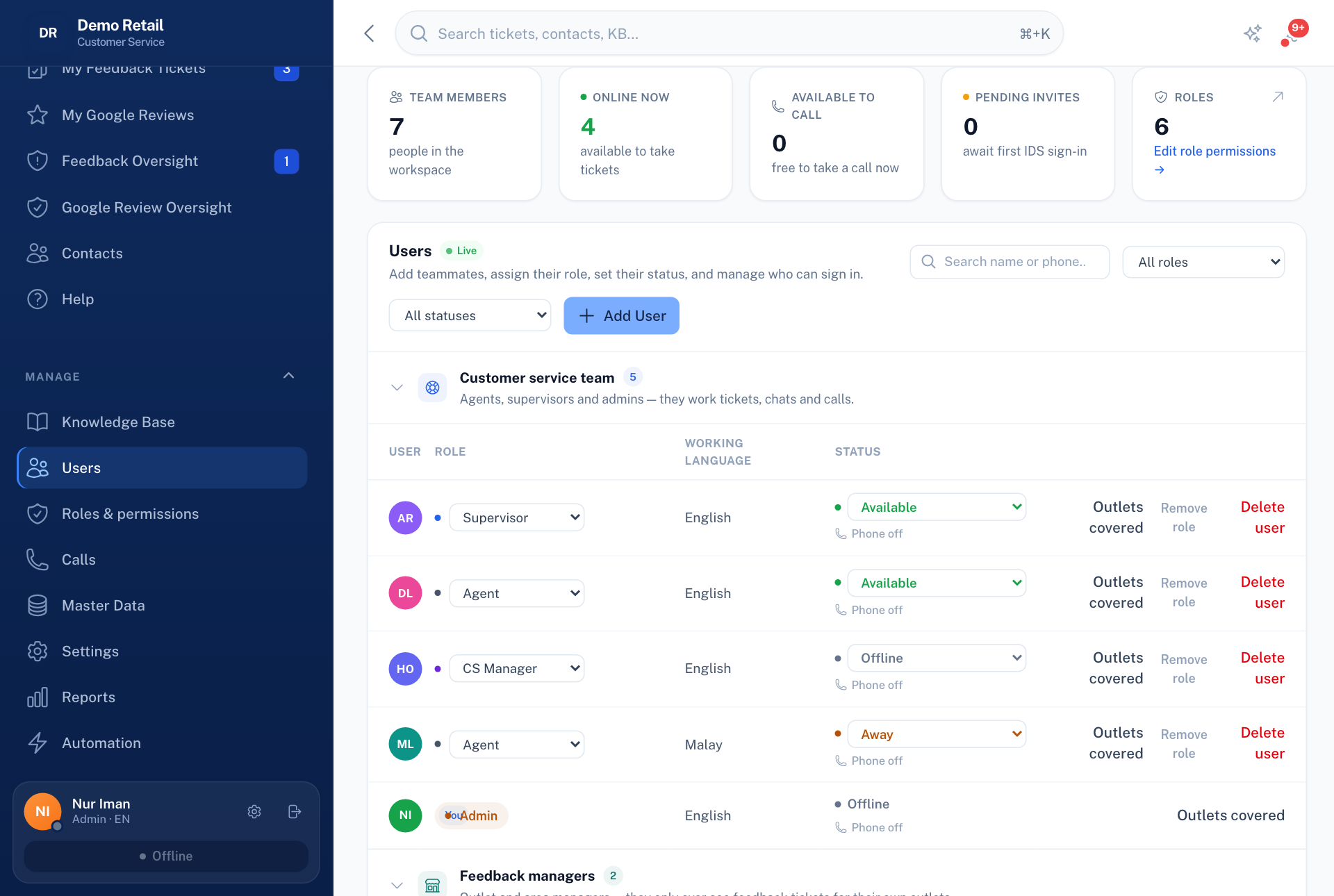
Outlet Managers and Area Managers are listed separately under Feedback managers, with the outlets they cover.
Change what a role can do
- Open Roles & permissions under Manage.
- Switch each permission on or off for each role in the table. Changes apply at once to everyone with that role.
- Press New role to make your own.
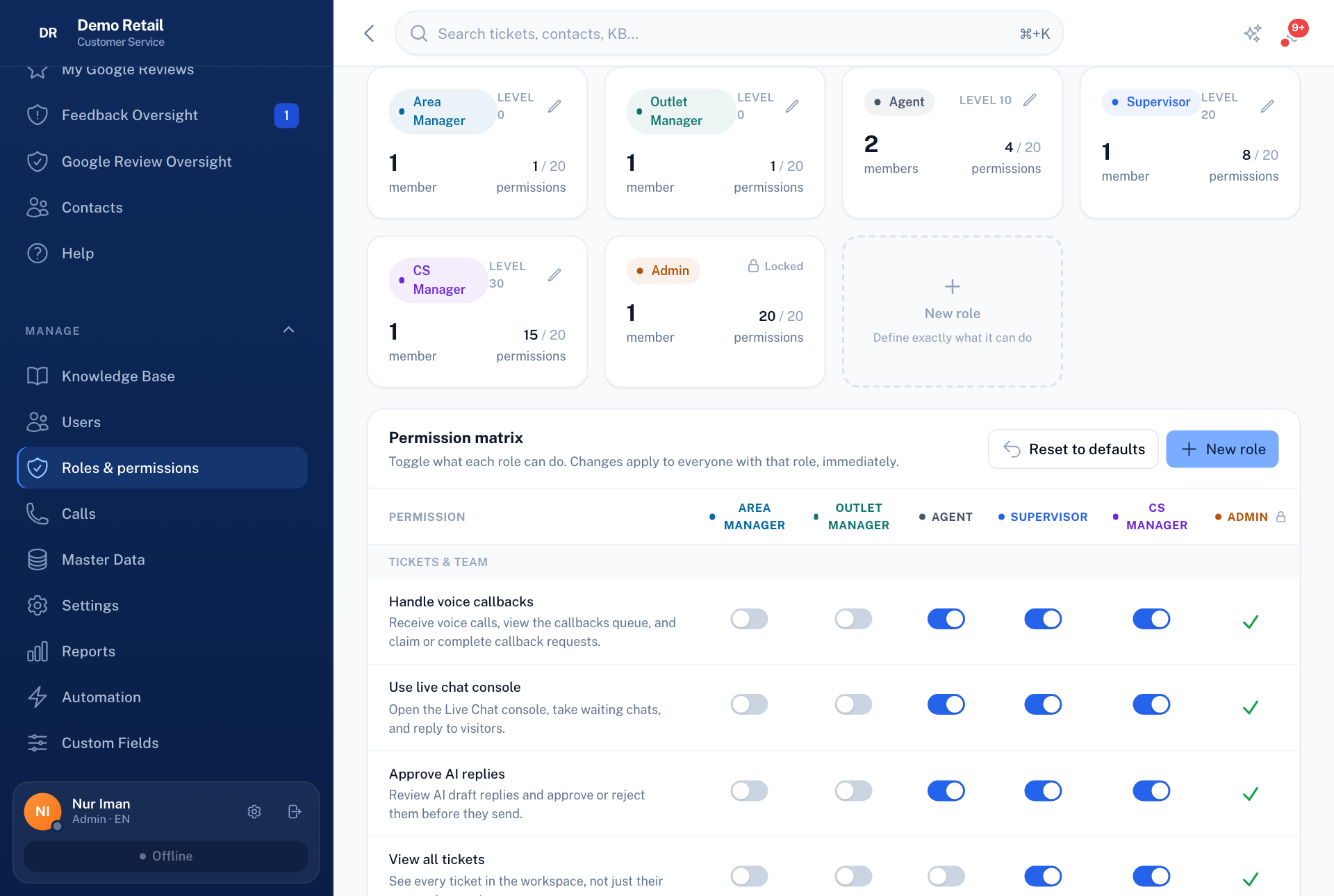
You cannot give anyone more than your own level. Give Admin sparingly: it can do everything, including settings and people. Supervisor or CS Manager suits most team leaders.
Audit log under Manage shows who changed what, and when.