Change how the system works
For: Admins
Whole guide as PDF (2 MB)Open Settings under Manage. Each section is listed on the left. Changes apply to everyone as soon as you save.
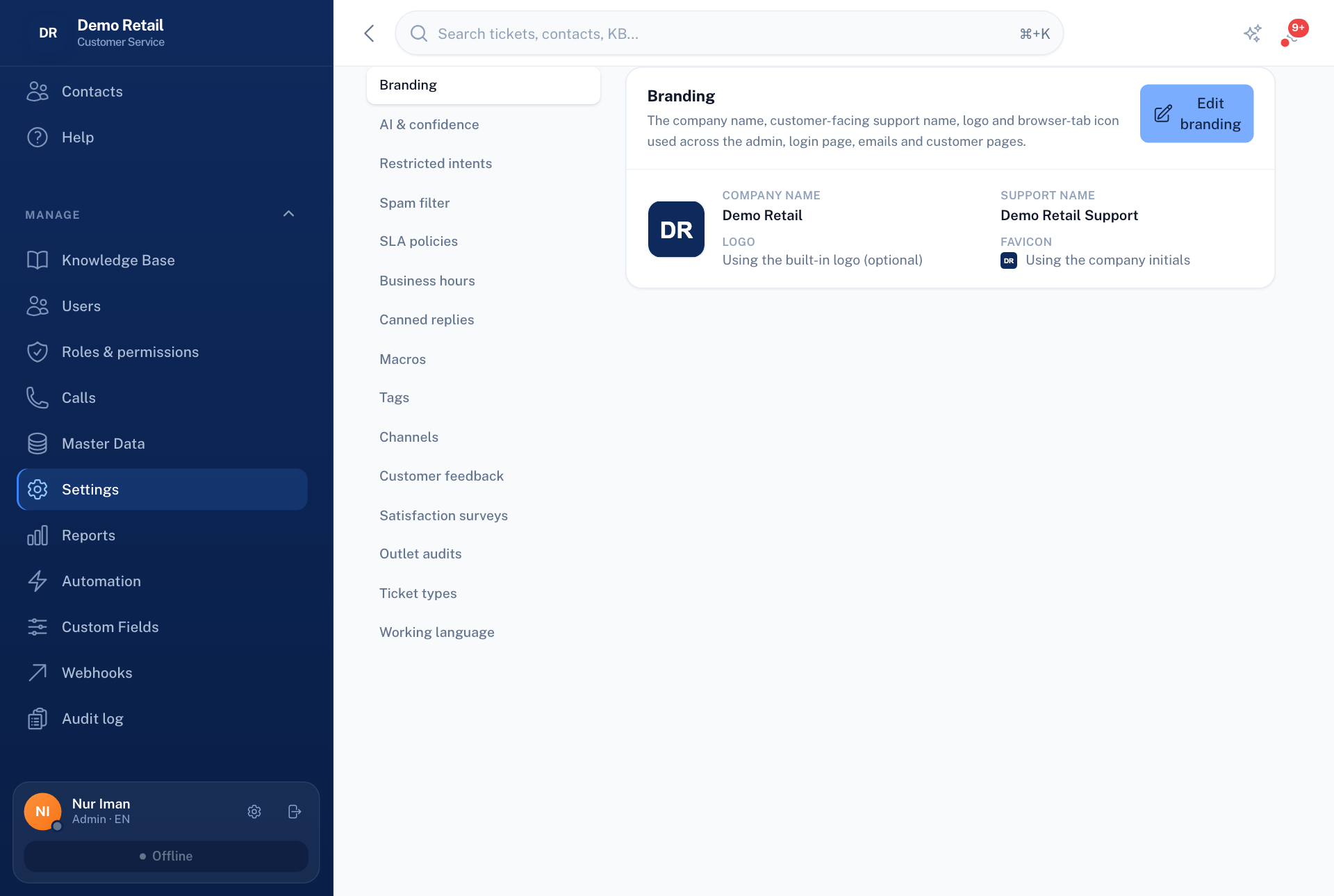
| Section | What it sets |
|---|---|
| Branding | Your company name, the name customers see on replies, your logo and the browser-tab icon. Without a logo, your initials are shown in the menu. |
| AI & confidence | How sure the AI must be before a reply goes out without a person, and whether it may send by itself at all. |
| Restricted intents | Words that always send a message to a person, however sure the AI is. |
| Spam filter | How junk messages are caught. |
| SLA policies | Your target times for first reply and for resolving, by priority. They can count only opening hours. |
| Business hours | Opening hours and public holidays, and the automatic out-of-hours reply. |
| Canned replies, Macros, Tags | Saved replies, saved sets of steps, and labels for tickets. |
| Channels | WhatsApp numbers, email mailboxes and the chat bubble for your website. |
| Customer feedback | The link to the Customer feedback module. |
| Satisfaction surveys | The short rating sent to customers after a ticket is resolved. |
| Outlet audits | The link to the Outlet audit module, and when audits are requested automatically. |
| Ticket types | The kinds of ticket, such as question or incident. |
| Working language | Your own language for replies and for the translated view of customer messages. |