Read the reports
For: Supervisors
Whole guide as PDF (2 MB)- Open Reports in the menu on the left.
- Choose the period at the top: Today, 7 days, 30 days or Custom, and the channel.
- Press Export to take the numbers into a spreadsheet.
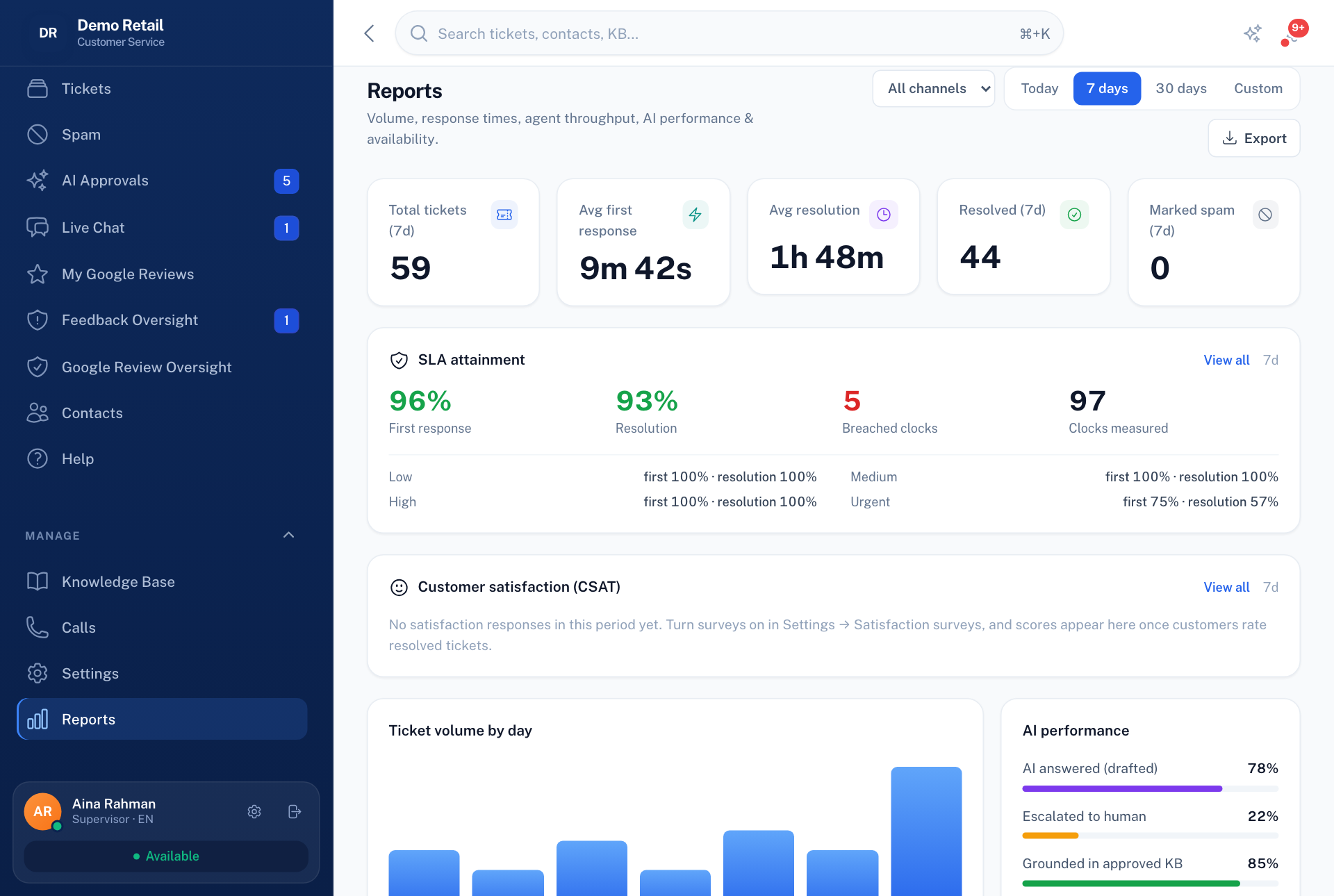
What it shows:
- how many tickets came in, how fast they were first answered and resolved, and how many were spam
- SLA attainment: how often the team met its response and resolution targets, and how many missed
- Customer satisfaction (CSAT): the average rating from the short survey sent after a ticket is resolved. It stays empty until surveys are switched on in Settings.
- how much the AI answered by itself and how much it passed to people
- AI usage & estimated cost, for roles allowed to see it