Check what an outlet did
For: Area Managers
Whole guide as PDF (2 MB)When an Outlet Manager records what they did about a customer's complaint, you check it. The person who recorded the fix can never be the one who signs it off.
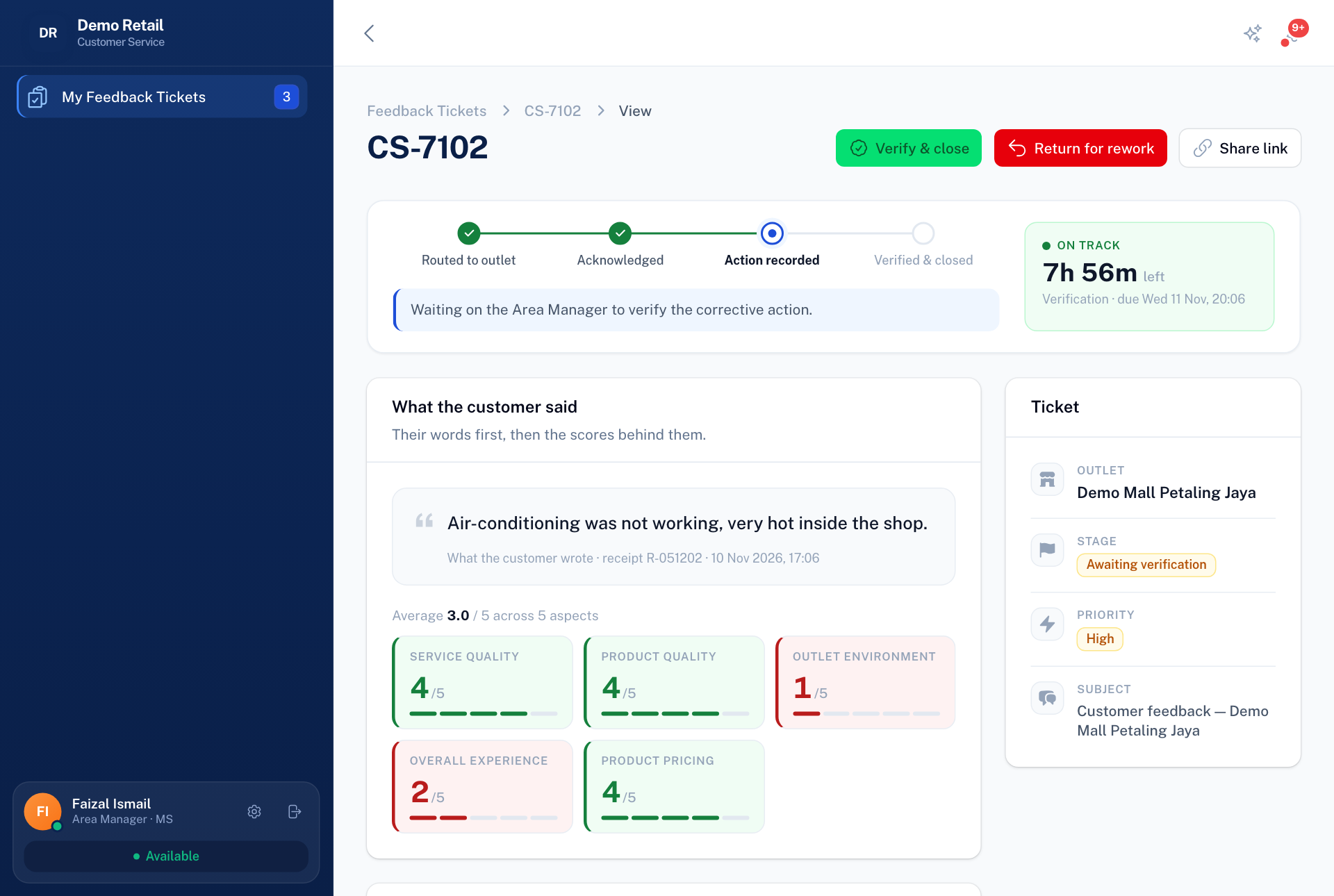
- Open My Feedback Tickets and open a ticket at Awaiting verification.
- Read the customer's complaint and, under Corrective action, what the outlet did.
- If it is enough, press Verify & close. You can add a note.
- If not, press Return for rework and write Why is this not enough?. It goes back to the Outlet Manager.
Ask for an outlet audit
If an outlet needs a proper inspection, press Request an outlet audit on the ticket, choose Audit must happen by, and write Why does this outlet need auditing?. The request appears in Outlet audit as a one-off audit schedule. This button only shows once the link to Outlet audit is switched on.