Sign in and say whether you are free
For: Everyone
Whole guide as PDF (2 MB)- Open the sign-in page and type the Phone number and Password your administrator gave you. You can also press Sign in with QR code and scan it from a phone that is already signed in.
- Pick your Working language: English, Chinese or Malay. Customer messages are translated into it, with the original kept underneath.
- Press Sign in.
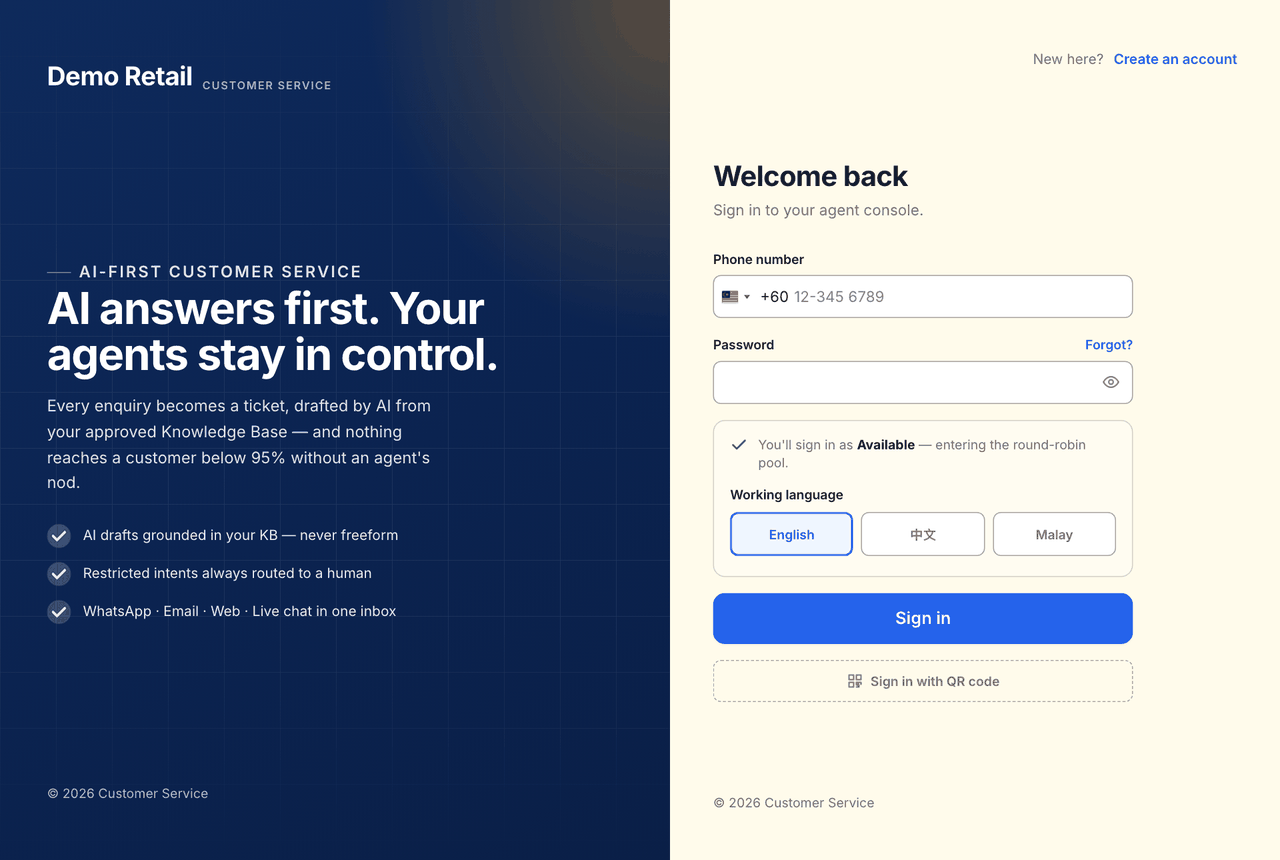
Signing in marks you Available, so new tickets and chats can be given to you. Forgot your password? Press Forgot? on the sign-in page, or ask an administrator.
Say whether you are free
Your status is at the bottom of the menu on the left, under your name. Choose Available, Away or Offline. New work only goes to people who are Available, so set Away before a break.
If your team takes WhatsApp calls, the Off duty / On duty switch at the top of the menu decides whether calls can ring you. It is separate from your status.