Approve AI replies
For: Agents
Whole guide as PDF (2 MB)When the AI is not sure enough to send a reply by itself, it waits for a person here.
- Open AI Approvals in the menu on the left. The number next to it is how many replies are waiting.
- Read the customer's question and the AI's reply side by side, and check which help article it used.
- Press Approve & send, Edit to change it first, or Reject to throw it away and reply yourself.
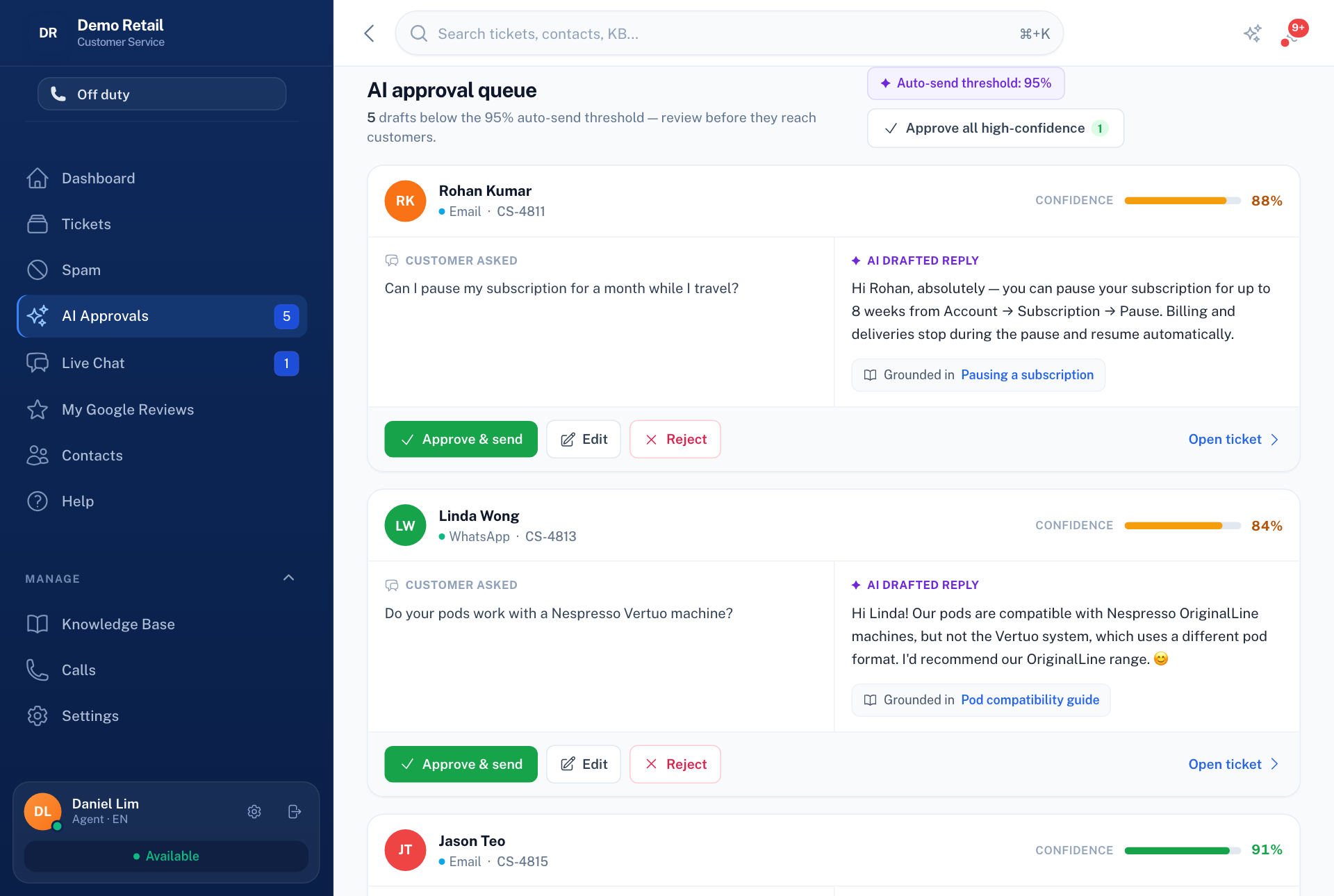
The top of the screen shows the level above which replies send without a person. Approve all high-confidence approves every draft above that level at once.
If a ticket says No matching answer — human required, that is on purpose: no approved article covered the question, so it did not guess. Write or improve a help article so it can answer next time.