Find your tickets
For: Agents
Whole guide as PDF (2 MB)A ticket is one customer conversation, whatever way it came in.
- Open Tickets in the menu on the left.
- Use All, My tickets or Unassigned to choose whose tickets you see, and the channel buttons (WhatsApp, Email, Web, Live chat, Voice, Feedback, Google Review) to narrow it further.
- Use the drop-down filters for status, priority, SLA (your target response time), type and agent, or type in Search.
- Press a row to open the conversation.
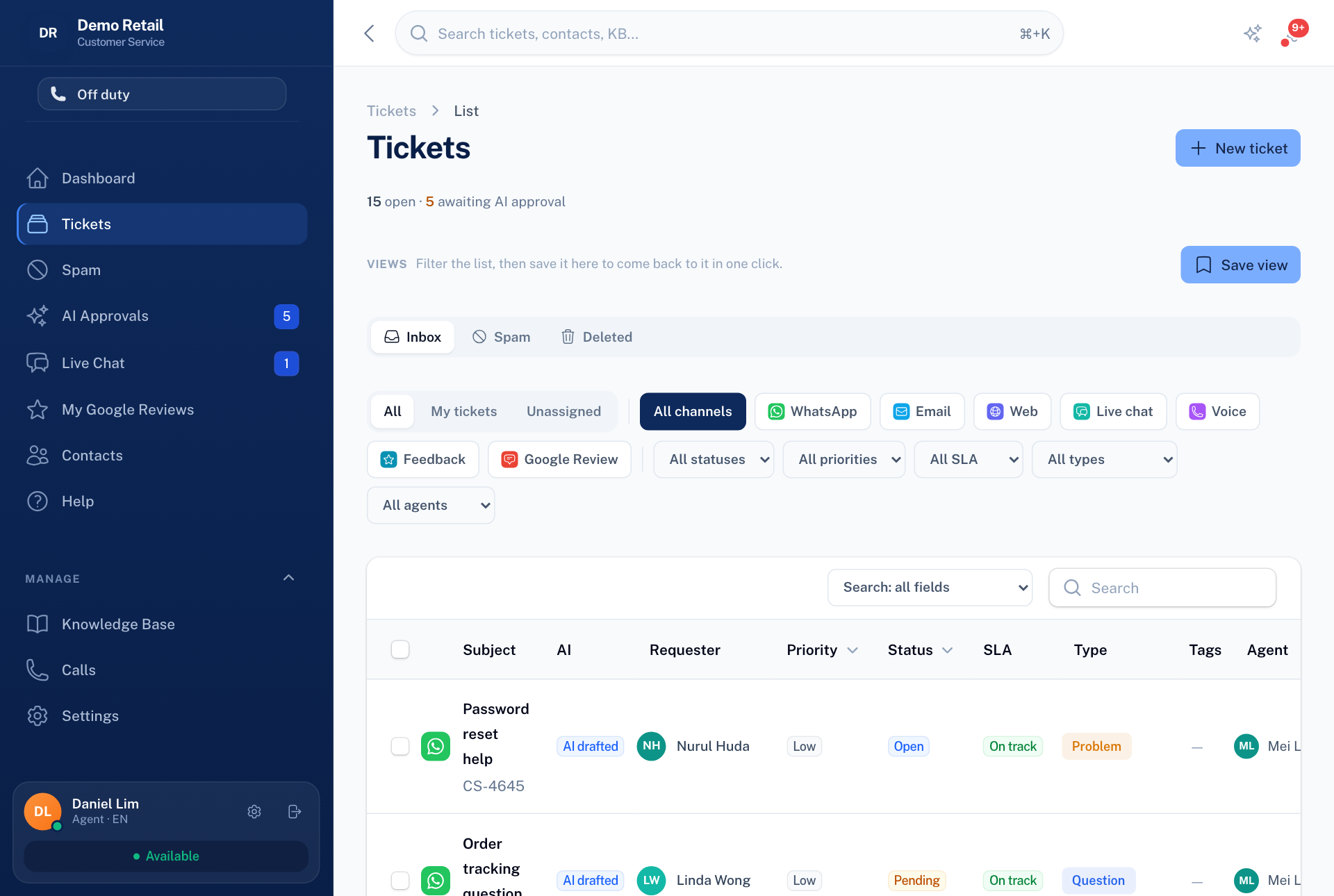
To come back to the same filters later, press Save view and give it a name.
To change several tickets at once, tick them. A bar appears for changing the person, the status or the tags of all of them.
If you only ever see your own tickets, your role does not include seeing every ticket. Ask an administrator if you need it.
Press ⌘K (on Windows Ctrl+K) at any time to jump to a ticket, a contact or a page.