Find your way around
For: Staff
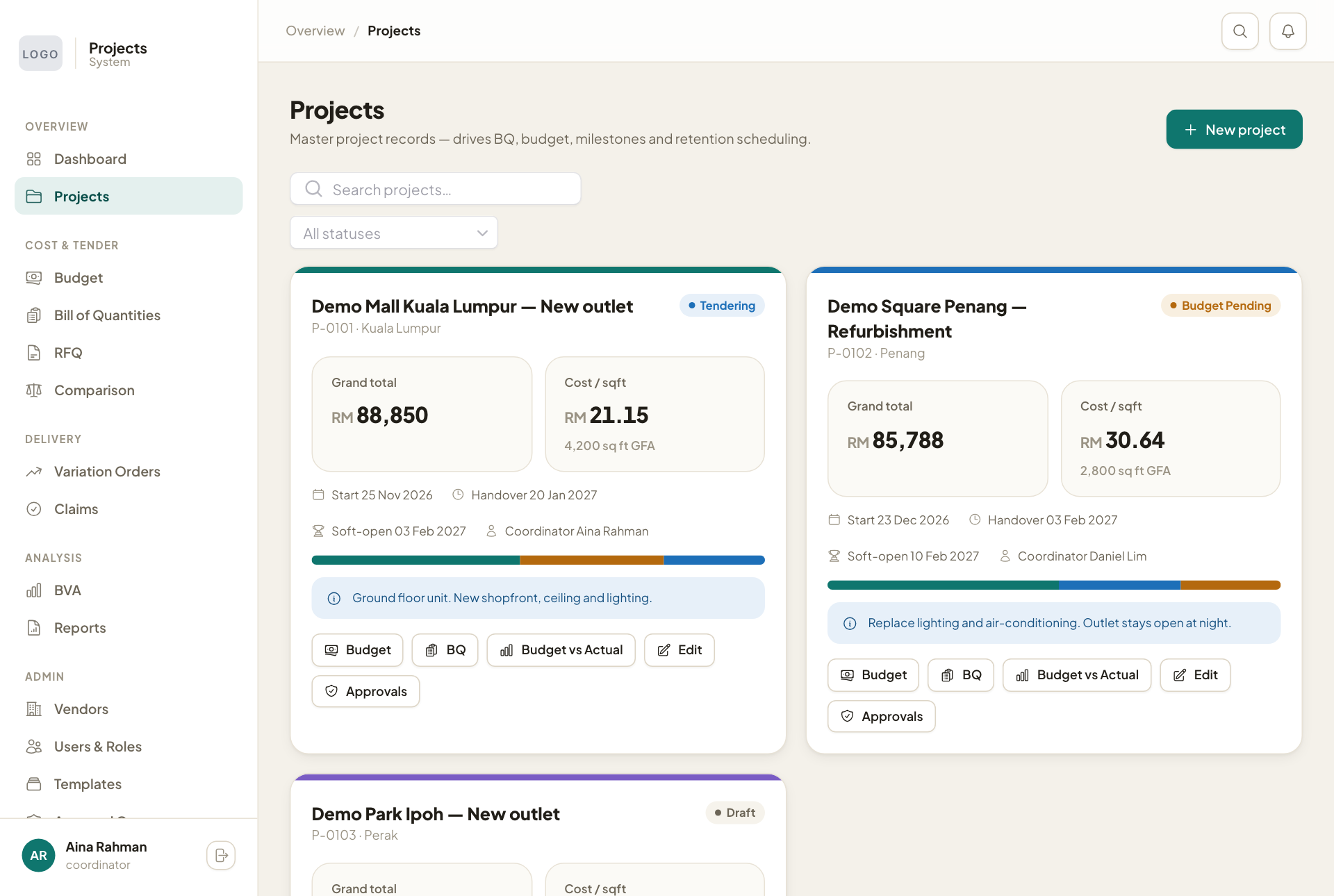
Whole guide as PDF (3 MB)The menu on the left groups the pages in the order a project moves:
- Overview: Dashboard and Projects.
- Cost & Tender: Budget, Bill of Quantities, RFQ and Comparison.
- Delivery: Variation Orders and Claims.
- Analysis: BVA and Reports.
- Admin: Vendors, Users & Roles, Templates, Approval Groups and Group Templates. Only administrators use these.
You see only the pages your role allows. Your name and role are at the bottom of the menu, with the sign-out button beside them.
The dashboard
The four boxes at the top add up all projects:
- Portfolio budget: the total of every project's budget.
- Committed (awarded + VO): what has been promised to vendors through awards and approved variations.
- Certified to date: what has been checked and certified on vendor claims.
- Retention held: money held back until after the outlets open.
Active projects lists each project with its stage, budget and cost per square foot. Outstanding approvals on the right lists documents waiting for someone to approve them.
The project list
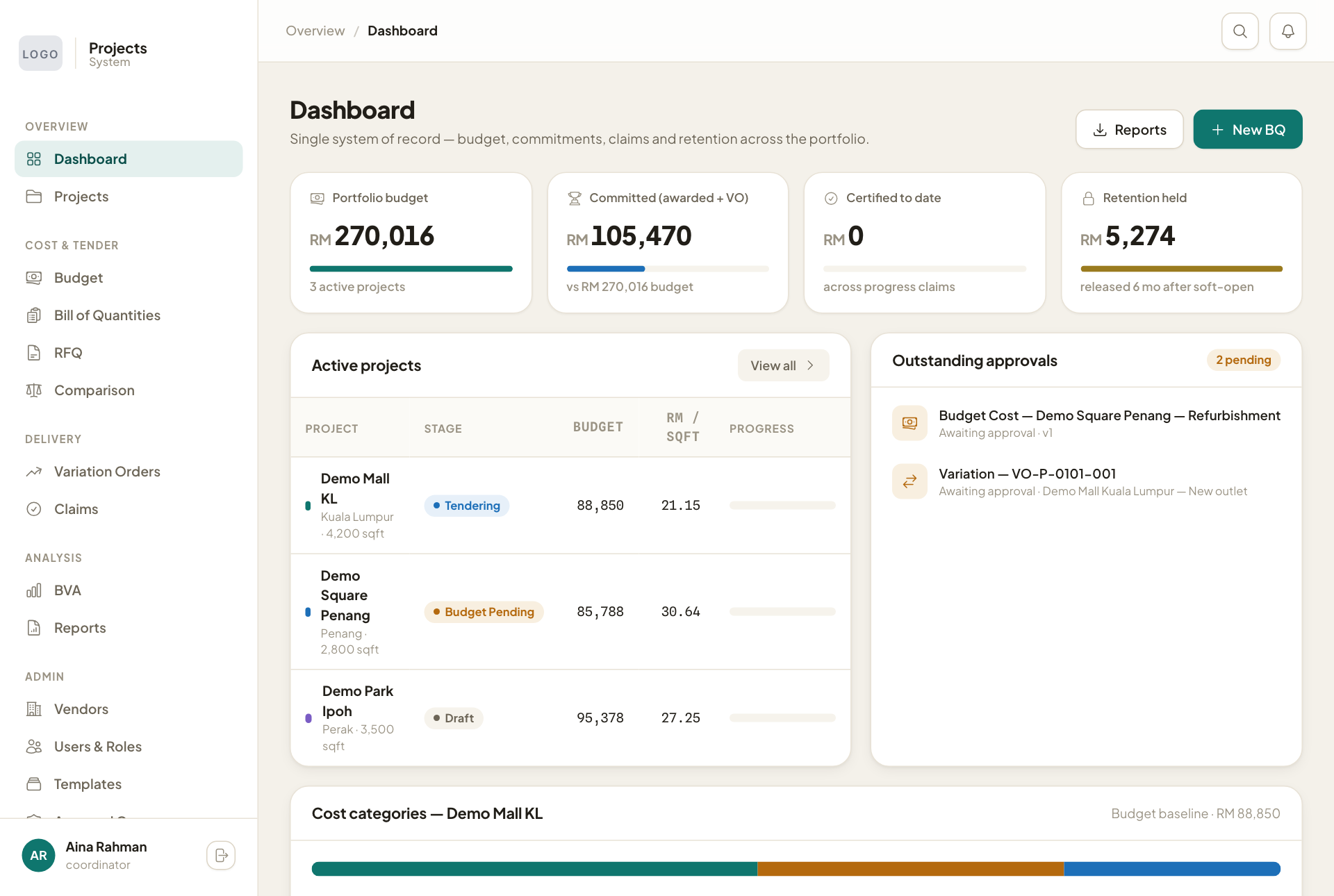
Open Projects to see one card per project: its stage, grand total, cost per square foot, key dates and coordinator. The buttons on each card open its Budget, BQ, Budget vs Actual, Edit and Approvals. Use Search projects… and All statuses to narrow the list.