Register and approve vendors
For: Administrators
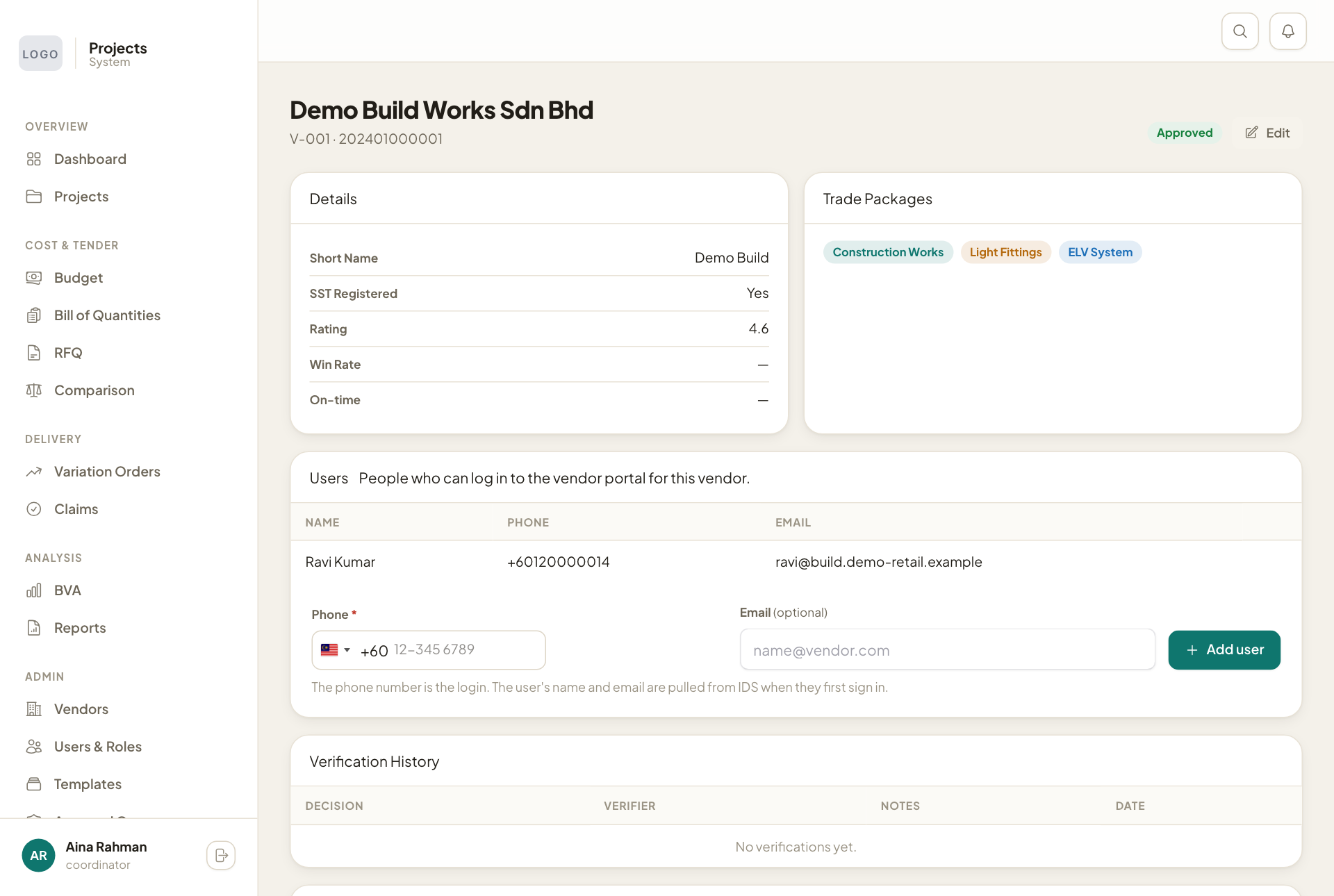
Whole guide as PDF (3 MB)Vendors lists every vendor with the kinds of work they do, whether they are SST-registered, their status and their rating. Only vendors with the status Approved can be invited to quote.
- Press Register Vendor to add a new one.
- Press a vendor's row to open it.
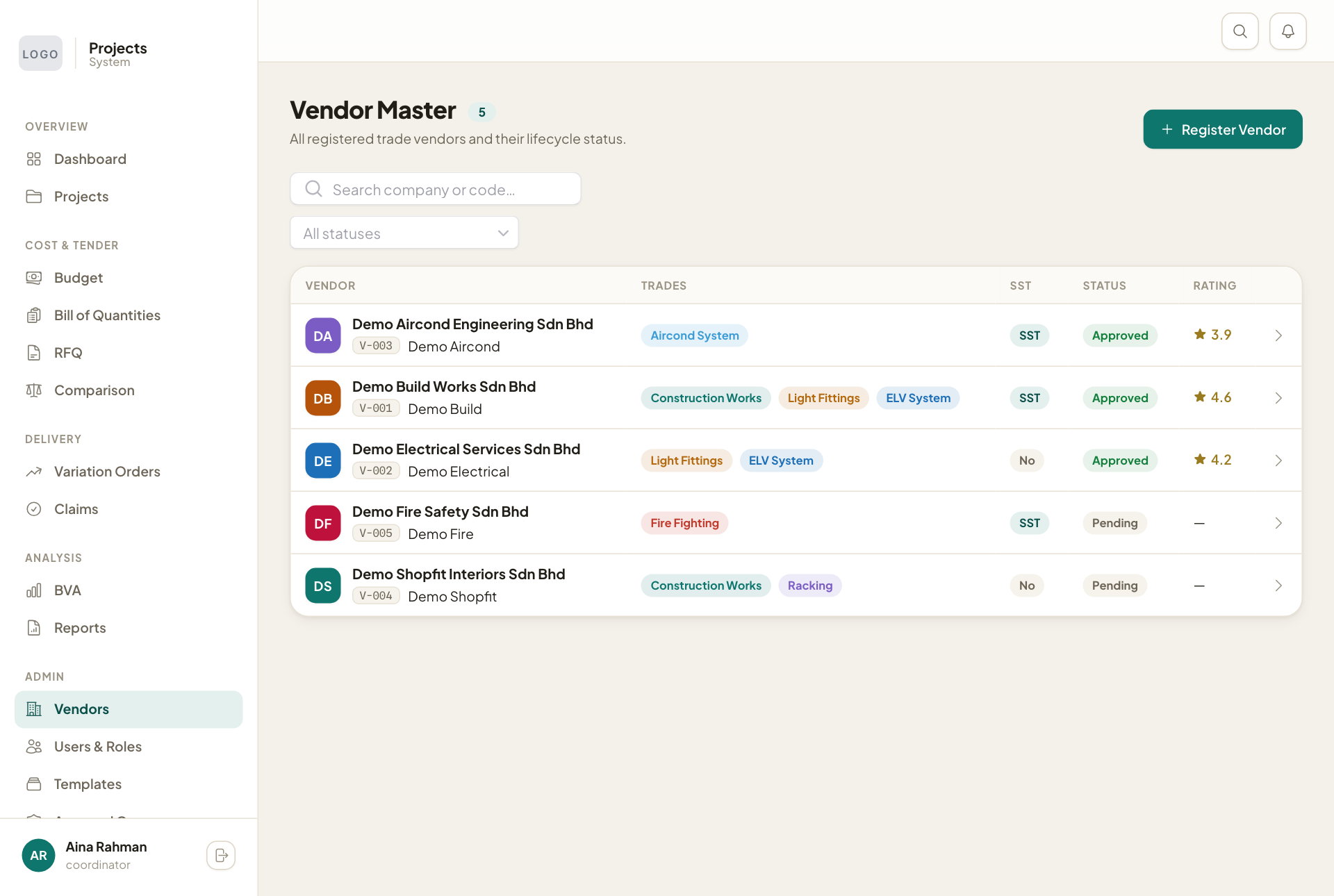
On a vendor's page:
- Users lists who can sign in for that vendor. Type a Phone number and press Add user to add one.
- Documents shows the papers the vendor has uploaded.
- At the bottom, review the documents, then press Approve & activate, Request more info or Reject registration.
- Edit at the top right changes the vendor's details.