Claim a payment
For: Vendors
Whole guide as PDF (3 MB)When you win a contract, you are paid in stages, for example a down payment, progress payments, the balance and the retention (a part held back until some months after the outlet opens).
- Open My Project. Each contract shows its Contract value, Paid to date and how many stages are paid.
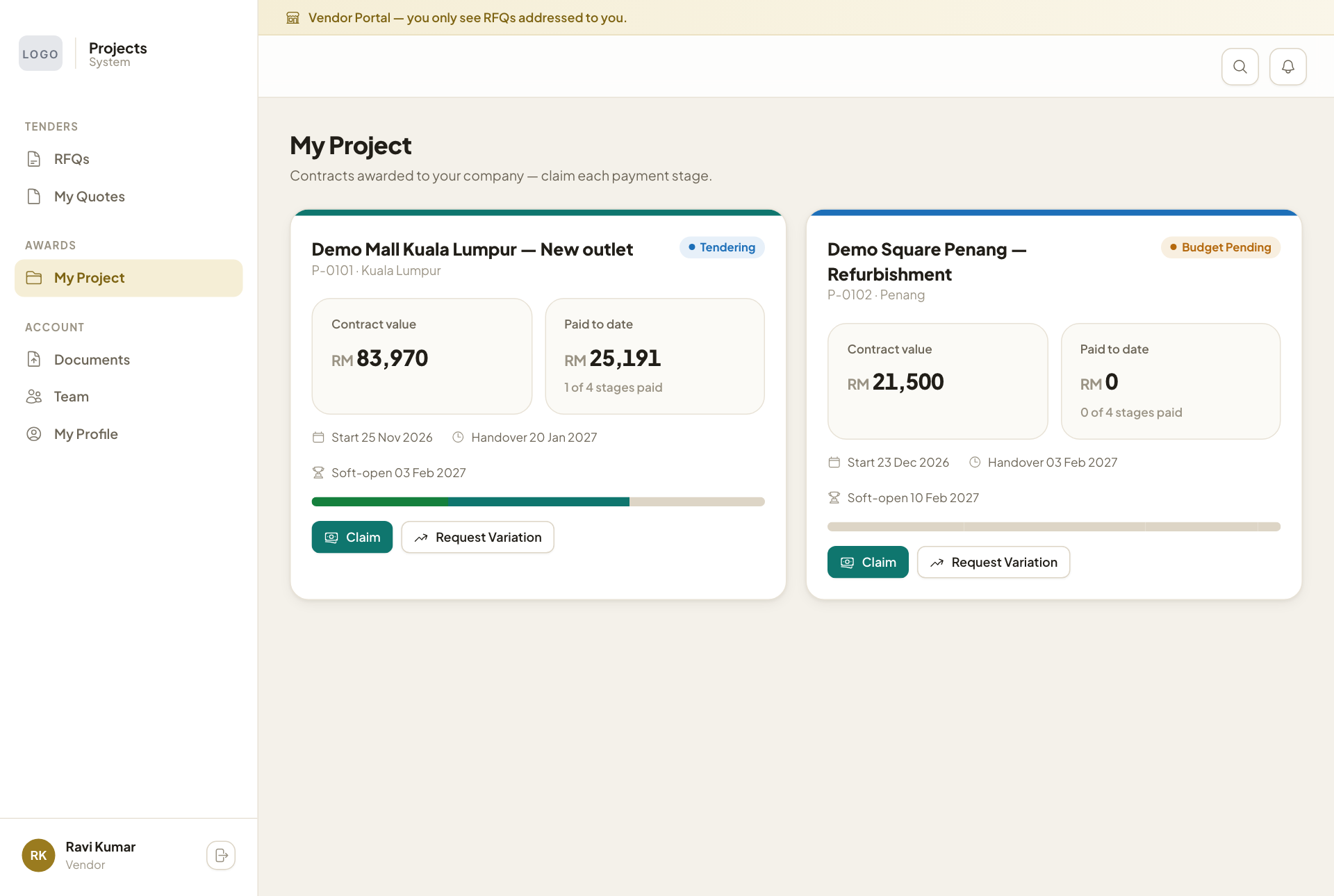
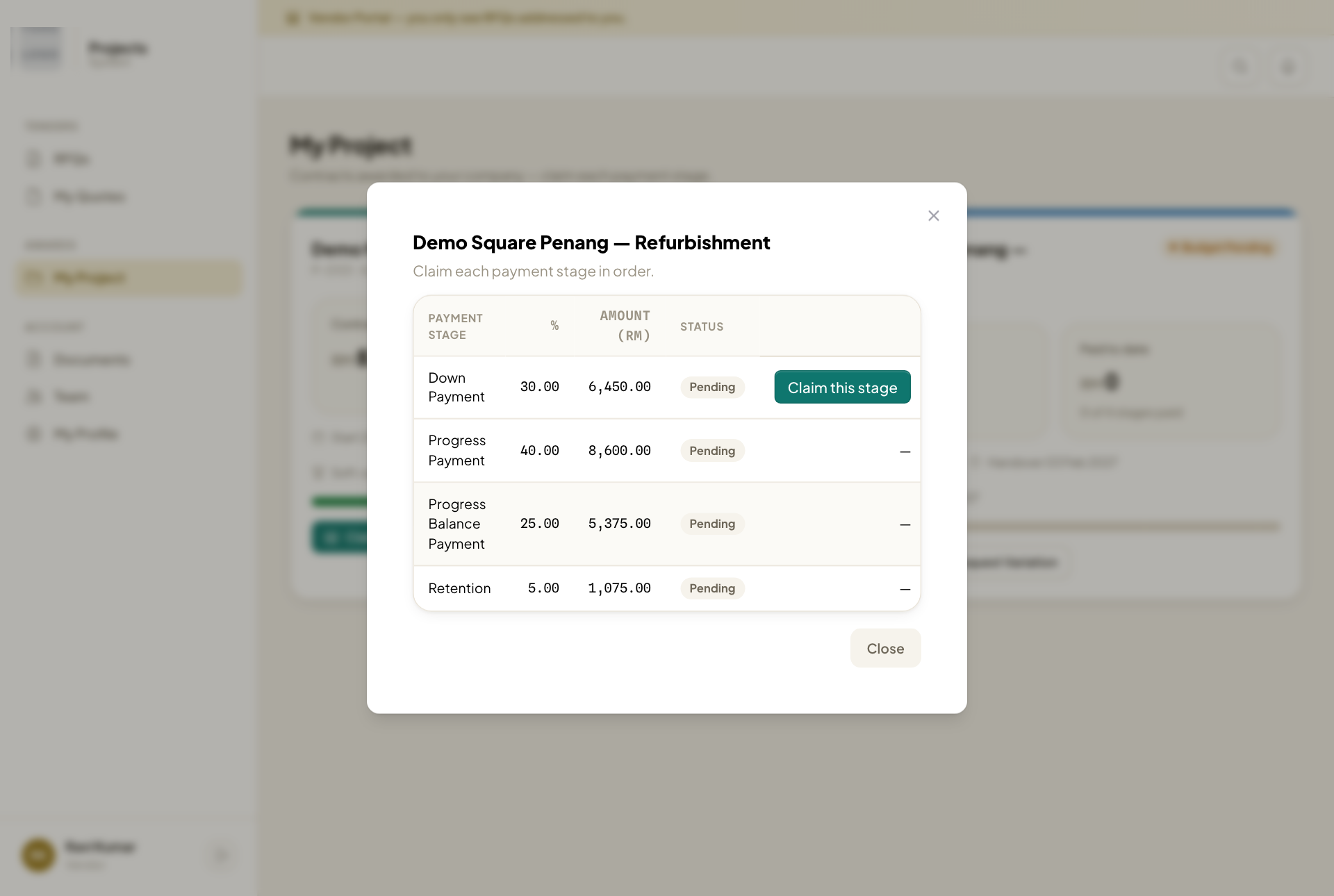
- Press Claim on the contract. The list shows every stage with its share of the contract, the amount and the status: Pending, Awaiting approval or Paid.
- Press Claim this stage. Only the next stage you are owed has this button: stages are claimed in order.
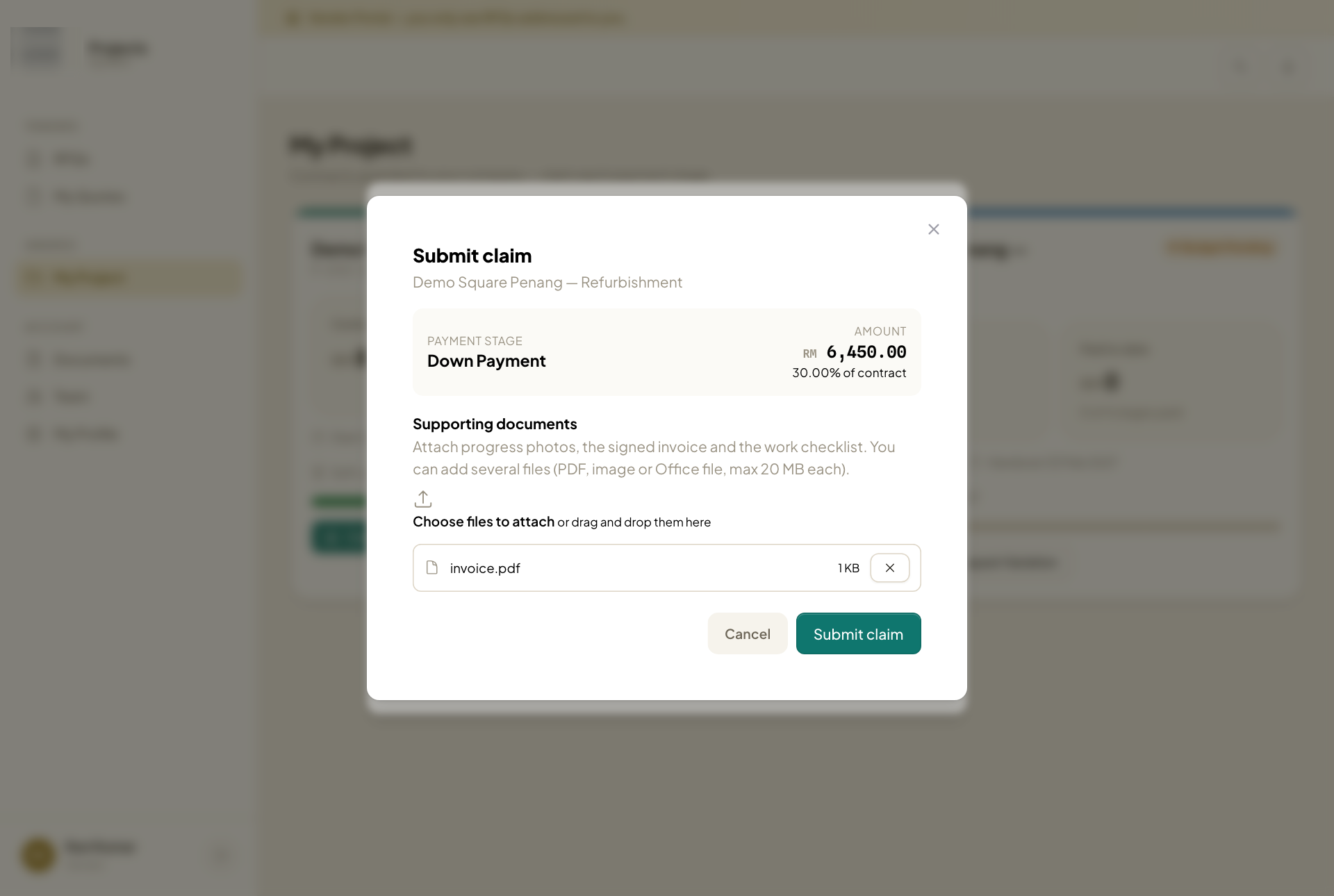
- Under Supporting documents, press Choose files to attach or drag the files onto it. Attach progress photos, the signed invoice and the work checklist. PDF, picture, Word and Excel files of up to 20 MB each are accepted.
- Each file appears with its size. Press × to remove one added by mistake.
- Press Submit claim. At least one file is needed.
The stage then shows Awaiting approval while the company checks the work. Once it is approved and paid, it shows Paid, the paid-to-date figure goes up, and the next stage can be claimed.