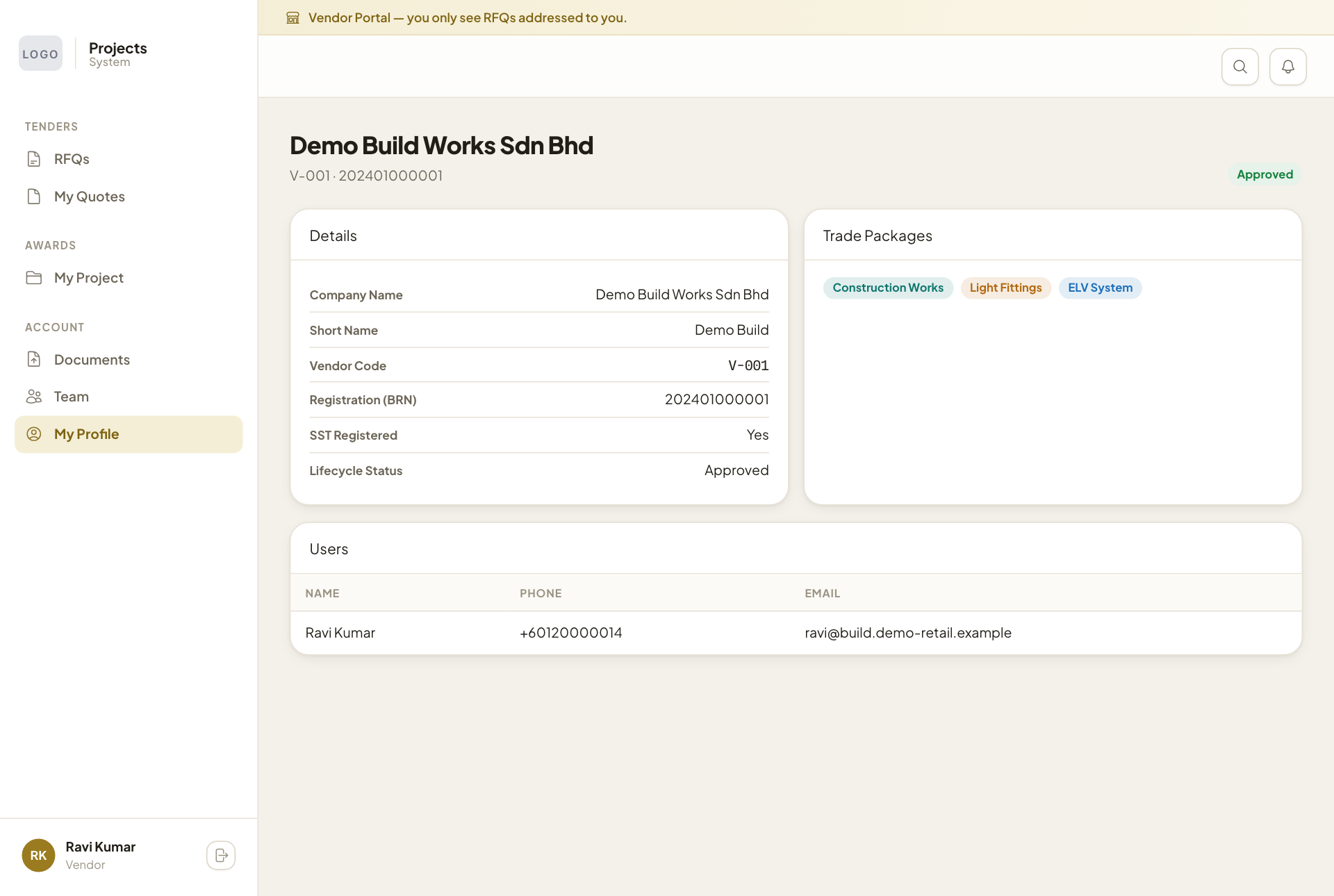
Keep your company details up to date
For: Vendors
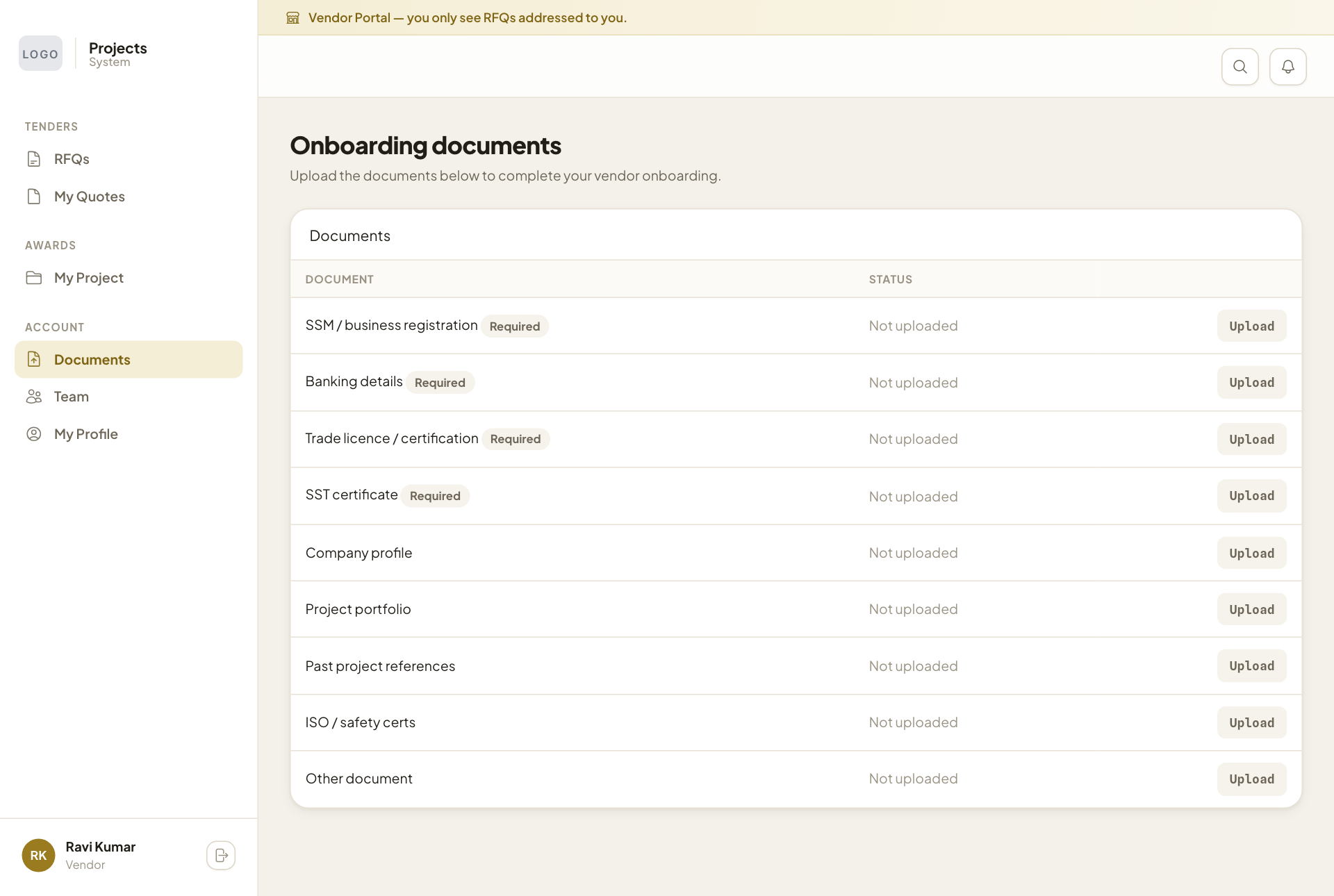
Whole guide as PDF (3 MB)Documents
Open Documents to upload the papers the company needs before it can work with you. Items marked Required must be uploaded: business registration, banking details, trade licence and SST certificate. Press Upload on a row to add the file.
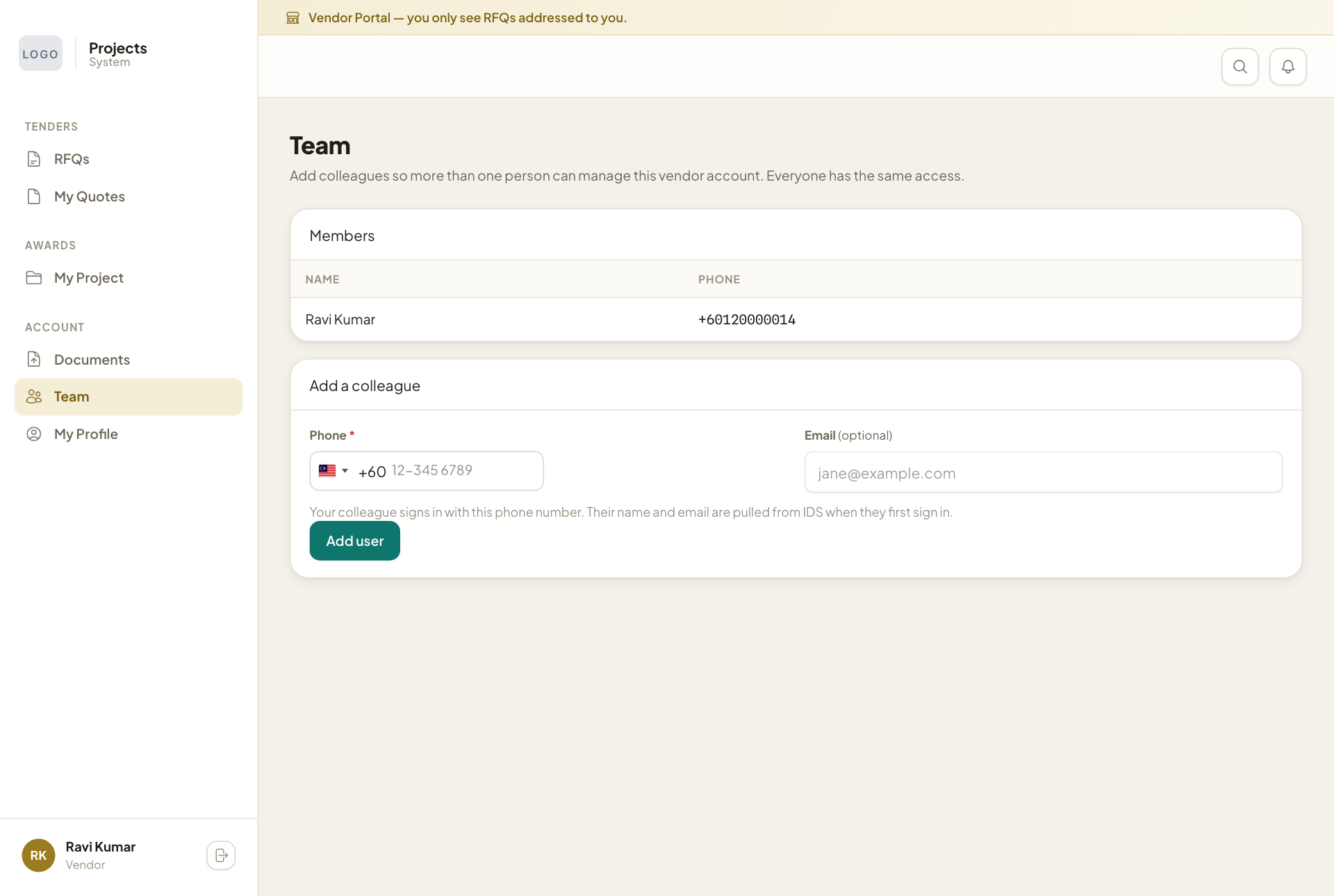
Team
More than one person can use your company's account, and everyone has the same access.
- Open Team.
- Under Add a colleague, type their Phone number. Add an Email if you like.
- Press Add user.
Your colleague signs in with that phone number. Their name is filled in the first time they sign in. Only add people you trust to send quotes and claims for your company.
My Profile
My Profile shows what the company holds about you: company name, vendor code, registration number, SST registration, status, the Trade Packages (kinds of work) you are registered for, and your users. The trade packages decide which requests you can be invited to. If anything is wrong, contact the company; you cannot edit these details yourself.