Prepare the bill of quantities
For: Coordinators
Whole guide as PDF (3 MB)The bill of quantities (BQ) is the list of work that vendors will price. You usually do not start it by hand: when a budget is approved, a draft BQ is made with only the items that had an amount. Each item shows FOR TENDER, because the vendors' prices are still to come.
- Open Bill of Quantities and press View / Edit on the project's BQ.
- Check the items and quantities. Add an item to a group with that group's Add line, or bring in more items with Load from Template.
- When the list is right, press Issue RFQ to ask vendors for quotes.
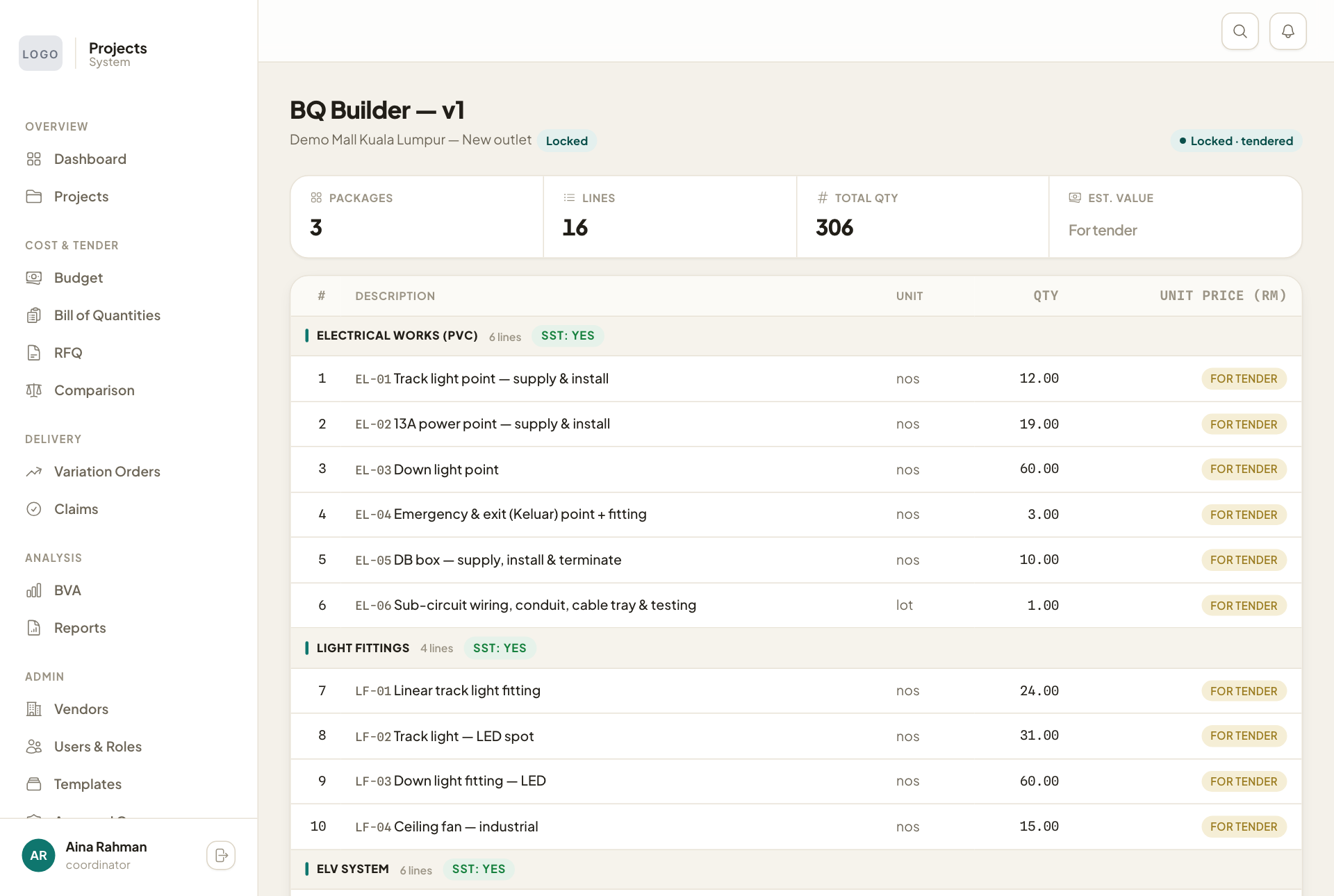
Once an RFQ goes out, the BQ shows Locked · tendered and can no longer be changed, so every vendor prices the same list.