Keep the rate templates
For: Administrators
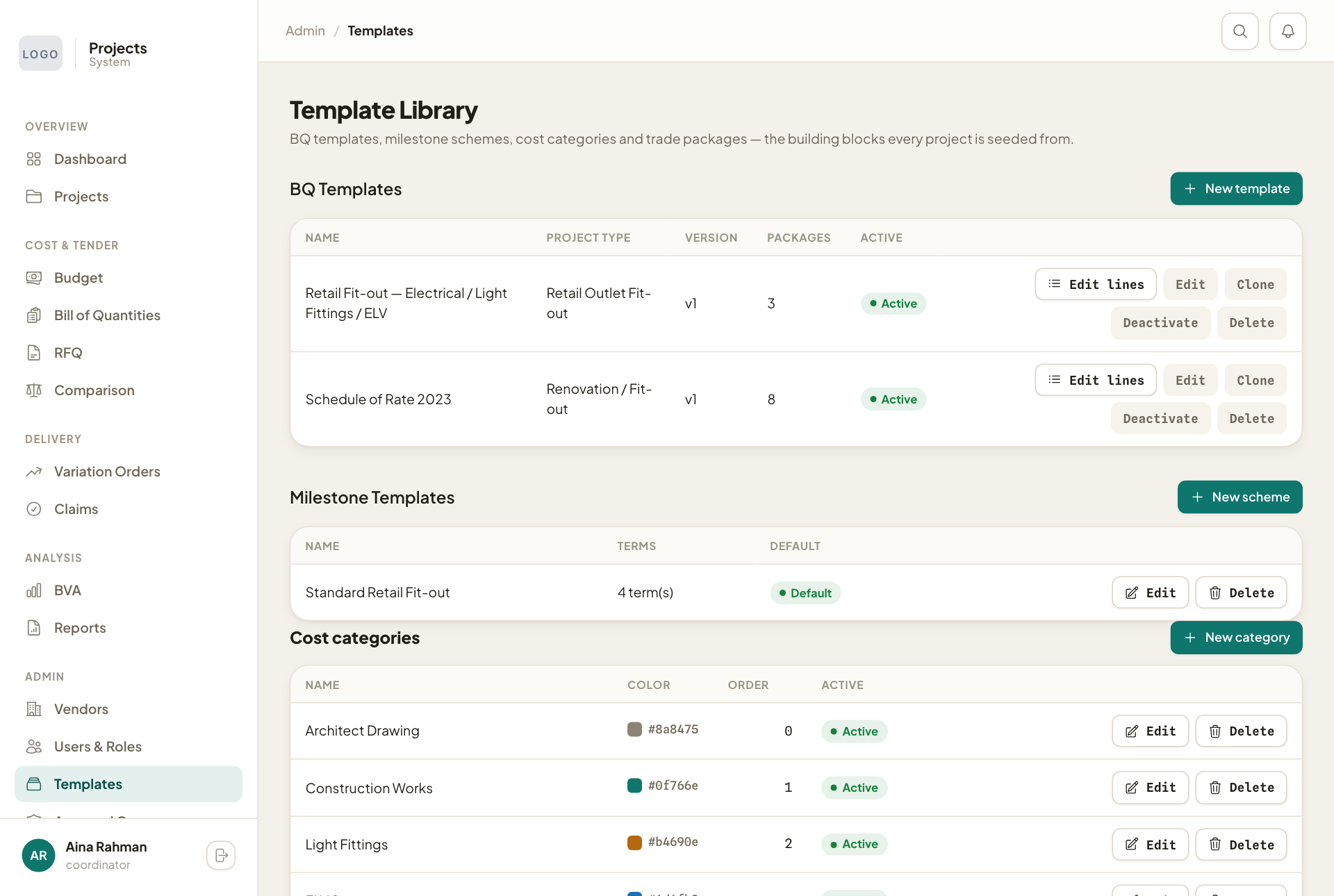
Whole guide as PDF (3 MB)New budgets start from a rate template, so coordinators begin from your company's agreed rates instead of a blank sheet. Open Templates to see:
- BQ Templates: the rate templates. Press Edit lines to change the items, Clone to copy one, Deactivate to hide it from new budgets.
- Milestone Templates: the payment stages offered as Payment Terms when creating a project.
- Cost categories and Trade Packages: the groups used in reports and to match vendors to work.
Change a rate template
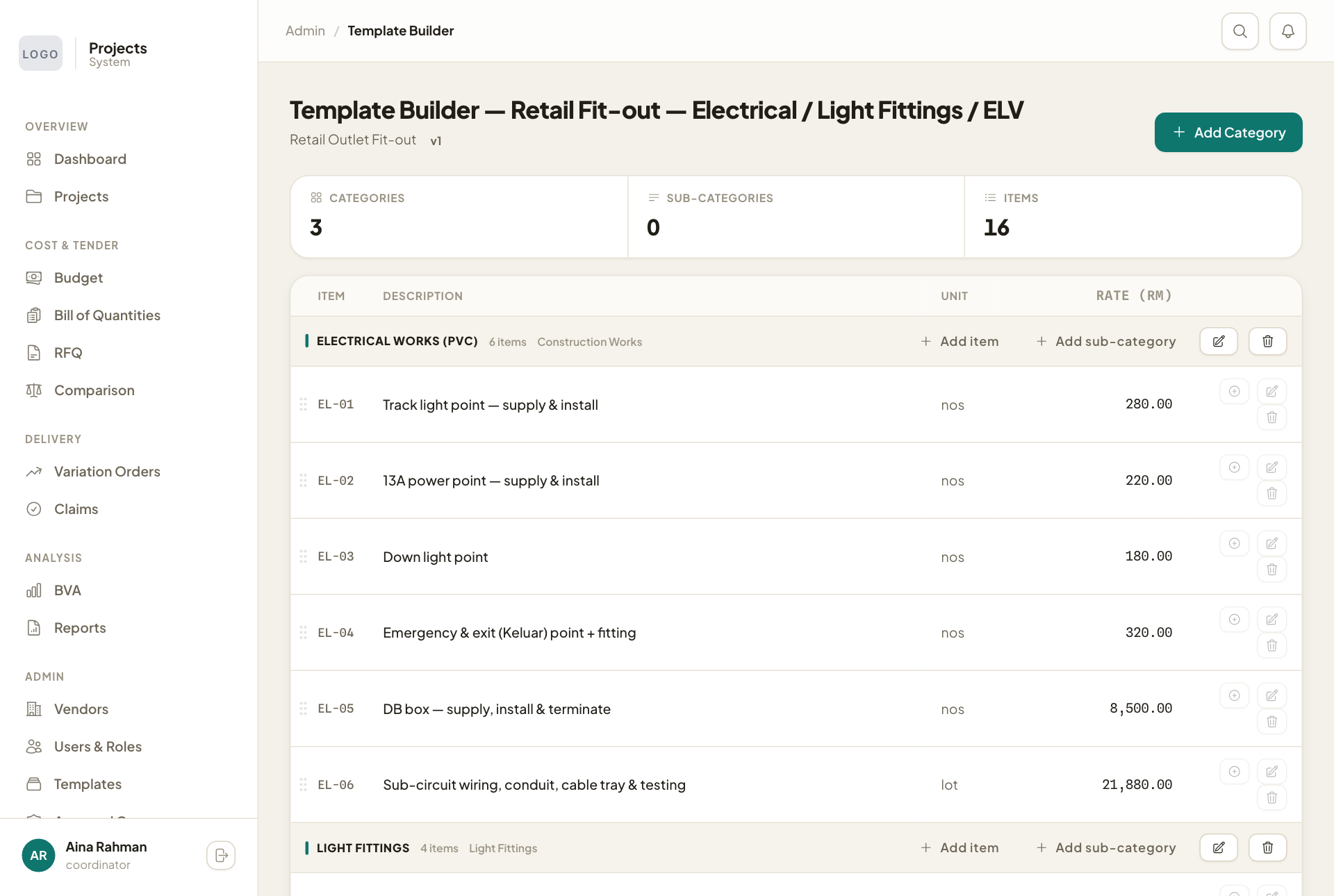
- Press Edit lines on the template.
- Press Add Category for a new group, Add item for a new item in a group, or Add sub-category for a heading inside a group.
- Use the pencil and bin buttons to change or remove an item.
An item's edit window has Exclude from % base: switch it on for items that should not count towards percentage items (for example goods your company supplies itself). Budgets made from the template then start with that item already excluded.
Changes affect new budgets only. Budgets already made keep the items they started with.